Apple Releases HomePod Software 27 With AutoMix Support
Cronologia relatărilor
 Prima relatare14 sept., 17:00
Apple Releases HomePod Software 27 With AutoMix Support
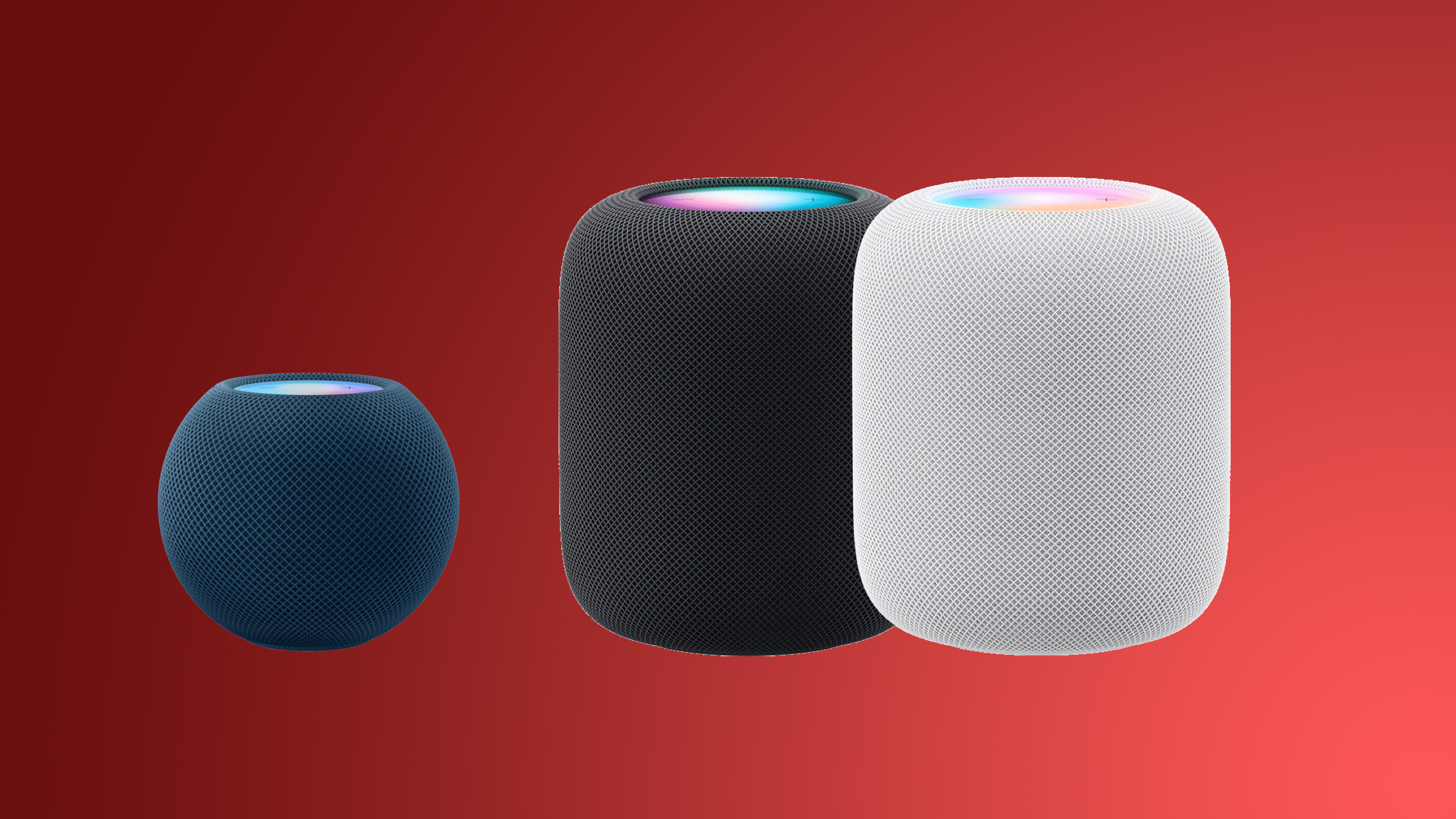
Alongside iOS 27 , iPadOS 27 , and macOS Golden Gate , Apple today released new software for the HomePod and HomePod mini . HomePod Software 27 adds AirPlay improvements and support for AutoMix when listening to Apple Music . This update introduces support for AutoMix with Apple Music, which transitions between songs like a DJ does, time stretching and beatmatching to deliver a continuous playback experience. It also delivers improved AirPlay performance, providing faster and more responsive connections when sharing music from iPhone, iPad, or Mac, and provides bug fixes and security updates for your HomePod. HomePod software can be installed on the Home app on the iPhone, iPad , or Mac by selecting on the More button, choosing Home Settings, and then using the Software Update option. If automatic updates are turned on, the new HomePod software will be installed automatically. Related Roundup: HomePod Buyer's Guide: HomePod (Caution) This article, " Apple Releases HomePod Software 27 With AutoMix Support " first appeared on MacRumors.com Discuss this article in our forums
MacRumors•Juli Clover
 Continuare14 sept., 17:01
Apple Releases tvOS 27
Apple today released tvOS 27 after several months of beta testing. tvOS 27 is available for free on the Apple TV 4K. tvOS 27 can be downloaded using the Settings app on the Apple TV. Open up Settings and go to System > Software Update to get the new software. Apple TV owners who have automatic software updates activated will be upgraded to tvOS 27 automatically. tvOS 27 features a redesigned Podcasts app, options for larger text and customizable subtitles, and a more responsive Control Center. AirPlaying to an Apple TV from another Apple device is faster, apps open quicker, and animations are smoother. tvOS 27 works on the 2nd and 3rd generation Apple TV 4K models, and it drops support for the Apple TV HD and the first-generation Apple TV 4K. Related Roundup: Apple TV Buyer's Guide: Apple TV (Don't Buy) Related Forum: Apple TV and Home Theater This article, " Apple Releases tvOS 27 " first appeared on MacRumors.com Discuss this article in our forums
 Continuare14 sept., 17:03
Apple Releases watchOS 27 With Siri AI, New Watch Face, Smart Stack Improvements and More
Apple today released watchOS 27 , the newest version of the operating system that runs on the Apple Watch. watchOS 27 is compatible with the Apple Watch Series 9 and later, the Apple Watch Ultra 2 and later, and the Apple Watch SE 3 . watchOS 27 can be downloaded for free on a compatible device through the Settings app on the watch. The update introduces support for Siri AI, a more capable version of Siri that uses personal context and onscreen awareness to help you get things done. There's a new Siri Modular watch face, updates to Smart Stack, improvements to Liquid Glass, and a consolidated Find My app. Apple's release notes for the update are below. Siri AI - A more capable and conversational version of Siri is rolling out to users. It helps you find what you need and get more done, drawing on capabilities like personal context understanding, app actions, onscreen awareness, and access to broad world knowledge - New voice experience offers more expressive and natural-sounding voices, and lets you customize expressivity and pace to make Siri more personal to you using powerful on-device models on paired iPhone Air and iPhone 17 Pro models and later - Dedicated Siri app provides an easy way to revisit an existing conversation or kick off a new one, and privately syncs conversations across your Apple products with iCloud Apple Intelligence across apps - Workout Buddy delivers motivation with new insights and is now available without your iPhone nearby when you have a Wi-Fi or cellular connection - Call Context in the Phone app understands when you're speaking to certain businesses and proactively surfaces relevant information from across your apps, like a confirmation code or a reservation number Cycle Tracking - Cycle deviation notifications that are suggestive of perimenopause can be received by those age 40 and over Watch Faces - Siri Modular face features a rectangular complication that mirrors the top widget of the Smart Stack, which dynamically updates to show the most relevant widget, as well as a Siri complication to quickly invoke Siri Smart Stack - Single-handed tap gesture enables you to tap your index finger and thumb together once to select a widget in the Smart Stack, even if your other hand is occupied - New suggestion widgets will be surfaced when most relevant to you, including a Parked Car location, birthday reminders for a close contact, balance changes on a transit card, Noise app after a loud noise notification, and more System Improvements - Dynamic app grid highlights your most popular and recently used apps - Find My app is now consolidated into one app to show People, Devices, and Items with a map-centric interface - Media playback now starts faster - Workout app makes distance calculations during treadmill workouts even more accurate from the first step of every walk or run - Fitness app features more accurate route maps after workouts - Battery extension notifications may be proactively offered to disable certain features to increase battery life, including gestures, Start Workout reminders, and Raise to Speak method of invoking Siri - Shazam in the Smart Stack and Music Recognition app identifies songs offline without an internet connection and delivers results automatically when you're back online - Liquid Glass refinements improve readability with more uniform refraction and improved contrast Siri AI in watchOS 27 requires an Apple Intelligence-capable iPhone, which includes the iPhone 15 Pro models, the iPhone Air , and all iPhone 16 , iPhone 17 , and iPhone 18 models. Related Roundups: watchOS 26 , watchOS 27 Tag: Siri Related Forum: Apple Watch This article, " Apple Releases watchOS 27 With Siri AI, New Watch Face, Smart Stack Improvements and More " first appeared on MacRumors.com Discuss this article in our forums
 Continuare14 sept., 18:42
Apple Releases New AirPods Firmware With iOS 27 Features
Apple today released new firmware for the AirPods Pro 2, AirPods Pro 3 , AirPods 4, and AirPods Max 2 . The firmware is available for all of the above devices, and it will enable support for new iOS 27 features. The firmware has a build number of 9A348. In iOS 27, iPadOS 27 , and macOS Golden Gate , Apple is adding a new AirPods interface, a slider for Adaptive mode, and support for custom EQ. AirPods are also compatible with the new Siri AI. Firmware updates can be downloaded by connecting the AirPods to an Apple device and connecting them to power. It can take a few hours for new firmware to be installed because there is no software update option like there is for other Apple devices. Related Roundups: AirPods 5 , AirPods Max 2 , AirPods Pro 3 , iOS 27 , iPadOS 27 Buyer's Guide: AirPods (Buy Now) , AirPods Max (Buy Now) , AirPods Pro (Neutral) Related Forums: AirPods , iOS 27 This article, " Apple Releases New AirPods Firmware With iOS 27 Features " first appeared on MacRumors.com Discuss this article in our forums
 Continuare14 sept., 20:30
Apple releases macOS 27 Golden Gate: 7 new features to try
Welcome to the Golden Gate era of macOS, which brings a new Siri AI experience, spatial photo reframing, and Describe a Shortcut,
Mashable
 Continuare15 sept., 00:02
macOS Golden Gate: 10 Features to Try First
Apple released macOS Golden Gate to the public today, which means anyone with a compatible Mac can download it. The new version of macOS requires an Apple chip, so if you have a Mac with an M1 or later or a MacBook Neo , you can upgrade. macOS Golden Gate includes Siri AI, and the Mac is the only device that people in the EU can try Siri AI with. It also brings a long list of performance improvements, updates to Liquid Glass, and new Apple Intelligence features for apps like Photos , Calendar, Reminders, Home, and Safari. Liquid Glass Apple added a Liquid Glass slider in macOS 27, which means you can adjust the transparency level. You can select a clearer version of Liquid Glass that lets some of the background show through, or a more opaque version for improved legibility. Since it's a slider, you can also pick something in between. Apple tweaked the overall opacity of Liquid Glass, and it better diffuses complex content behind navigation bars and buttons. Darkened edges and brighter specular highlights add more depth and separation for different UI elements. Toolbars, Sidebars, and Windows Uniform toolbars in apps make text headings and groups of controls more legible, and Apple has cut back on the number of icons that are used in menu interfaces. Windows have the same corner radius for more consistency, and you'll notice that app corners are not as dramatically rounded. Changes to window shadows and the Liquid Glass updates make it a lot easier to tell which window is active when you have several apps open. Sidebars no longer float and are edge-to-edge, which is a less distracting design. Sidebar icons once again use color, too. Siri AI Siri AI is the biggest change in macOS Golden Gate. Siri is smarter, more capable, and functions like a chatbot. On the Mac, you can ask Siri anything using the Spotlight interface that comes up with Command + Space. Spotlight is now a unified "Search or Ask" bar where you can search for files, apps, and other content, or ask Siri to complete tasks or answer queries. You can also interact with Siri using the dedicated Siri app, which is where you can view past conversations and start new conversations. Siri conversations sync across all of your devices, and the Siri app is cross-platform. Siri can see what's on your screen and access your personal information like emails, messages, and photos to answer questions. Siri can also search the web and complete tasks in apps for you. It's a huge change from the prior version of Siri, and Siri can handle far more than it could before. We have more on some of the tasks you can complete with Siri in our Siri AI guide . Visual Intelligence Apple brought the iPhone's Visual Intelligence feature to the Mac in macOS 27. You can ask Siri questions about what's on your screen with Visual Intelligence, choosing the entire screen or just a portion. Visual Intelligence on the Mac works when you press Command + Shift + Space or Command + Shift + 6 to capture one area of the display. If you press Command + Shift + 5 (also used for recording your display and capturing screenshots), you can click on the Visual Intelligence icon to get an adjustable selection square for selecting an area of the screen. Siri can search for images, summarize, translate, identify objects, add information from the screen to apps like Calendar or Reminders, answer questions about what you're looking at, and more. Visual Intelligence on Mac has all of the same features as Visual Intelligence on iPhone , and it includes the new Visual Intelligence features like telling you nutritional information for food or splitting out a bill. Write with Siri There is a system-wide Write with Siri feature that goes beyond the Apple Intelligence Writing Tools available in macOS Tahoe . Siri can compose entire emails or messages for you, give you feedback on your writing, change out words, and complete other editing tasks. To use Write with Siri on Mac, right-click in an app and choose the Ask Siri option. If you select text before the right-click, you can ask Siri for editing help. If you have a blank document, you can ask Siri to generate something for you. When drafting emails or messages, Siri can analyze your past communications and generate something in your own writing style. Apple also expanded spell correction in macOS Golden Gate, and your Mac will give you grammar suggestions and fixes. iPhone Mirroring You can resize the iPhone Mirroring window in macOS Golden Gate, dragging at the corner to make a window larger or smaller. Depending on the app, you may be limited to a portrait iPhone aspect ratio, but other apps support iPad or landscape layouts. It's a feature Apple likely added for the iPhone Duo , but it's nice to have for any iPhone. Shortcuts It's easier for anyone to create a Shortcut in just a few minutes in macOS Golden Gate. The Shortcuts app on Mac opens to an interface that lets you describe what you want a shortcut to do using natural language. AI creates the shortcut for you, and you can refine it with further natural language commands or manually edit it. You can activate your shortcuts through the app or with Siri commands. Safari Extensions Safari has a customizable extension feature in macOS Golden Gate, and you can use the Describe Extension option to type in what you want an extension to do. The extension is created using AI and is available to use right away. To use it, click on the settings icon on the right side of the URL bar and choose the Describe Extension option. Some Apple examples: Display a reading time estimate as a badge on the extension Close duplicate tabs pointing to the same URL when I click the extension Highlight this word Create a 3-minute focus timer for the page Set the minimum font size to 14pt Every time I open a new tab, draw me a flower Highlight and show the dimensions of webpage elements when I click them Enter design mode for a website so that I can edit the contents Save this recipe Safari Tab Grouping and Notifications Safari also has an intelligent tab grouping feature. Tabs in related categories are automatically grouped together in the tab view. You can also set Safari to monitor a webpage for updates, with Hourly, Daily, Weekly, and Monthly checks available. When you set this feature up, you'll get a notification when the content on the webpage changes. Performance Improvements In addition to introducing Siri and new Apple Intelligence features, macOS Golden Gate cleans up underlying code. Apple made multiple refinements to speed up performance. Animations and interactions are faster and smoother, and you'll notice a difference when scrolling Safari and other apps, opening Mission Control and Spaces, and using other Mac interface elements. AirDrop transfers complete more quickly, browsing through files on attached network devices is faster, and window positioning is more stable when using external displays. Messages also sync faster and more reliably across devices. Apple rebuilt its search foundation for Spotlight, Photos, Mail, and Messages, and indexing is quicker. When you search for something recent, it's more likely to come up right away than before, and in Mail, there's a ranking system that surfaces the emails you're most likely looking for. Mail search indexing is more reliable than before, and Spotlight search suggestions are more relevant. How to Install macOS Golden Gate can be installed through the System Settings app on your Mac. Just go to General > Software Update. Full System Requirements macOS Golden Gate runs on Macs with an M1 chip or later, plus the A18 Pro MacBook Neo. Intel Macs do not support macOS Golden Gate and won't get the new features. Every Mac that runs macOS Golden Gate supports Apple Intelligence and Siri AI, but some on-device Siri processing features for selecting a natural voice and getting upgraded dictation require an M3 or later. Related Roundup: macOS Golden Gate Related Forum: macOS Golden Gate This article, " macOS Golden Gate: 10 Features to Try First " first appeared on MacRumors.com Discuss this article in our forums
 Continuareacum 3 h
Apple Releases First watchOS 27.2, tvOS 27.2 and visionOS 27.2 Betas
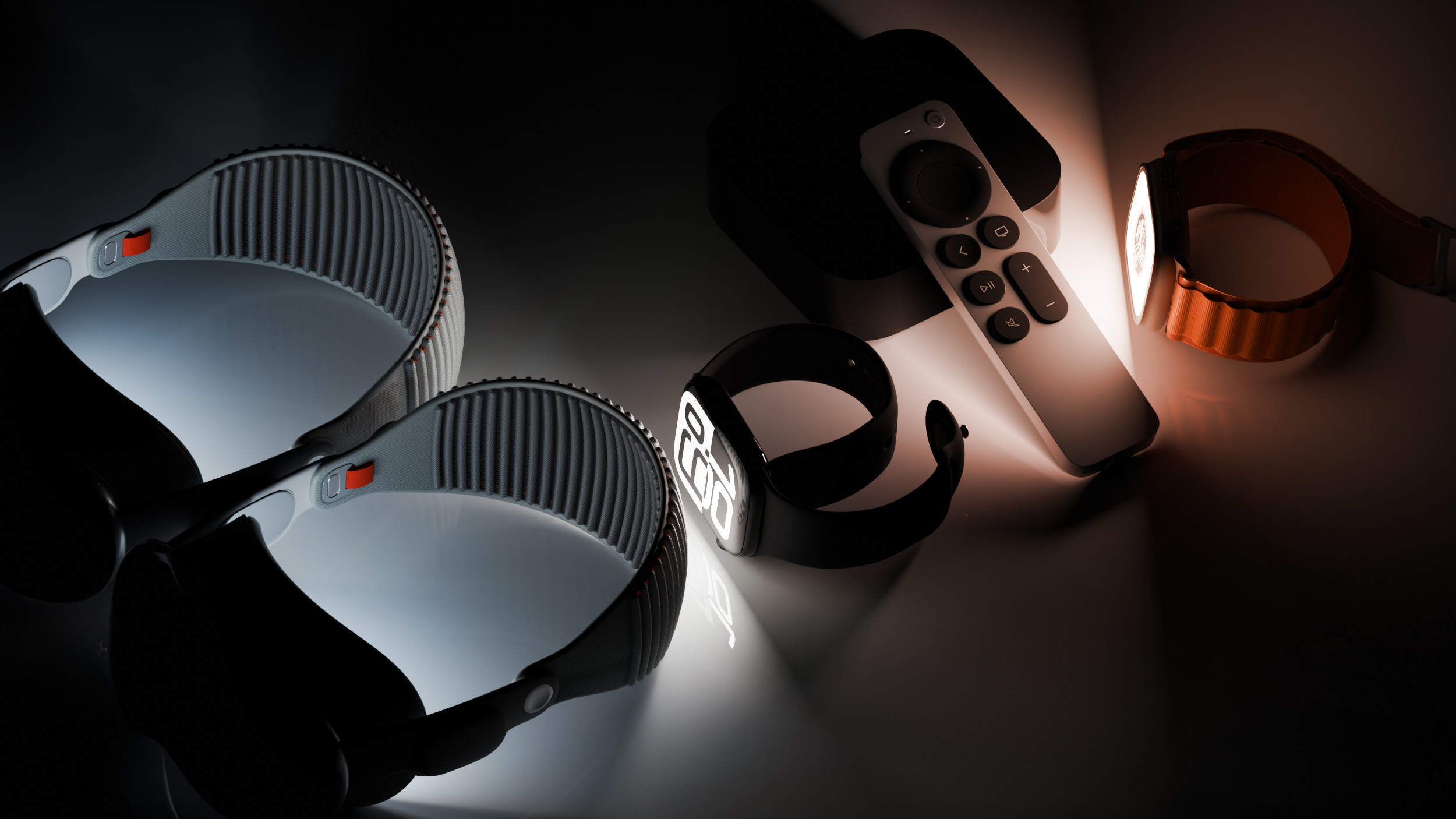
Alongside new betas of iOS 27.2, iPadOS 27.2, and macOS Golden Gate 27.2, Apple has released the first betas of watchOS 27.2, tvOS 27.2, and visionOS 27.2. The betas come two days after the 27.0 software updates were released. Registered developers can download the betas through the Settings app on each device. Two new Apple Intelligence features are coming to the Apple Watch Series 12 and Apple Watch Ultra 4 in late 2026, and Apple could start testing them as soon as watchOS 27.2. Live Rewind will allow users to double-press the Digital Crown to get a transcription of what was said in the last 15 seconds, while Siri Recap will turn conversations users have had during the day into high-level notes. There's no word on what's being added in visionOS 27.2 and tvOS 27.2, but Apple is expected to introduce a new version of the Apple TV 4K with Siri AI support sometime before the end of the year. Related Roundups: Apple TV , Apple Vision Pro , watchOS 26 , watchOS 27 Buyer's Guide: Apple TV (Don't Buy) , Vision Pro (Neutral) Related Forums: Apple TV and Home Theater , Apple Vision Pro , Apple Watch This article, " Apple Releases First watchOS 27.2, tvOS 27.2 and visionOS 27.2 Betas " first appeared on MacRumors.com Discuss this article in our forums
 Continuareacum 3 h
Apple Releases First iOS 27.2 Beta
Apple today seeded the first beta of an upcoming iOS 27.2 update to developers for testing purposes, with the update coming just two days after the iOS 27 launch. Apple also seeded an iPadOS 27.2 beta. Registered developers can download the beta updates by opting in under Settings > General > Software Update and selecting the iOS 27 developer beta. Siri AI will be available in new languages later this year, and support could be added in iOS 27.2. Apple is adding French, Japanese, Korean, Portuguese, and Spanish in October. Two Apple Intelligence features were removed from the launch version of iOS 27, and those could also be reintroduced as soon as iOS 27.2. Apple delayed suggestions in Messages conversations and the option to automatically fix compromised and weak passwords using AI. Apple also plans to debut a new Health app experience, and we could see that in the beta as well. Apple releasing an iOS 27.2 beta ahead of a iOS 27.1 beta is a surprise, especially because the company plans to ship the iPhone Duo with iOS 27.1 . Apple may be holding iOS 27.1 until the Duo comes out, just to keep the features under wraps. iOS 27.1 will add updated app layouts and features built for the iPhone Duo 's two displays. The iPhone Duo will have a vertical dock, vertical Dynamic Island , new dual-screen app layouts, side-by-side app multitasking, and exclusive Camera app capabilities. Since the iPhone Duo will launch on Friday, October 23 and will ship with iOS 27.1, Apple will need to release the iOS 27.1 update before then. If iOS 27.2 includes new Siri AI languages, it too will launch sometime during the month of October. Related Roundups: iOS 27 , iPadOS 27 Related Forum: iOS 27 This article, " Apple Releases First iOS 27.2 Beta " first appeared on MacRumors.com Discuss this article in our forums
 Cea mai nouăacum 1 h
MacOS 27 Golden Gate: Top New Features
Siri’s reintroduction takes center stage as Apple officially rolls out the latest version of macOS to download and install.
WIRED•Luke Larsen