Applepage 24

Organization · 826 articles
Share

Coverage, page 24

page 24 of 42

Apple Watch Series 12 and Apple Watch Ultra 4 Have Increased RAM

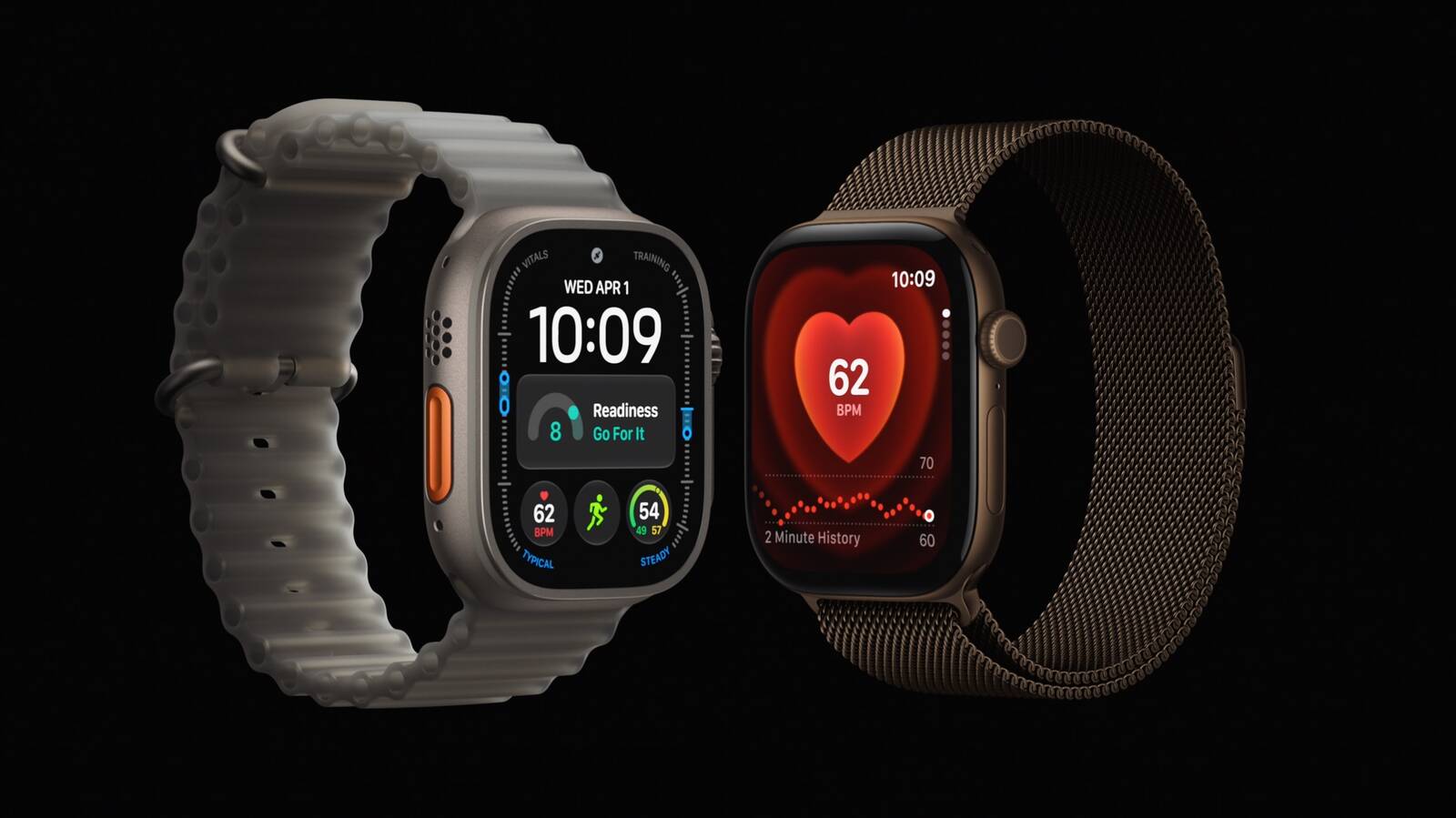
MacRumors has confirmed that the Apple Watch Series 12 and Apple Watch Ultra 4 have increased RAM compared to the previous-generation models. Both new models are equipped with 4GB of RAM, according to Apple's developer tool Xcode 27. Apple Watch Series 11 and Apple Watch Ultra 3 models are equipped with 2GB of RAM, so the Series 12 and Ultra 4 have twice as much memory. Apple Watch Series 12 and Apple Watch Ultra 4 models are equipped with a new S11 chip that powers new Apple Intelligence features when the watches are paired to an iPhone 15 Pro or newer. The increased RAM will help to enable these new functions, such as Live Rewind text snippets and Siri Recap summaries, and give a boost to Siri AI. Despite a severe memory chip shortage that has driven up the price of RAM and resulted in Apple raising prices on iPhones , iPads , Macs , and more in recent months, the Series 12 and Ultra 4 start at $399 and $799 respectively in the U.S., meaning the devices have the same starting prices as the Series 11 and Ultra 3 even with more RAM. Related Roundups: Apple Watch 11 , Apple Watch Ultra 3 Buyer's Guide: Apple Watch (Buy Now) , Apple Watch Ultra (Buy Now) Related Forum: Apple Watch This article, " Apple Watch Series 12 and Apple Watch Ultra 4 Have Increased RAM " first appeared on MacRumors.com Discuss this article in our forums

MacRumorsMacRumorsJoe Rossignol10 Sept

Apple Considering Ads Inside Visual Intelligence, Code Suggests

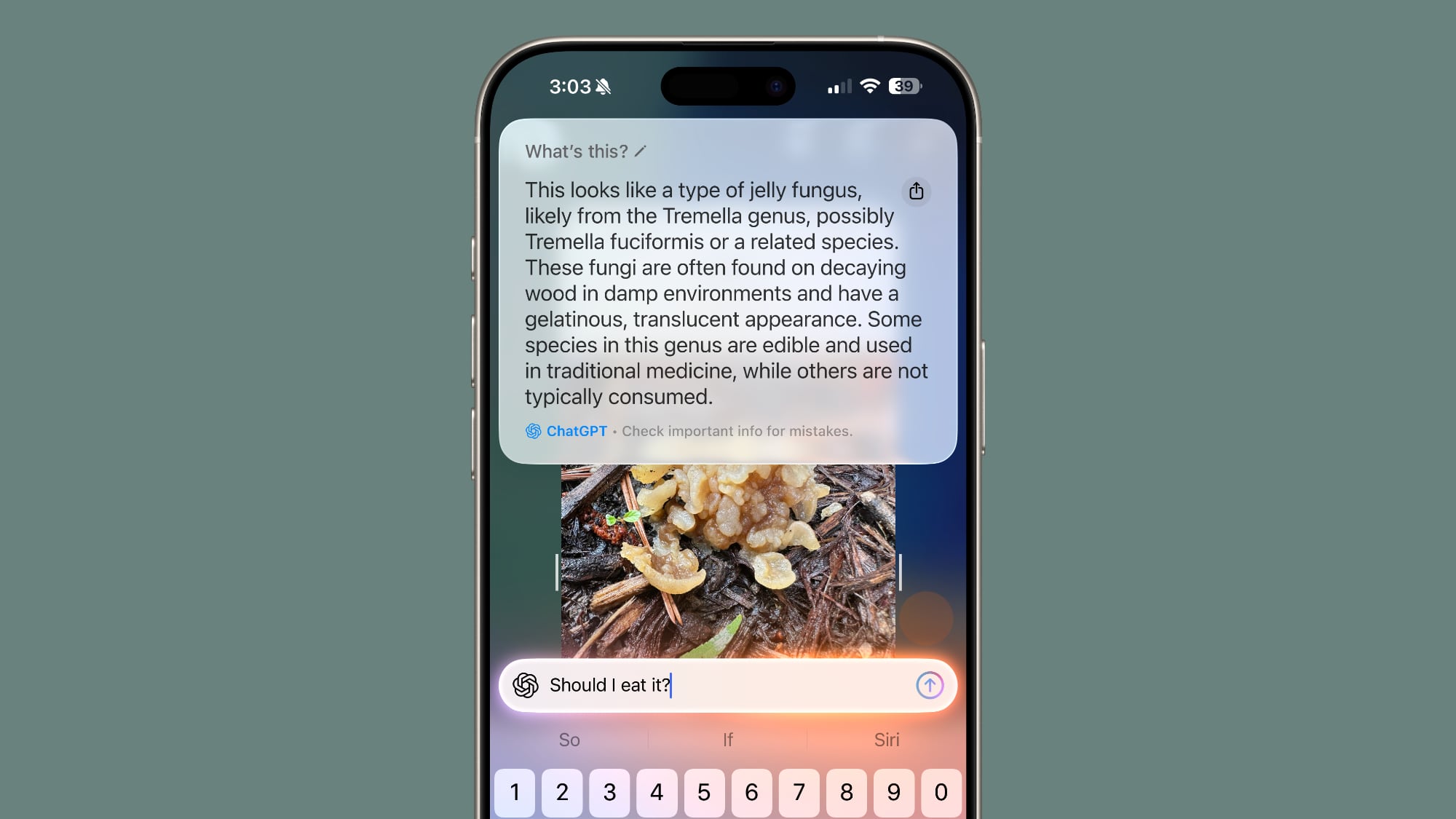
Apple may be exploring a way to let search providers show sponsored results inside Visual Intelligence , according to code uncovered in iOS 27 . The find comes from MacRumors ' Aaron Perris , who said in a post on X that the code points to Apple allowing search providers to insert their own sponsored results into ‌Visual Intelligence‌, rather than Apple selling the ad space itself. He compared it to the sponsored product listings already seen on Amazon and Google. It is not clear whether Apple would take a cut of ad revenue. The feature would let third party search providers, such as Google, insert items such as sponsored product images alongside the organic results ‌Visual Intelligence‌ already returns when a user points their camera at an item to shop for it. That would set it apart from the advertising pushes Apple has driven directly in its own apps over the past year. Apple has been steadily expanding its advertising business across the App Store and Maps. The company began showing additional sponsored slots in ‌App Store‌ search results in March, and ads went live in Apple Maps in the United States and Canada last month. ‌Visual Intelligence‌ already routes shopping queries to services like Google Image Search and retailers such as Etsy, Amazon, and Anthropologie, so ad supported results from those partners would build on functionality that already exists in ‌iOS 27‌. Tag: Visual Intelligence This article, " Apple Considering Ads Inside Visual Intelligence, Code Suggests " first appeared on MacRumors.com Discuss this article in our forums

MacRumorsMacRumorsHartley Charlton10 Sept

iOS 27 RC Adds Long-Rumored Camera App Controls Customization

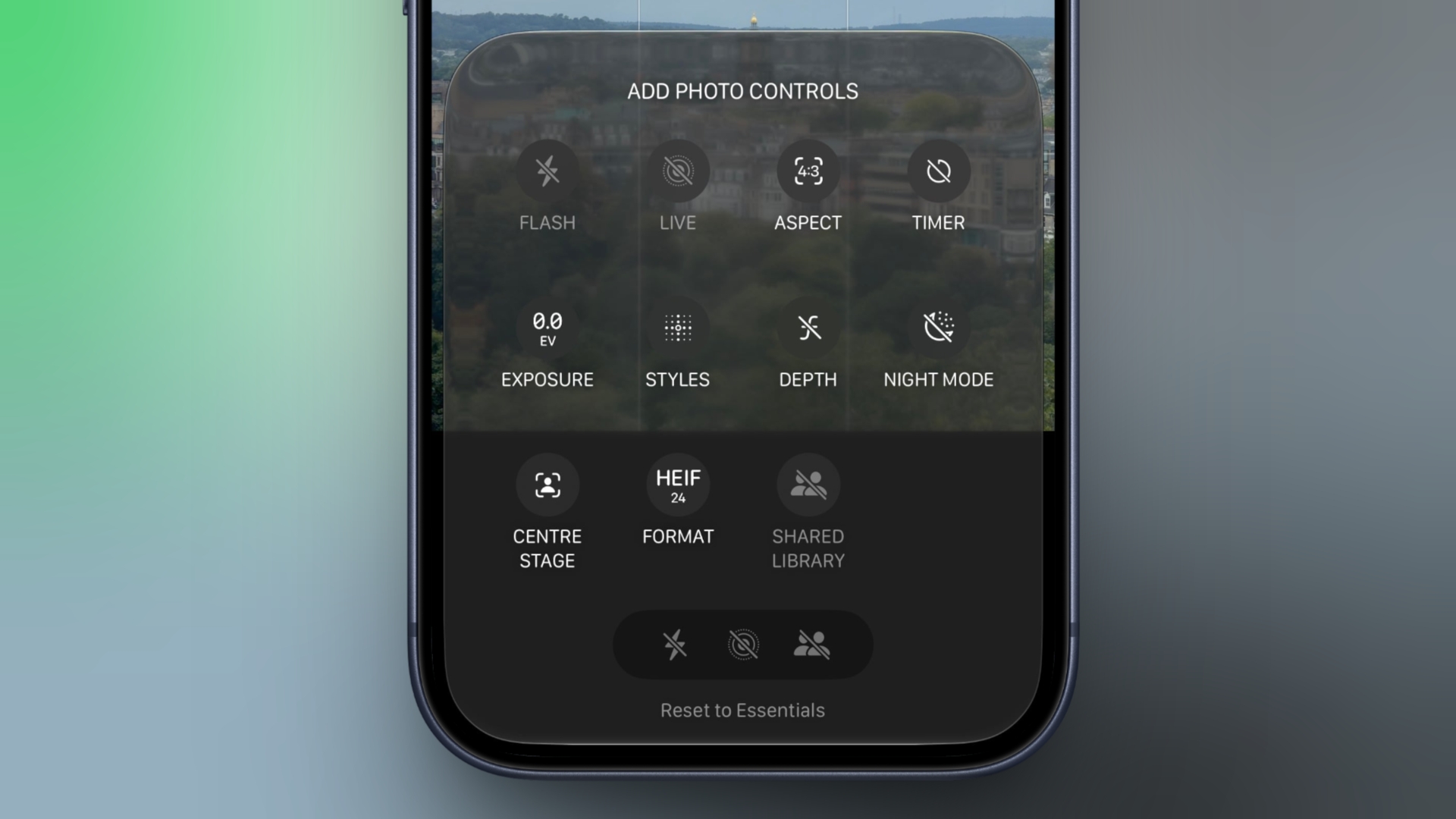
In the iOS 27 Release Candidate that Apple released to developers on Wednesday, Apple added the long-rumored ability to customize the Camera app's controls. Way back in May, Bloomberg 's Mark Gurman reported that Apple planned to make the Camera app more customizable, but it's only now that the feature has made it into the beta roadmap. To customize the Camera app's controls, tap the button with six circles inside in the bottom-right of the Camera's UI and look for a new Edit button in the top-left corner. From the new "Add Photo Controls" tray that appears, you can add or remove the widget-like controls to the top of the Camera app's UI, then press Done in the top right when you're happy with your selection. Depending on your iPhone model, you can choose from the following controls: Flash Live Photo Aspect Ratio Timer Exposure Styles Filters Depth Control Night Mode Center Stage File Format Shared Library A "Rest to Essentials" option at the bottom of the widget tray lets you revert to the default set of controls. When the customization feature didn't appear in Apple's iOS 27 preview at WWDC in June, Gurman said he believed that Apple was holding it back specifically for the release of new iPhone 18 Pro models, which bring some of the most significant camera hardware upgrades in several years. While the iPhone 18 Pro and Pro Max have now been unveiled, it appears that Apple is making the customization feature available to all iPhone models capable of running iOS 27 . Apple is set to officially release iOS 27 to the public on Monday, September 14. Related Roundups: iOS 27 , iPadOS 27 Related Forum: iOS 27 This article, " iOS 27 RC Adds Long-Rumored Camera App Controls Customization " first appeared on MacRumors.com Discuss this article in our forums

MacRumorsMacRumorsTim Hardwick10 Sept

Apple Details How iOS 27 Adapts to iPhone Duo's Displays

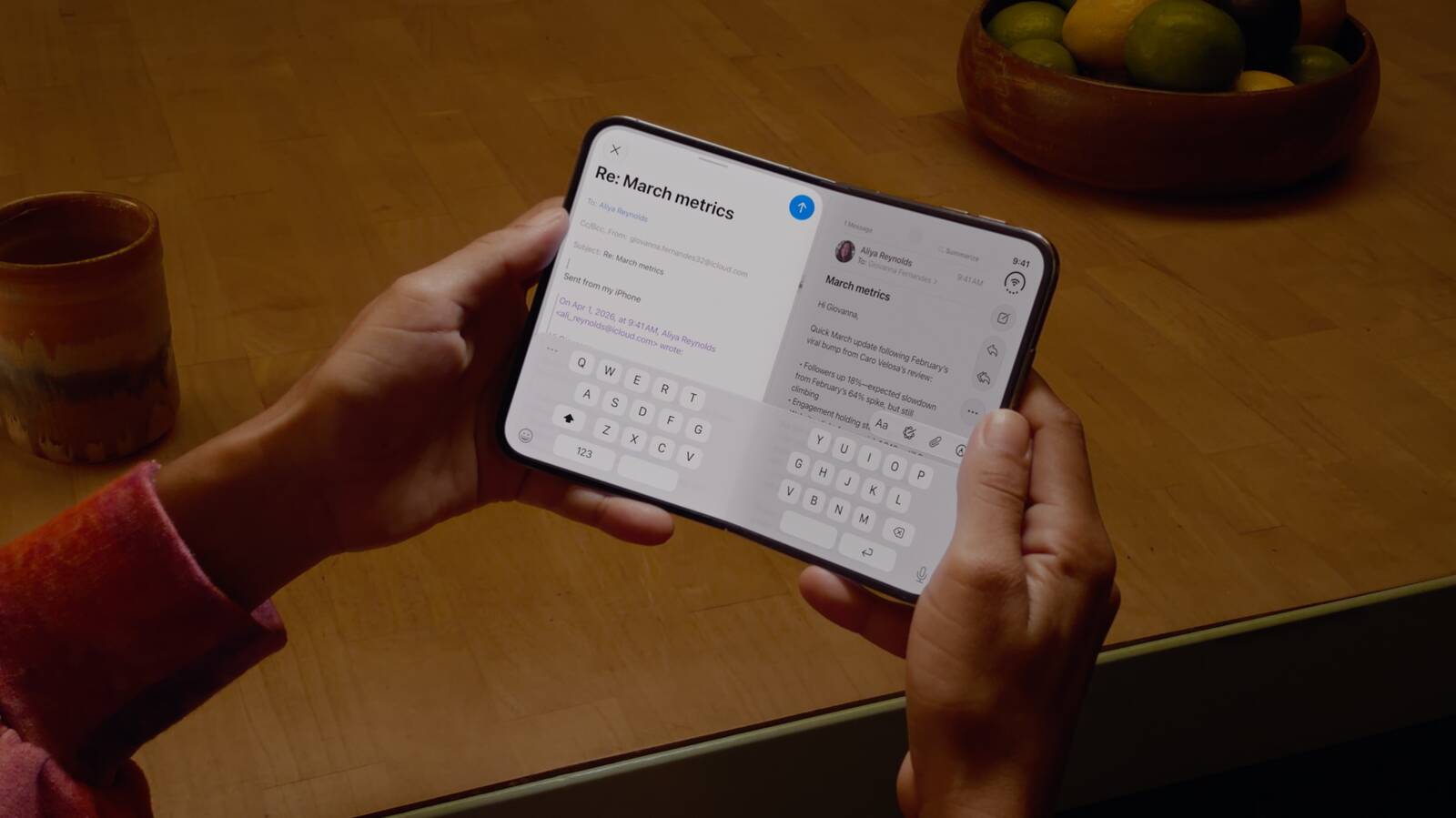
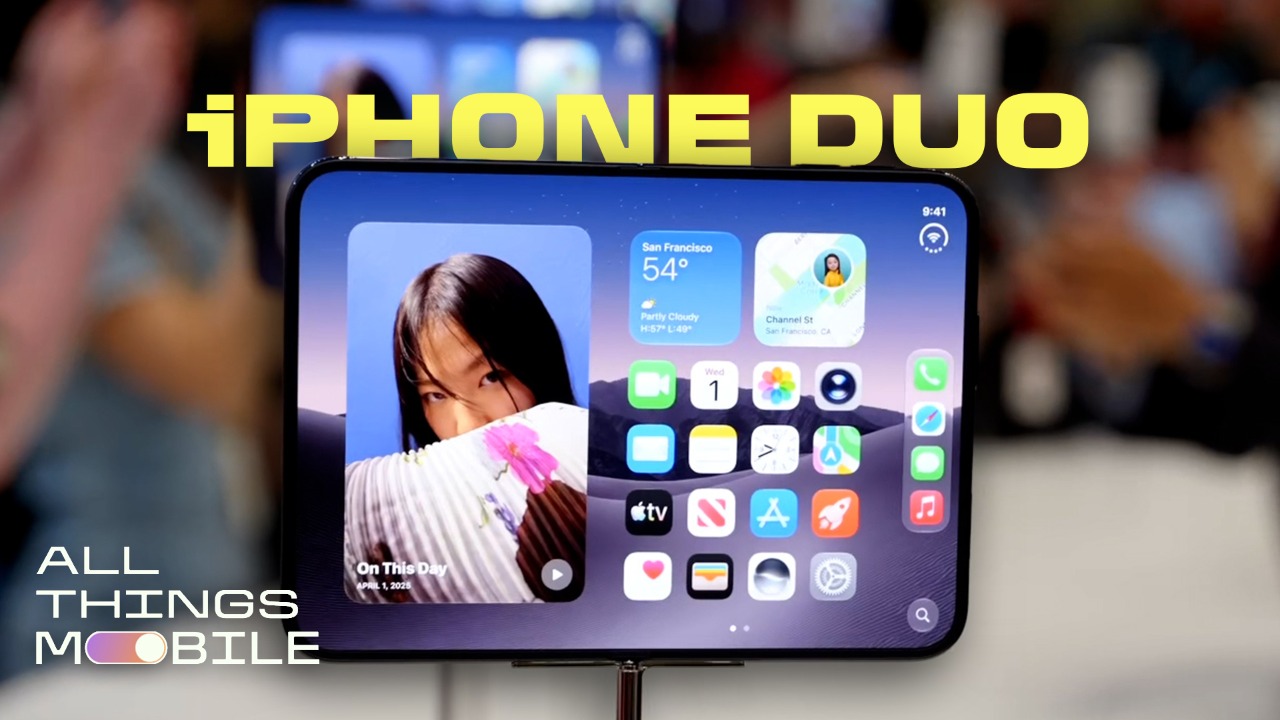
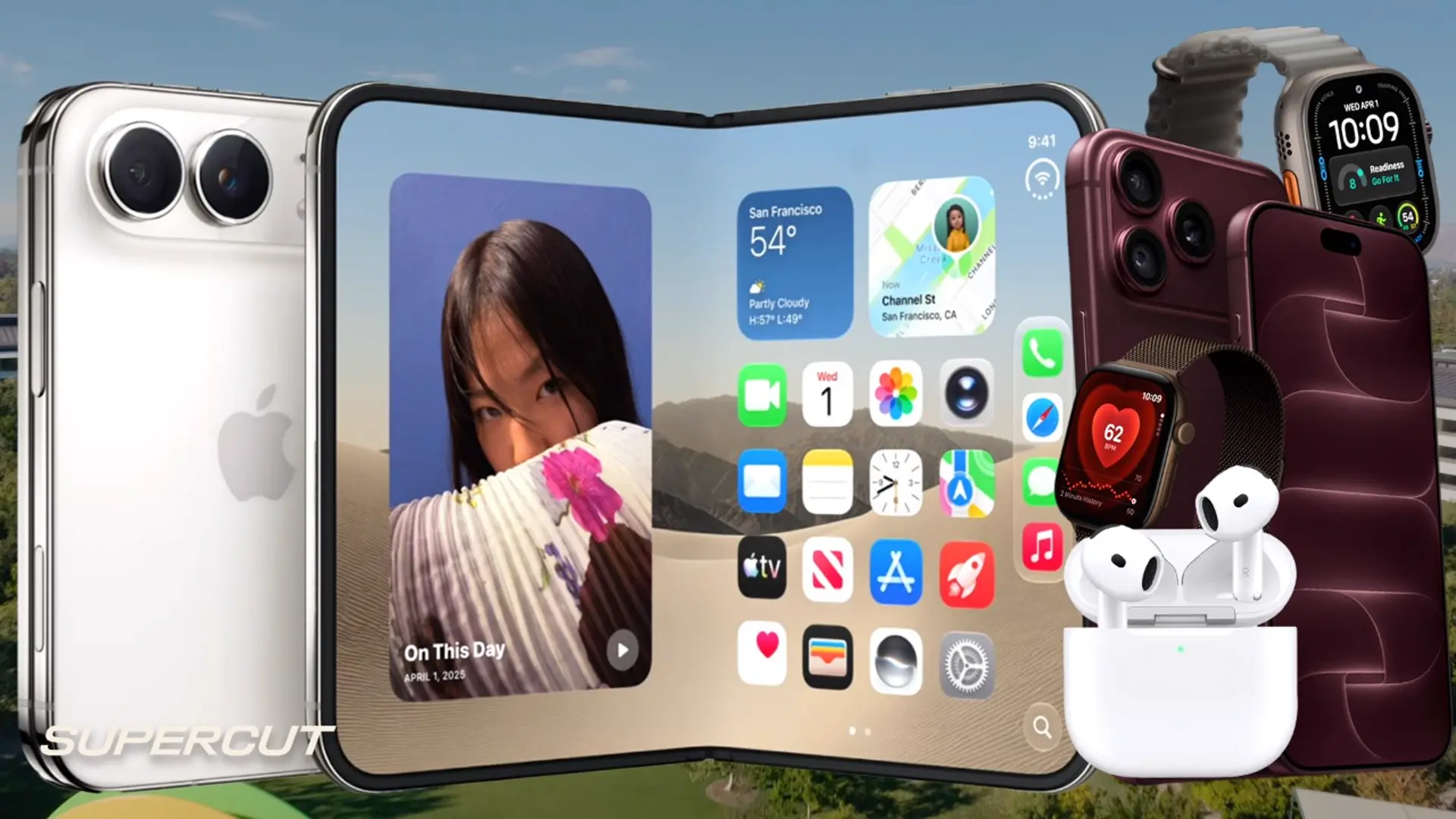
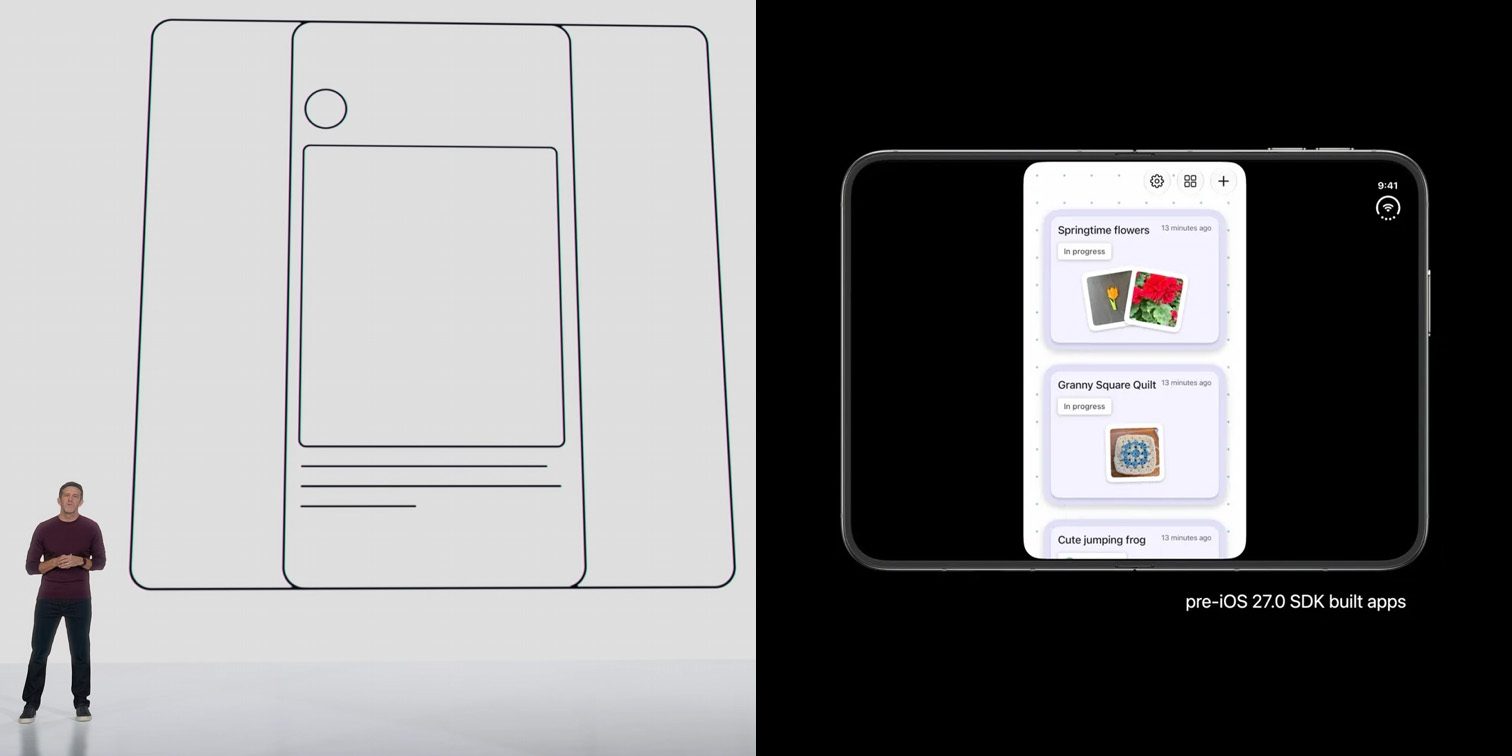
Apple has detailed how iOS 27 was rebuilt to adapt in real time to the iPhone Duo , the company's first foldable iPhone, reshaping the interface as the device folds, unfolds, and switches between its two displays. Lock Screen controls, the Dock, and app navigation elements now sit along the side of the display instead of across the bottom, freeing up vertical space for content. When open, the ‌iPhone Duo‌ shows two Home Screen pages. The status bar is now a circular, flexible system that fits into the corner of the screen, and the Dynamic Island runs vertically along the side of the outer display. The interface also changes based on the device's angle. It reorients when the phone is turned on its side and switches to the appropriate display when flipped over. Apple said building this required changing how individual apps lay out content as the screen changes shape, including moving the Dock to a vertical orientation. Controls stay anchored to the side of the screen throughout, and the Lock Screen moves its buttons aside to give more room for the wallpaper. The ‌iPhone Duo‌ supports side-by-side multitasking, which is a first for the iPhone. Split View lets users run two apps at once, and it's possible to open two windows of the same app, such as Safari, or use Siri AI on one side of the screen while viewing content on the other. Users can swipe up from the bottom to switch apps or save a pair of apps to return to later. The software also adjusts to how the phone is angled rather than just whether it's open or closed. Content shifts away from the crease when the device is partially folded, where taps are harder to register, and audio tuning algorithms account for the changing distance between the speakers as the phone moves through different positions. When laid flat on a table, iOS uses sensors in each half of the device to let users view content without a stand. Setting the ‌iPhone Duo‌ down triggers StandBy on whichever display faces up, even when the phone isn't charging, turning it into a photo frame, widget hub, or clock. New Calendar and Weather faces join the existing Clock and Modular options, the Photos face now shows Shared Albums, and each face supports additional colors, fonts, and complications. Apple has built new APIs for developers to adapt their apps to the dual-display design, and the ‌iPhone Duo‌ support is coming to Device Hub in Xcode. Netflix, Zoom, and Slack have already updated their apps to make use of the larger inner display. The folding design also enables four camera features not available on other iPhone models. Smart Take uses on-device AI running on the A20 Pro's Neural Engine to analyze a scene and automatically capture a photo when its subjects are posing. Duo Preview shows a live camera preview on the outer display so a subject can check their framing before taking a shot. Kid Cue plays Peanuts animations on the outer display to get a child's attention. Duo FaceTime lets people standing near the person on a call join in through the outer display. There are a host of other features such as video playback controls and a keyboard that appear on the lower half of the display when set flat, a split keyboard when the display is partly folded, and more. Pre-orders for ‌iPhone Duo‌ open at 5 a.m. Pacific on Friday, October 16, with availability beginning Friday, October 23. Related Roundups: iOS 27 , iPadOS 27 , iPhone Duo Related Forums: iOS 27 , iPhone This article, " Apple Details How iOS 27 Adapts to iPhone Duo's Displays " first appeared on MacRumors.com Discuss this article in our forums

MacRumorsMacRumorsHartley Charlton10 Sept

iPhone 18 Pro and Pro Max Benchmarks Reveal Speed of A20 Pro Chip

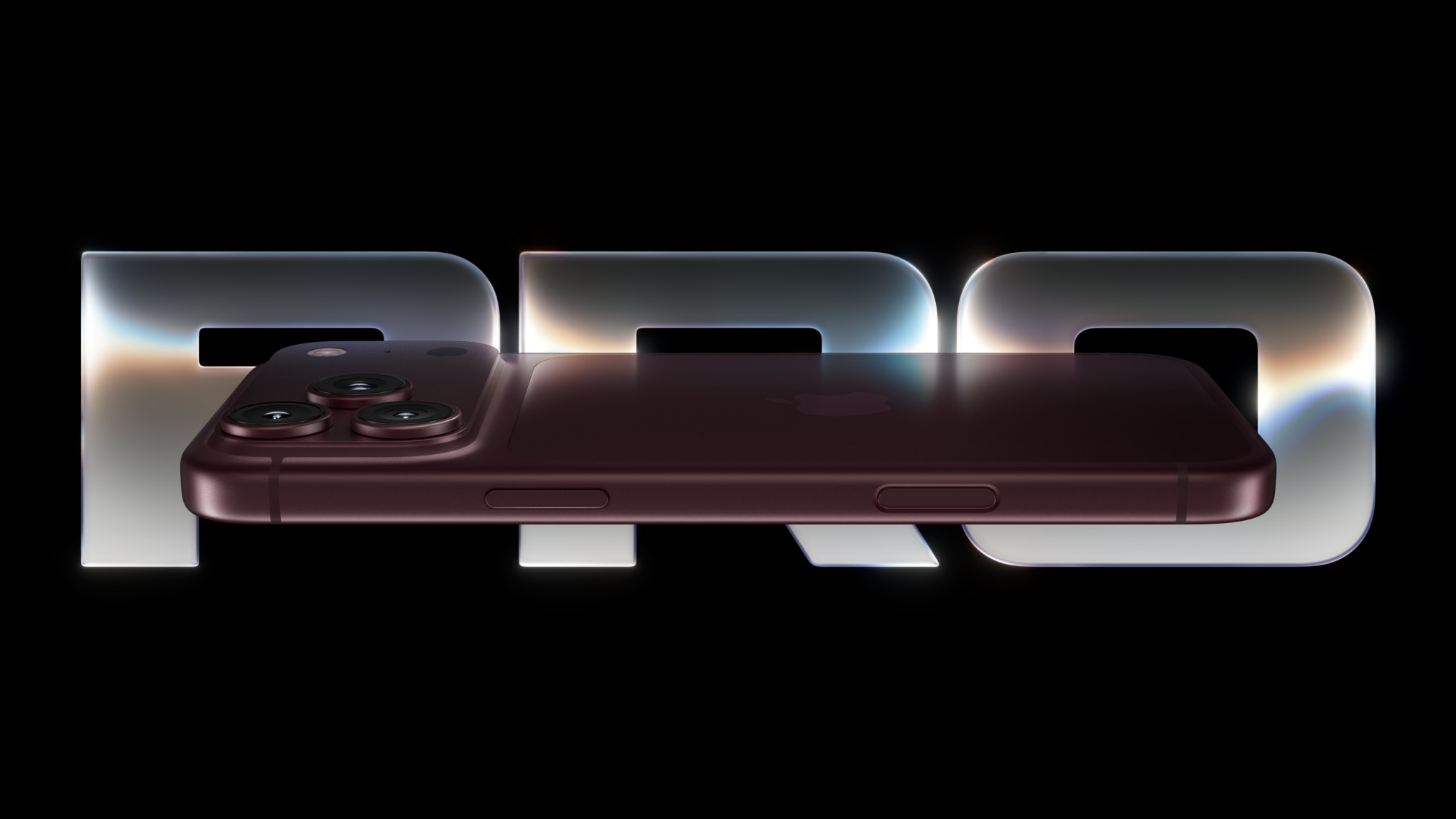
Early benchmark results for the A20 Pro chip in the iPhone 18 Pro and iPhone 18 Pro Max appeared early this morning in the Geekbench 7 database, offering us a first look at the new models' CPU and graphics performance ahead of the devices reaching customers. Based on these early results – which are unconfirmed – the A20 Pro chip across the Pro models appears to deliver around 21% to 23% faster performance in single-core and 27% to 28% faster performance in multi-core than the A19 Pro chip in the iPhone 17 Pro. It's a pretty impressive jump. The iPhone 18 Pro result lists a single-core score of 4,719 and a multi-core score of 12,677, while an iPhone 18 Pro Max entry delivers similar results, scoring 4,725 and 12,575, respectively. Both identify a six-core CPU running at approximately 4.93 GHz. There are similarly formidable gains on the graphics side for the A20 Pro. Based on early Metal scores in the Geekbench 6 database (also unconfirmed) the full 7-core GPU variant of the chip in the iPhone 18 Pro models is around 38% to 40% faster than the A19 Pro's 6-core GPU. The graphics results broadly match Apple's claim in its iPhone 18 Pro press release and product page that the A20 Pro offers up to 20% faster CPU performance compared to the A19 Pro chip in the iPhone 17 Pro models, while the A20 Pro's new seven-core GPU is up to 40% faster than the A19 Pro. Built using a 2-nanometer process, the chip also features a six-core CPU with integrated Neural Accelerators and 50% more memory bandwidth than its predecessor. Apple also says the new chip packaging and redesigned vapor chamber enable up to 40% better sustained performance than the previous generation. Note that these one-off benchmarks, which have yet to be independently verified, don't tell us how the devices will perform during prolonged gaming or other demanding workloads – benchmark results and real-world performance are never totally analogous. Related Roundup: iPhone 18 Pro Tag: Geekbench Related Forum: iPhone This article, " iPhone 18 Pro and Pro Max Benchmarks Reveal Speed of A20 Pro Chip " first appeared on MacRumors.com Discuss this article in our forums

MacRumorsMacRumorsTim Hardwick10 Sept

The iPhone Duo is actually a software story

Good morning, how did you sleep? Me, I had trouble until I started counting the number of times Apple used the word “AI” in its keynote (it was 41). In my dream, I was inundated with Elizabeth Holmes deepfakes and memes , which startled me awake. As I lay in bed, I calmed down by reading about how AI will “kill us all by the end of the decade, ” and then I got up and helped ChatGPT do my kids’ homework . Such a great day. As a reminder, Inbox is the tech newsletter that goes beyond the news cycle. We cover the most important 9to5Google stories from the last couple of days along with a few highlights from around the web. We publish every Tuesday and Thursday, and if you like what you read, please subscribe . more…

9to5Google9to5GoogleDaniel Bader10 Sept

iOS 27 to Upgrade Apple TV Remote App in Two Ways

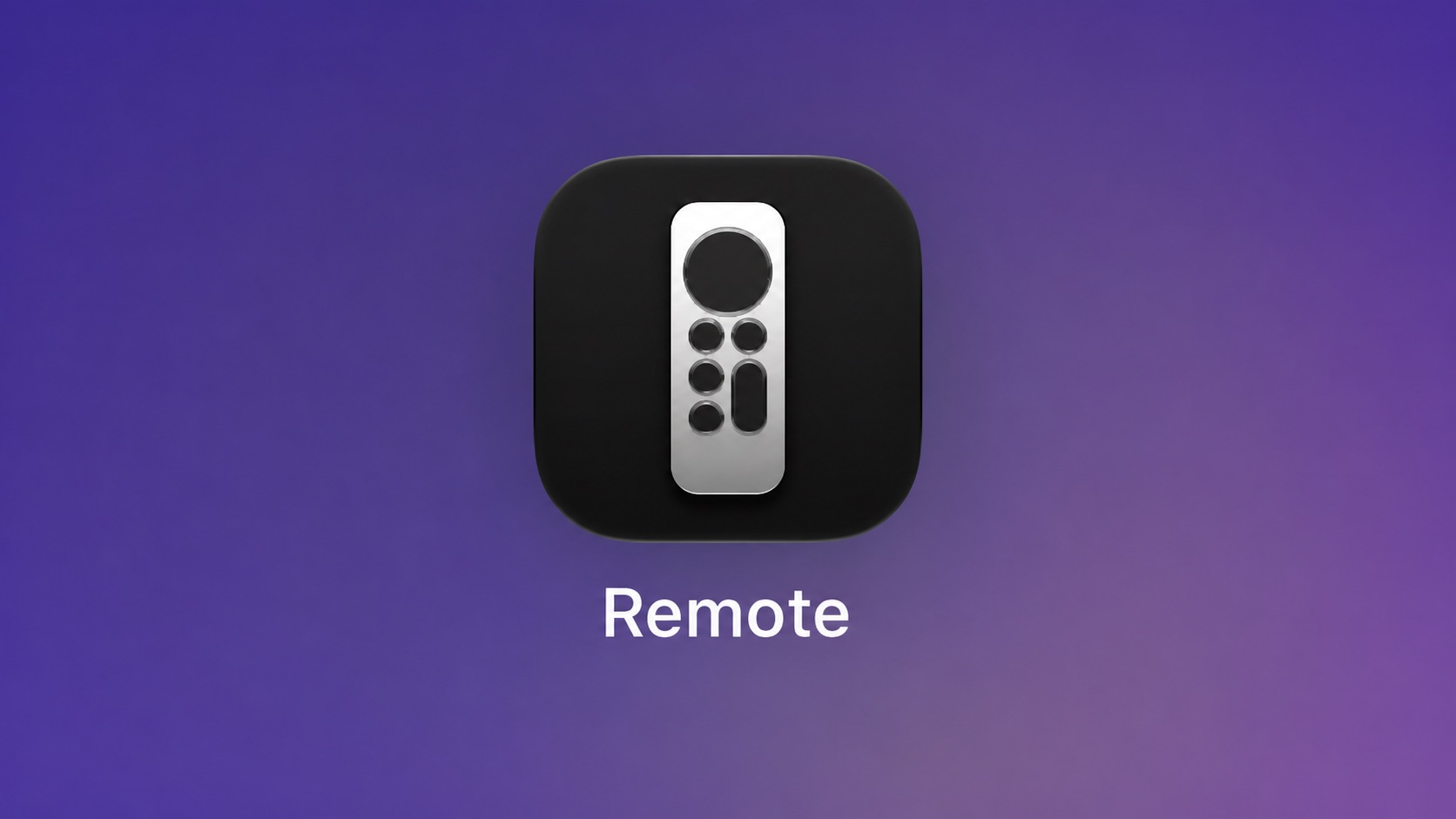
Apple has updated the design of the virtual Apple TV Remote for the iOS 27 Release Candidate, which was released yesterday, and there are two new features that have been added to the iPhone app's interface. First up, Apple has added a new button to the top-right corner of the Remote UI with a glyph showing four squares. Pressing the button pops out an app menu similar to the Apple TV home screen that allows you to quickly select an app and launch it. Second, you can now drag down from the top of the virtual trackpad with your finger to reveal the Apple TV's top shelf carousel, where shows in your watch list are displayed, along with shows that you've started so that you can continue watching. The two new features, hidden behind feature flags, were discovered by MacRumors and later demonstrated on X (Twitter) by code sleuth "pdfu." Apple TV Remote is about to get a lot more useful. iOS 27 RC introduces a refreshed design and two new features, both currently hidden behind feature flags: 1. An app launcher to open apps on your Apple TV. 2. Top Shelf content from the selected app on your Apple TV, with... pic.twitter.com/aOFoToCnrR — pdfu (@itspdfu) September 9, 2026 The next-generation Apple TV 4K will ship with an upgraded Siri Remote, according to previously discovered macOS 26.7 code findings . We don't know what those upgrades will be, but these two new Remote app features could hint at what's to come. The new Apple TV 4K is likely to be unveiled later this month or in October. Starting in iOS 27, the virtual Apple TV remote can also be added to the iPhone's Home Screen again, so it's no longer limited to Control Center. If you're on the iOS 27 beta, you can find it by swiping down on the Home Screen and searching for "remote." Related Roundups: Apple TV , iOS 27 , iPadOS 27 Buyer's Guide: Apple TV (Don't Buy) Related Forums: Apple TV and Home Theater , iOS 27 This article, " iOS 27 to Upgrade Apple TV Remote App in Two Ways " first appeared on MacRumors.com Discuss this article in our forums

MacRumorsMacRumorsTim Hardwick10 Sept

Apple made fun of Android apps on foldables, but iPhone Duo has the same problem [Gallery]

Apps have always been a problem for foldable displays and, while they’ve gotten a lot better, there’s always room for improvement. Apple was already going to hold an advantage here, as we’ve previously discussed, but a moment during the iPhone Duo’s unveiling sticks out – Apple made fun of how Android foldables sometimes letterbox apps on the inner display, but it turns out that iOS does exactly the same thing. more…

9to5Google9to5GoogleBen Schoon10 Sept