


Early Prime Day steal: Apple AirPods Pro 3 drop to $199 at Amazon
Get the best Apple AirPod deal at Amazon. Save $50 on the Apple AirPods Pro 3 at Amazon.
- favorable toward Amazon · 78%
66 articles from 20 sources. Only labels with confidence ≥ 0.6 are counted; quotes are the evidence.
| 15 articles | |||
| 10 articles | |||
 The Verge The Verge | 7 articles | ||
| 6 articles | |||
 CryptoBriefing CryptoBriefing | 5 articles | ||
 TechCrunch TechCrunch | 3 articles | ||
| 3 articles |
„Apple poised to join Nvidia in exclusive $5T club”
CryptoBriefing ↗„Apple shares to new highs this year”
MarketWatch ↗„This is the souped-up version of Apple’s full-size, wireless keyboard”
The Verge ↗„A confusingly worded press release from Apple”
The Verge ↗„Apple Quietly Excludes Older iPhones From New Camera Feature”
MacRumors ↗„Apple would obviously prefer to sell you a new case”
MacRumors ↗Get the best Apple AirPod deal at Amazon. Save $50 on the Apple AirPods Pro 3 at Amazon.
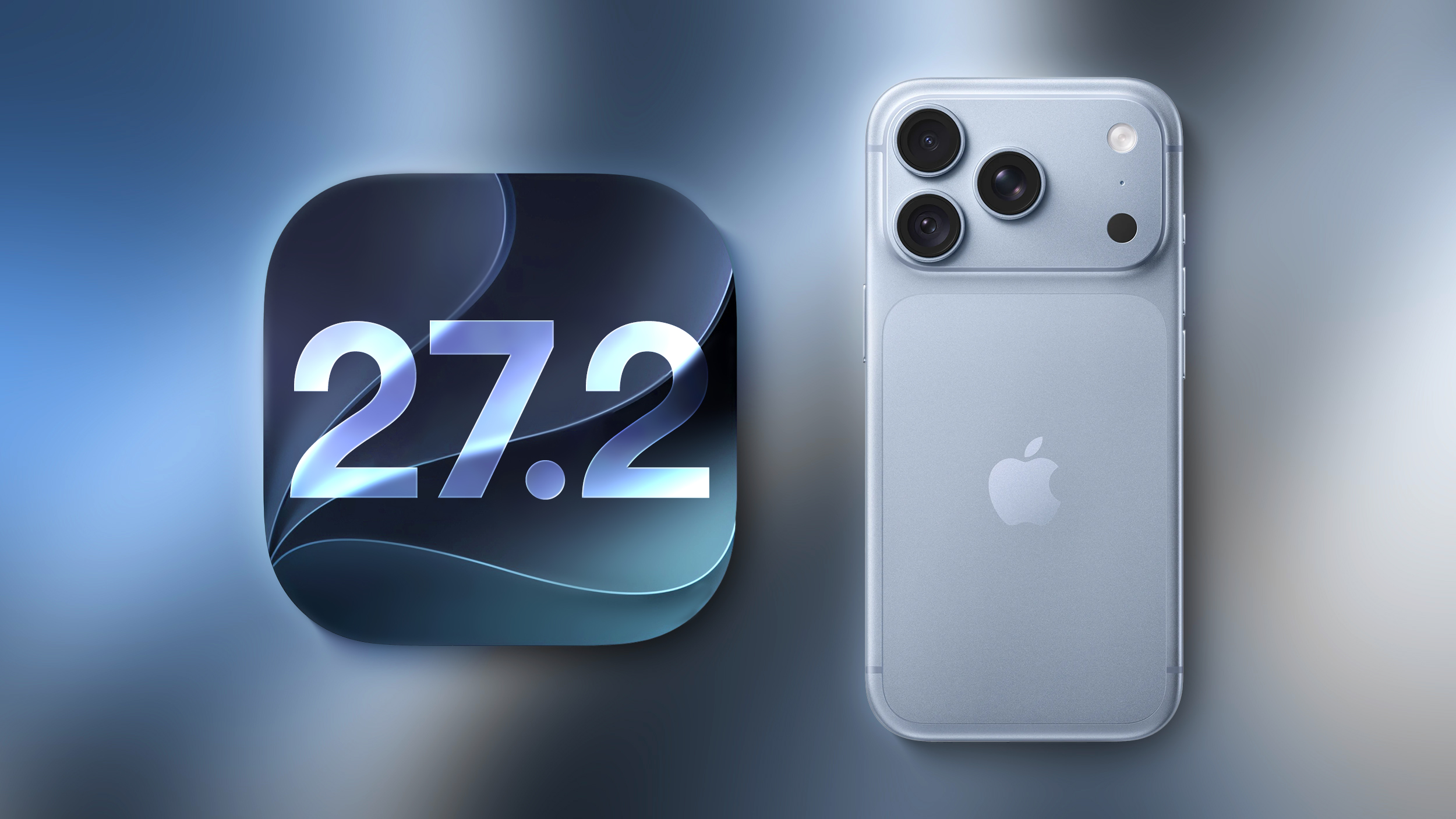
Apple is testing an iPhone setting for users in China that lets them add apps to a list that prevents them from accessing the device's motion sensors. Apple hasn't explicitly said what the setting is in response to, but Chinese apps sometimes show "shake-to-open" ads on launch, and they can be triggered by merely picking up an iPhone, walking, or going over a bump in a car, resulting in unwanted redirects. Users in China speculate this is why iOS 27.2 beta 2 includes the new "Restrict Motion Data" option in Settings that blocks app access to accelerometer and gyroscope data. For now, the option appears tied to mainland China App Store accounts, and we don't expect it will be available to iPhone users more broadly when iOS 27.2 is released later this year. This article, " New iPhone Setting Lets Users Shake Off Motion-Sensing Ads " first appeared on MacRumors.com Discuss this article in our forums
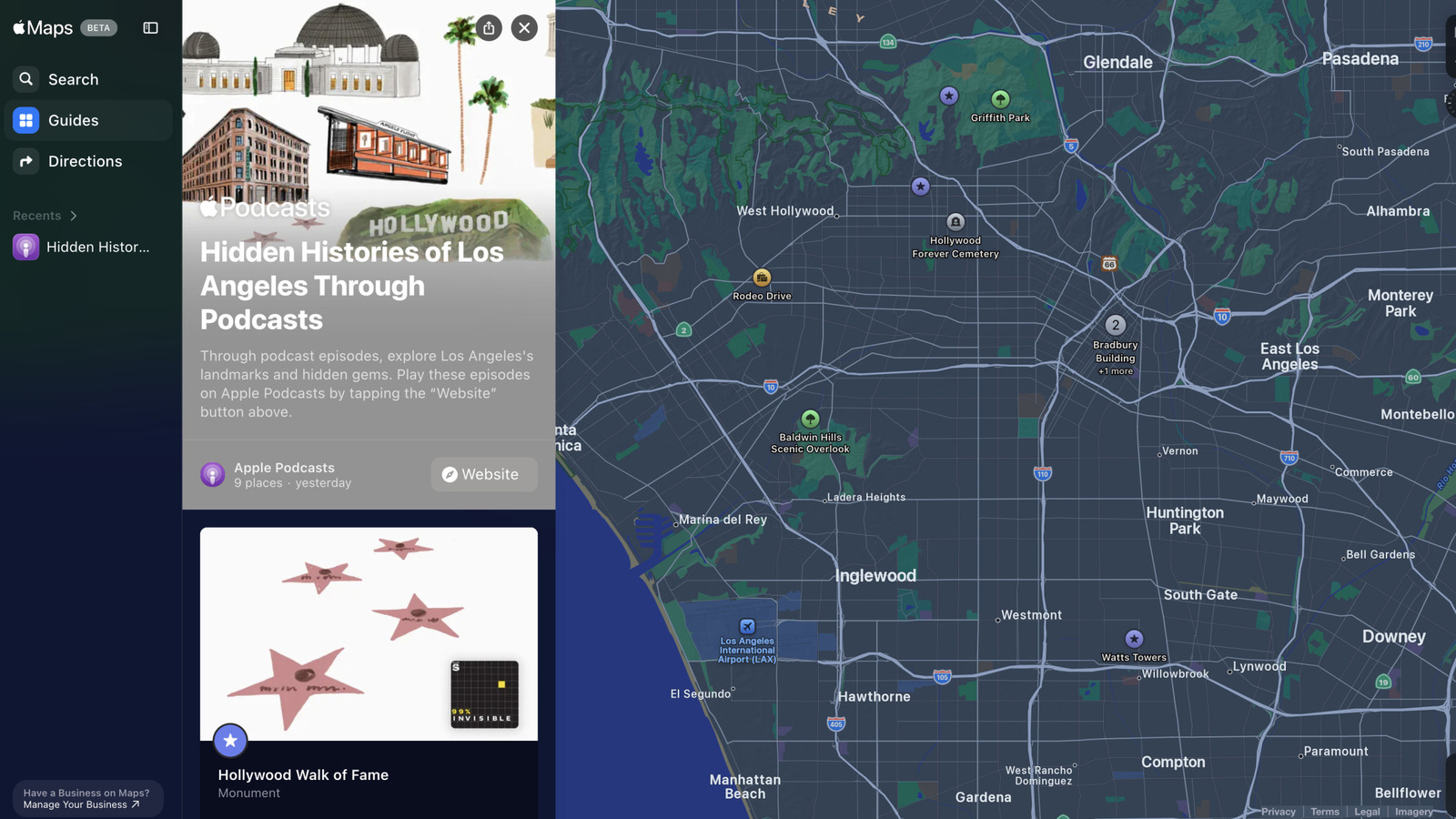
Apple has added podcast guides for select US landmarks within Maps, discussing their histories and lesser-known stories.

After you install macOS 27 Golden Gate, Apple automatically downloads a multi-gigabyte AI model to your Mac the next time it's connected to the internet. Unlike previous versions of macOS, you can't prevent it. Siri AI, and by extension Apple Intelligence, are now a mandatory part of your system. For macOS 27 Golden Gate, Apple says the latest Apple Intelligence features require up to 14GB of on-device storage on Macs with an M3 chip or later and at least 12GB of unified memory, and up to 8GB of storage for other Apple Intelligence-enabled Macs. But in our experience, AI model storage allocation appears to be considerably higher on some Macs than others. On an M4 Pro Mac mini running macOS 27, for example, MacRumors saw 20.67GB handed over for Apple Intelligence. ArsTechnica recorded an even higher figure of 22.42GB on an M3 MacBook Air after a fresh installation of macOS 27.0 beta 7. Both of these systems will be using Apple's AFM 3 Core Advanced on-device model, which requires an M3-or-newer Mac with 12GB or more of RAM. This doesn't explain why Macs that don't meet the minimum requirements for Apple's most advanced model are still losing unusually large amounts of storage to Apple Intelligence. ArsTechnica reported the same screen showed around 14GB on an M1 MacBook Air and a MacBook Neo, and yet both of these models fall into a category for which Apple lists a requirement of up to 8GB. Other Mac users have posted similar higher-than-expected readings. For example, one Reddit user shared a screenshot from the macOS 27 Release Candidate showing Apple Intelligence gobbled up 30.16GB on their machine. Another user quoted 24.35GB for Apple Intelligence after installing macOS 27 on a MacBook Pro with M3 Pro chip. Device Apple Intelligence storage iPhone 18 Pro, iPhone 18 Pro Max, iPhone Duo Up to 14GB iPhone 17 Pro, iPhone 17 Pro Max, iPhone Air Up to 14GB Other compatible iPhones: iPhone 15 Pro and Pro Max, all iPhone 16 models, iPhone 17, and iPhone 17e Up to 8GB iPad with M4 or later and at least 12GB of unified memory; Mac with M3 or later and at least 12GB of unified memory; Apple Vision Pro (M5) Up to 14GB Other compatible iPad, Mac, and Apple Vision Pro models Up to 8GB Compatible Apple Watch models Up to 1.5GB on the watch iPhone 15 and 15 Plus, iPhone 14 and earlier, and iPhone SE Not supported Figures taken from Apple's support document Apple's support document does not explain whether its "up to 14GB" requirement is directly comparable with the Apple Intelligence "Storage" category in System Settings, or why some Macs display substantially higher numbers. For what it's worth, we haven't seen the same ballooning figures on iPhones and iPads running iOS 27 and iPadOS 27. It's not just academic, either. While using Apple Intelligence is optional, downloading its on-device models is not. Apple removed the toggle to disable Apple Intelligence, so users must set aside space for Apple's on-device models. In an era where memory and storage costs are rising because of AI, the irony of the situation is not lost, but it doesn't make it any less frustrating. If you're on a Mac, you can check your own reading in System Settings ➝ General ➝ Storage by clicking the information button beside macOS . Let us know your findings in the comments. Tag: Apple Intelligence This article, " Apple Intelligence Taking up 30GB+ on Some Macs Running macOS 27 " first appeared on MacRumors.com Discuss this article in our forums

Save $269 on a Grade A refurbished Apple iPad 9th Gen, now $209.99 with an A13 Bionic chip, Retina display, Center Stage, and all-day battery life.

Apple's 2015 MacBook Pro was amazing. Then, Apple decided to change it for the worse. Fortunately, the company came to its senses.

Ofcom is worried Pornhub over-relied on Apple’s age checks to keep kids off its platform.

Apple shares reached a fresh all-time high on September 21, 2026. The stock touched nearly $345 intraday before settling near $339. NVIDIA, meanwhile, trades near record levels, even as its forward valuation multiple has compressed sharply from earlier this year. What’s Really Driving Apple’s Record-Breaking Rally A forward price-to-earnings ratio measures a stock’s current price
 BeInCrypto•Luis Blanco7h ago
SlowMist said malicious FomoPeek versions distributed through Apple’s App Store used iOS kernel exploits to escape the sandbox and access sensitive data from other apps.
 Cointelegraph•Cointelegraph by Ezra Reguerra8h ago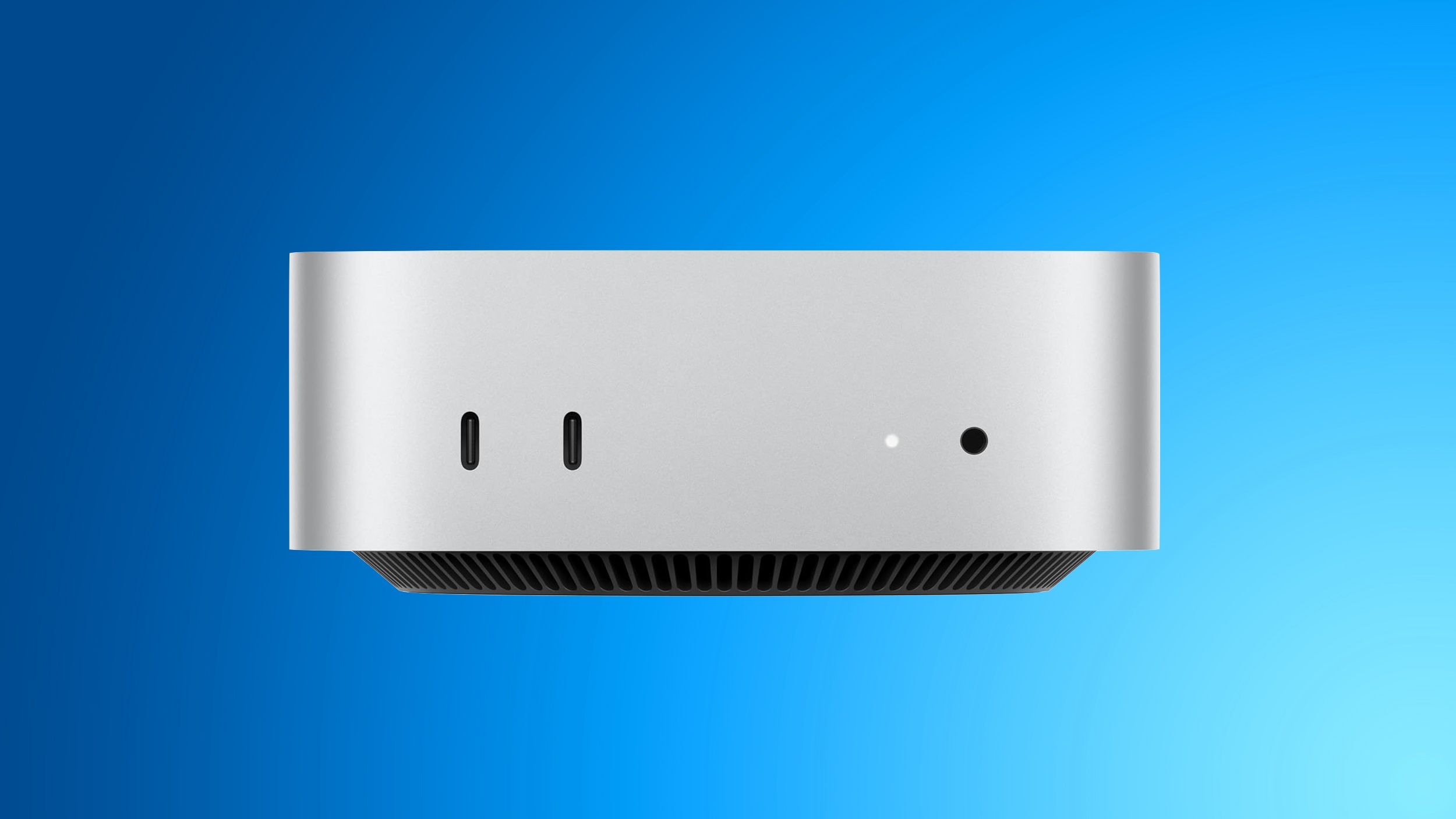
As confirmed by the website "Expand Mac mini," NAND storage in the new Mac mini models with the M6 and M5 Pro chips is soldered to the logic board, whereas the previous models with the M4 and M4 Pro chips have removable storage that can be upgraded. In other words, the new Mac mini does not support aftermarket storage upgrades. "Expand Mac mini" offers plug-and-play SSD modules that are functionally equivalent to Apple's proprietary modules, yet hundreds of dollars cheaper. As a result, customers were able to save a significant amount of money by configuring their Mac mini with the minimum 256GB capacity that was available on Apple's online store and later installing a higher-capacity aftermarket module. With the new models, that is no longer possible. "We will keep looking for an opening, but support for the M6 and M5 Pro now looks unlikely," the "Expand Mac mini" website said, in a blog post. Mac mini models with the M1 chip and M2/M2 Pro chips also had NAND soldered to the logic board, so the M4/M4 Pro configurations having removable storage has proven to be a one-off exception for now. Apple has not commented on the reversal. In addition, all new Mac mini configurations with 256GB of storage reportedly have a single NAND chip, rather than a pair of 128GB chips. As a result, 256GB configurations have slower SSD read and write speeds compared to configurations with 512GB of storage or more, according to AAPL Ch. 's testing with Blackmagic's Disk Speed Test benchmark tool. Mac mini Configuration Read Speed Write Speed M6, 512GB 6,371.5 MB/s 6,577.4 MB/s M6, 256GB 3,216.8 MB/s 3,000.2 MB/s M4, 256GB 2,792.5 MB/s 2,014.5 MB/s The new 256GB model's Disk Speed Test scores were roughly half that of models with 512GB of storage or more. The average customer is unlikely to notice the difference, but power users will appreciate knowing that they need to opt for at least 512GB of storage in order to achieve the fastest SSD speeds possible. Fortunately, even with 256GB of storage, it appears that the new Mac mini has meaningfully faster SSD speeds compared to the previous 256GB model. Mac mini models with M2/M2 Pro and 256GB of storage also had a single NAND chip , so the M4/M4 Pro configurations proved to be a one-off exception for this too. Related Roundup: Mac mini Buyer's Guide: Mac Mini (Buy Now) Related Forum: Mac mini This article, " New Mac Mini Has Two Storage Downsides, Including Unremovable SSD " first appeared on MacRumors.com Discuss this article in our forums

Apple has agreed to settle a class-action lawsuit by paying $250 million to iPhone owners. Here's how to claim your share.
Apple today seeded the first betas of iOS 27.2, iPadOS 27.2, macOS Golden Gate 27.2, tvOS 27.2, and watchOS 27.2. The software comes a day after Apple provided the second betas to developers. To get the new betas, you can sign up on Apple's beta testing website . After you're signed up, the betas can be installed through the Software Update section in the Settings app on each device. iOS 27.2 includes the redesigned Health app that Apple introduced at its September iPhone event. It features new Insights and Longevity tabs with more insight into health and fitness data. There's also a Health Age feature that uses your metrics to determine your fitness age vs. your actual age. In the Apple TV app, there are new profile options, and Siri AI is now available in French, Japanese, Korean, Portuguese, and Spanish. There are a few other features in the updates, which are listed in our iOS 27.2 guide . Related Roundups: iOS 27 , iPadOS 27 , macOS Golden Gate Related Forums: iOS 27 , macOS Golden Gate This article, " Apple Releases First Public Betas of iOS 27.2 and macOS Golden Gate 27.2 " first appeared on MacRumors.com Discuss this article in our forums
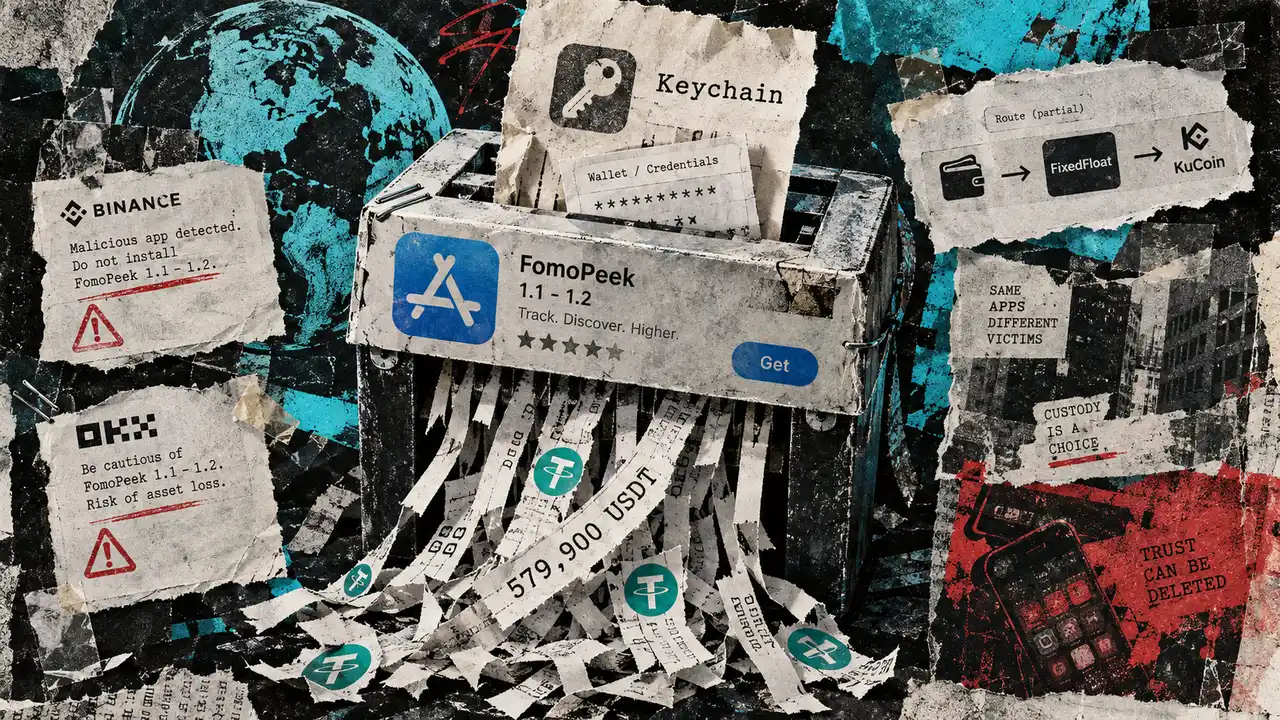
Fomopeek, a malicious iPhone app distributed through Apple’s App Store, has been linked to nearly $580,000 in stolen USDT. Blockchain security firm SlowMist began investigating the app over the weekend after receiving reports of stolen assets linked to exposed private keys. Some victims had previously installed versions 1.1 or 1.2 of the Fomopeek app, which […]
 CryptoSlate•Oluwapelumi Adejumo14h ago
The actors who have been the closest of friends for three decades believe they may be half-brothers, and their 2026 Emmys bit teed up what to expect from their new Apple TV comedy inspired by the theory.
 The Hollywood Reporter•Jackie Strause14h ago
Apple's strategic partnerships and product innovation highlight diverse paths to massive valuations, reshaping market dynamics and investment strategies.
CryptoBriefing•Editorial Team15h ago
A new foldable iPhone and a disciplined AI-spending approach have sent Apple shares to new highs this year

Apple's new texture and grain controls for stylizing photos will be more limited on older phones than initially expected. A confusingly worded press release from Apple indicated that the new features, announced alongside the iPhone 18 and 18 Pro earlier this month, would be "available" on older devices like the iPhone 16 and iPhone Air […]
The Verge•Andrew Liszewski17h ago
Following renovations, the Apple Park Visitor Center in Cupertino, California no longer features a 3D augmented reality model of the Apple Park campus. The area that housed the 3D model, which was called the Exhibition Space, now has wall-mounted shelves known as "Avenues" and new, rounder tables for product displays. The remodeling process began in July and was completed recently. Apple Park Visitor Center's former Exhibition Space now displays products ( source ) The redesigned product tables have been set up at select other stores, such as Apple Williamsburg and Apple The Mall at Bay Plaza in New York City. The 3D model of Apple Park had been a fixture of the Visitor Center since it opened in 2017 . Apple Park Visitor Center functions as both a store and a tourist attraction. While the Exhibition Space is now permanently closed, visitors can still grab a coffee at the on-site Caffè Macs, purchase Apple merchandise, head up to the rooftop for a scenic view, or stroll through the adjacent "Mirage" public art installation. Thanks, Filip Chudzinski ! Tags: Apple Park , Apple Park Visitor Center , Apple Store This article, " Apple Park Visitor Center Just Lost an Attraction Offered Since 2017 " first appeared on MacRumors.com Discuss this article in our forums

Apple today updated the Shazam app for iOS with an ever so slightly frostier app icon and a new set of iMessage stickers. To send stickers in the Messages app on the iPhone, tap the plus sign in a conversation, select Stickers, tap on the Shazam app icon, and tap on a sticker. You can also send stickers during FaceTime video calls and in other apps where the emoji keyboard is available. Tag: Shazam This article, " Shazam App for iPhone Updated With New Icon and iMessage Stickers " first appeared on MacRumors.com Discuss this article in our forums

Apple may be developing a new fitness tracker as part of its new generation of hardware devices.
TechCrunch•Lucas Ropek18h ago