Macpage 2

Product · 52 articles
Share

Coverage, page 2

page 2 of 3

Apple Memory Supplier Explores U.S. Manufacturing With Intel

Apple memory supplier SK Hynix is in exploratory talks with Intel about manufacturing memory chips in the United States for the first time, according to Reuters . One option would see the South Korean chipmaker lease part of Intel's planned manufacturing complex in Ohio. Another would involve a joint venture with Intel and major cloud providers seeking to secure memory supplies, people familiar with the discussions said. No decisions have been made, and other arrangements remain possible. SK Hynix supplies Apple with memory alongside Samsung and Micron. The discussions come as AI infrastructure spending puts pressure on the supply of memory for consumer devices, including iPhones and Macs. Chipmakers have been directing more production capacity toward high-bandwidth memory (HBM) for AI processors, leaving smartphone and computer manufacturers competing for available supplies. In February, Apple reportedly agreed to pay Samsung twice as much for memory chips needed for iPhone 17 production. More recently, analyst Ming-Chi Kuo said Apple was reducing its 2026 hardware shipment plans because of DRAM shortages, with supply constraints also affecting the Mac Studio , Mac mini , and MacBook Air . It remains unclear which types of memory SK Hynix would manufacture under a potential agreement with Intel. Its products include DRAM used in smartphones, computers, and servers, NAND flash storage, and HBM for AI processors. The report does not mention whether a U.S. facility would produce memory for Apple devices. SK Hynix already has an advanced packaging facility under construction in West Lafayette, Indiana. That project will package DRAM wafers manufactured in South Korea into HBM chips, rather than fabricate the wafers domestically. Tags: Intel , United States This article, " Apple Memory Supplier Explores U.S. Manufacturing With Intel " first appeared on MacRumors.com Discuss this article in our forums

MacRumorsMacRumorsHartley Charlton16 Sept

Get In On Pre-Order Discounts for the New Mac Mini and Mac Studio Before They Launch Next Week

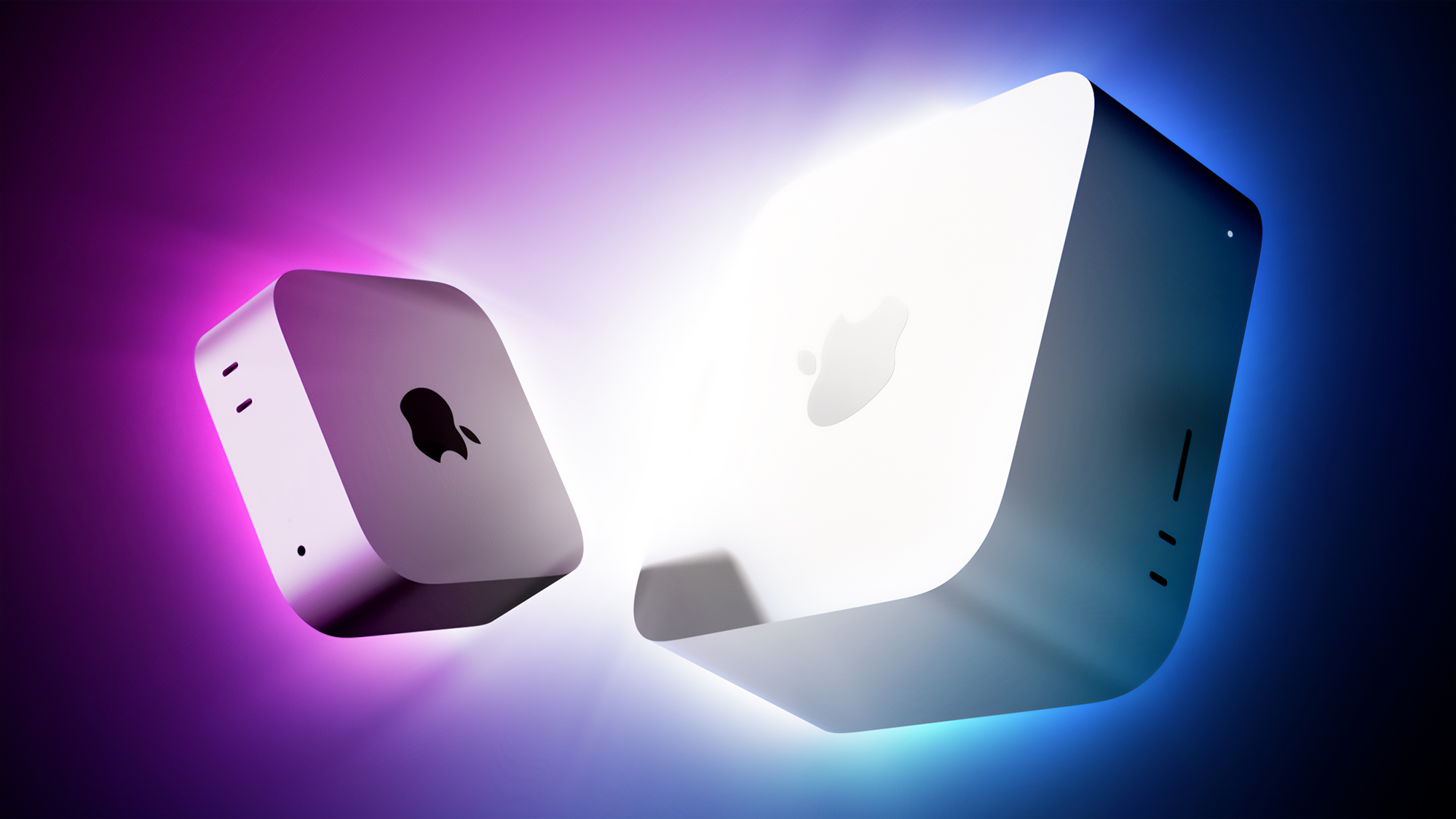
Amazon has the first cash discounts on Apple's brand new Mac mini and Mac Studio, with up to $49 off select models. One of the best deals is on the M5 Max Mac Studio with 36GB RAM and a 512GB SSD, on sale for $2,449.99 , down from $2,499.00. Note: MacRumors is an affiliate partner with Amazon. When you click a link and make a purchase, we may receive a small payment, which helps us keep the site running. All of these deals are pre-order discounts on the 2026 Mac mini and Mac Studio, which officially launch on September 22. Regarding the Mac mini, you can get the 16GB RAM/256GB SSD Mac mini for $879.99 , down from $899.00, and the 16GB RAM/512GB SSD model for $1,069.99 , down from $1,099.00. $49 OFF M5 Max Mac Studio 36GB/512GB for $2,449.99 $19 OFF M6 Mac mini 16GB/256GB for $879.99 $29 OFF M6 Mac mini 16GB/512GB for $1,069.99 $29 OFF M5 Pro Mac mini 24GB/512GB for $1,669.99 In terms of upgrades, Apple said the Mac mini with the M6 chip delivers up to 40% faster CPU performance, up to 4× faster performance for AI tasks in particular, up to 2× faster graphics performance, and up to 2× faster storage speeds compared to the previous-generation model with the 10-core M4 chip, 32GB of unified memory, and 2TB of storage. If you're on the hunt for more discounts, be sure to visit our Apple Deals roundup where we recap the best Apple-related bargains of the past week. Deals Newsletter Interested in hearing more about the best deals you can find in 2026? Sign up for our Deals Newsletter and we'll keep you updated so you don't miss the biggest deals of the season! Related Roundup: Apple Deals This article, " Get In On Pre-Order Discounts for the New Mac Mini and Mac Studio Before They Launch Next Week " first appeared on MacRumors.com Discuss this article in our forums

MacRumorsMacRumorsMitchel Broussard16 Sept

Apple May Return to Server Market With Nvidia Technology

Apple is considering offering an AI server built around "M8" series chips and has discussed incorporating Nvidia networking hardware, The Information reports. The system would be sold to outside customers, potentially bringing Apple back into a business it left behind when it discontinued Xserve in 2011. Apple is reportedly targeting companies that want to run AI models on their own equipment, with a particular focus on inference and generating responses from trained models. One option under consideration is Nvidia's NVLink Fusion, which provides hardware and software for exchanging data between chips. Apple could use the platform to link its M8 processors, although neither the Nvidia arrangement nor the server itself is finalized. The report places a potential release date in 2029, but it could be canceled before then. Apple CEO John Ternus reportedly supported the initiative when work on it began approximately a year ago, during his tenure as the company's hardware engineering chief. The project follows growing interest in Apple hardware among AI businesses , which have been buying Mac mini and Mac Studio systems in large quantities. Apple already produces server hardware for Private Cloud Compute, the infrastructure that handles Apple Intelligence tasks requiring processing beyond a user's device. According to the report, scaling Apple's existing connections between chips would present cost and speed problems, which is why it is considering Nvidia's technology. Apple has also declined partners' requests to use those Private Cloud Compute servers. An agreement would give Nvidia a role in an Apple product that could compete with its own AI systems. NVLink Fusion allows Nvidia to supply networking technology to companies building alternative processors, expanding its business beyond customers using Nvidia chips. The discussions also suggest a closer working relationship between Apple and Nvidia following their longstanding disputes. Apple has already announced plans to extend Private Cloud Compute to Google Cloud using Nvidia GPUs . The companies have reportedly explored additional ways to work together on AI, including the use of Nvidia's open-source models. The project still faces challenges beyond developing the hardware. There is still said to be a need for stronger support for business customers and more software resources for AI developers, including further investment in its MLX framework. Tags: Nvidia , The Information This article, " Apple May Return to Server Market With Nvidia Technology " first appeared on MacRumors.com Discuss this article in our forums

MacRumorsMacRumorsHartley Charlton16 Sept

Parallels Desktop Flaw Lets Non-Admin Mac Users Gain Root, but Intel Macs Can't Install Fix

Parallels Desktop for Mac has a flaw that lets an ordinary local account run code as root, the highest level of access on a Mac, software company JFrog said this week. The attack needs code already running on the machine as a normal user, so it does not work over the network. JFrog says the fix is in Parallels Desktop 27, a version that Intel Macs cannot install. Yuval Moravchick, who leads

The Hacker NewsThe Hacker Newsinfo@thehackernews.com (The Hacker News)16 Sept

OWC's Best Mac Accessories Are on Sale Just for MacRumors Readers

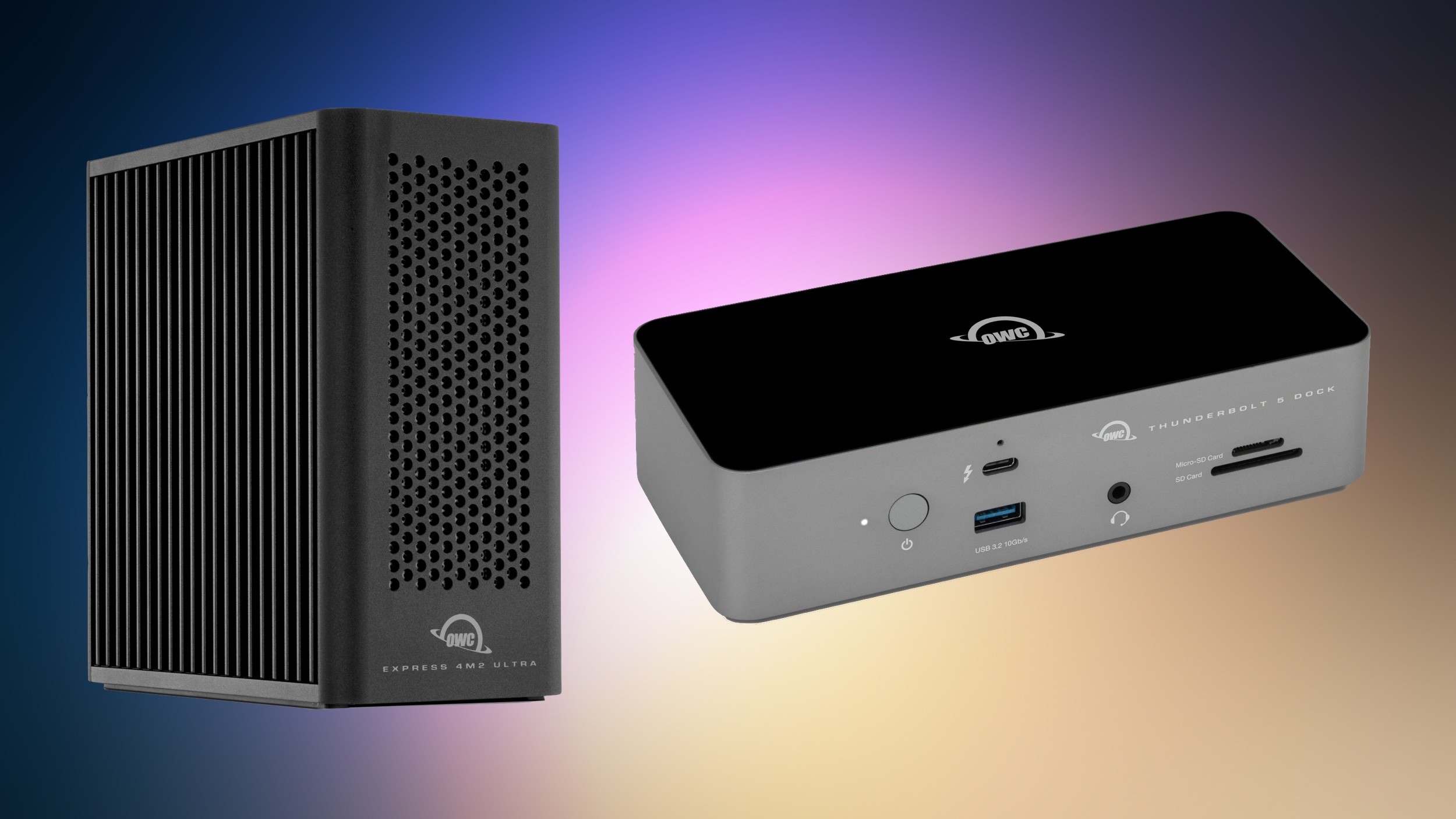
MacRumors has partnered with OWC to bring our readers big savings on the retailer's best Thunderbolt docks, USB-C cables, and external storage enclosures. These exclusive deals will run through Monday, September 21 at 12:00 a.m. CST, so you have the rest of this week to shop. Note: MacRumors is an affiliate partner with OWC. When you click a link and make a purchase, we may receive a small payment, which helps us keep the site running. All discounts have been applied automatically, so all you need to do is follow the links below and add one of the accessories to your cart to see the savings. There are seven total items on sale, including two docks, three enclosures, and two USB-C cables. $50 OFF OWC 11-Port Thunderbolt Dock for $179.99 $205 OFF OWC Express 4M2 Ultra Enclosure for $244.99 The two docks on sale include the OWC 11-Port Thunderbolt 5 Dock for $229.99 ($90 off), and the 11-Port Thunderbolt Dock for $179.99 ($50 off). These docks expand the capabilities of your Mac setup by adding 11 additional ports to your computer. One of the overall steepest discounts in our exclusive sale is on the OWC Express 4M2 Ultra Enclosure, which is on sale for $244.99 ($205 off). Below you'll find additional desktop RAID systems on sale, as well as two USB-C cables at low prices. OWC 11-Port Thunderbolt Dock - $179.99, down from $229.99 OWC 11-Port Thunderbolt 5 Dock - $229.99, down from $319.99 OWC Express 1M2 80G Enclosure - $114.99, down from $149.99 OWC Express 4M2 Ultra Enclosure - $244.99, down from $449.99 OWC ThunderBay 4 Enclosure - $309.99, down from $399.99 OWC Thunderbolt 5 USB-C Cable, 1.0M - $19.99, down from $34.99 OWC Thunderbolt 4 USB-C Cable, 2.0M - $39.99, down from $57.99 If you're on the hunt for more discounts, be sure to visit our Apple Deals roundup where we recap the best Apple-related bargains of the past week. Deals Newsletter Interested in hearing more about the best deals you can find in 2026? Sign up for our Deals Newsletter and we'll keep you updated so you don't miss the biggest deals of the season! Related Roundup: Apple Deals This article, " OWC's Best Mac Accessories Are on Sale Just for MacRumors Readers " first appeared on MacRumors.com Discuss this article in our forums

MacRumorsMacRumorsMitchel Broussard15 Sept

M6 Chip Benchmark Surfaces Ahead of New Mac Mini Launch Next Week

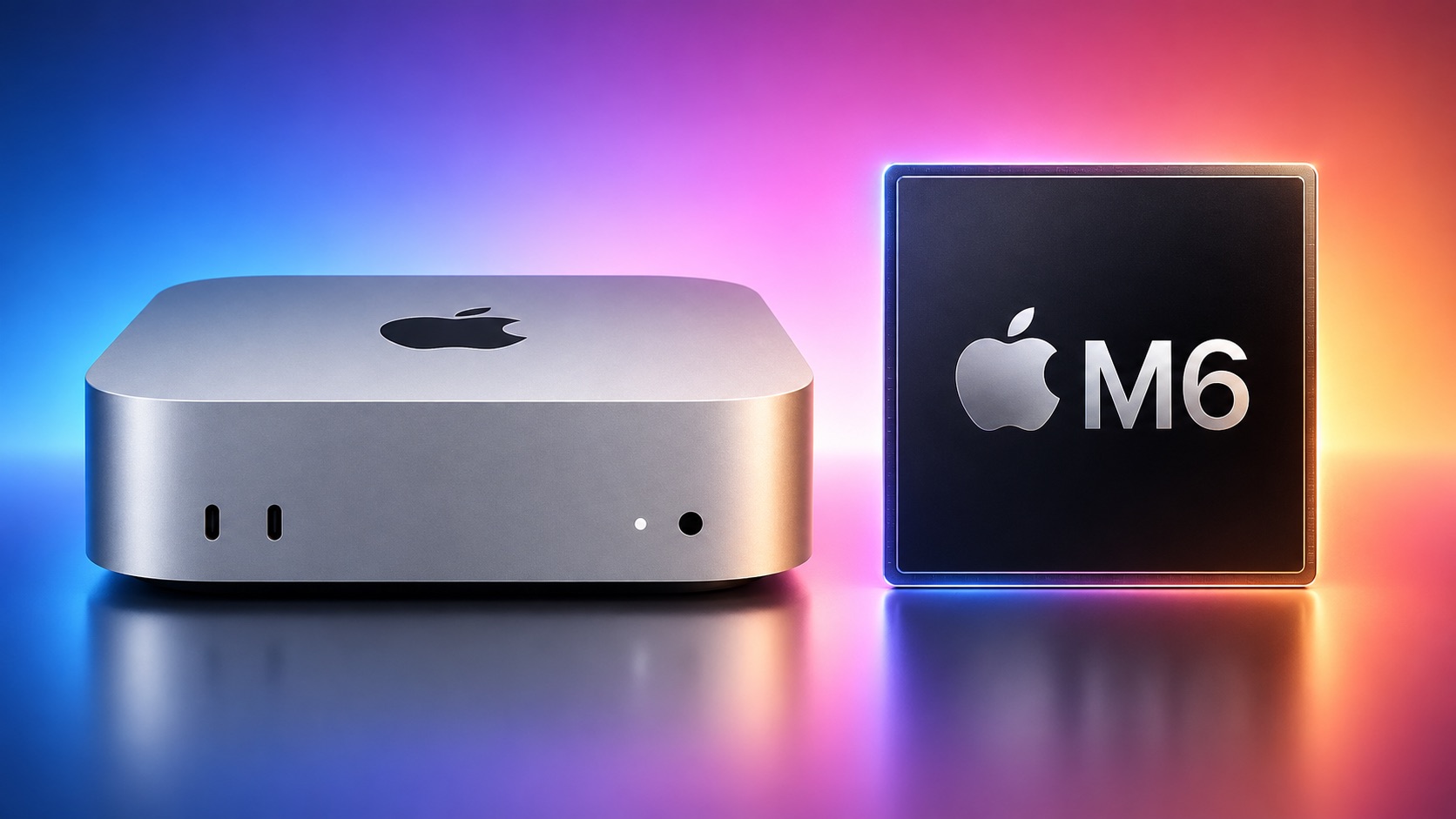
The first unverified benchmark result for Apple's new M6 chip surfaced in the Geekbench 7 database today, offering a look at the chip's performance gains. The new Mac mini will be Apple's first device to be equipped with the M6 chip, which is 2nm. Here is how the M6 chip scored: Single-core CPU score: 4,071 Multi-core CPU score: 22,783 Here are the average M5 chip scores for comparison: Single-core CPU score: 3,641 Multi-core CPU score: 17,948 If this single Geekbench 7 result is accurate, the M6 chip has up to around 12% faster single-core CPU performance and up to around 27% faster multi-core CPU performance compared to the M5 chip. Note that the M6 chip is in the new Mac mini, while the M5 chip scores are based on the 14-inch MacBook Pro, but performance should be similar. Apple said the M6 chip has the world's fastest single-threaded CPU performance, and its 4,071 single-core score indeed tops all other Macs and PCs in the Geekbench 7 database, including the M5 Max chip (3,731) and Qualcomm's Snapdragon X2 Elite Extreme (3,396). Up to 27% faster multi-core CPU performance is in line with Apple's claim of up to 1.2× faster multi-threaded performance, so all of Apple's advertised claims hold up. Here is where the M6 chip slots in for maximum multi-core CPU performance: M5 Ultra: TBD M3 Ultra: 39,059 M5 Max: 35,119 M5 Pro: 33,593 M4 Max: 29,047 M4 Pro: 24,894 M6 chip: 22,783 M5 chip: 17,948 M4 chip: 15,477 M3 chip: 11,650 M2 chip: 9,809 M1 chip: 8,582 Based on these scores, the M6 chip is more than 2.5× faster than Apple's original M1 chip. The new Mac mini with M6 and M5 Pro chips and the new Mac Studio with M5 Max and M5 Ultra chips launch on Tuesday, September 22. We are still waiting for GPU results for the M6 chip to appear in the Geekbench 7 database, and for M5 Ultra chip benchmarks. Related Roundup: Mac mini Tags: Benchmarks , Geekbench Buyer's Guide: Mac Mini (Buy Now) Related Forum: Mac mini This article, " M6 Chip Benchmark Surfaces Ahead of New Mac Mini Launch Next Week " first appeared on MacRumors.com Discuss this article in our forums

MacRumorsMacRumorsJoe Rossignol15 Sept

Apple Cuts iPhone Trade-In Values While Raising Mac and iPad

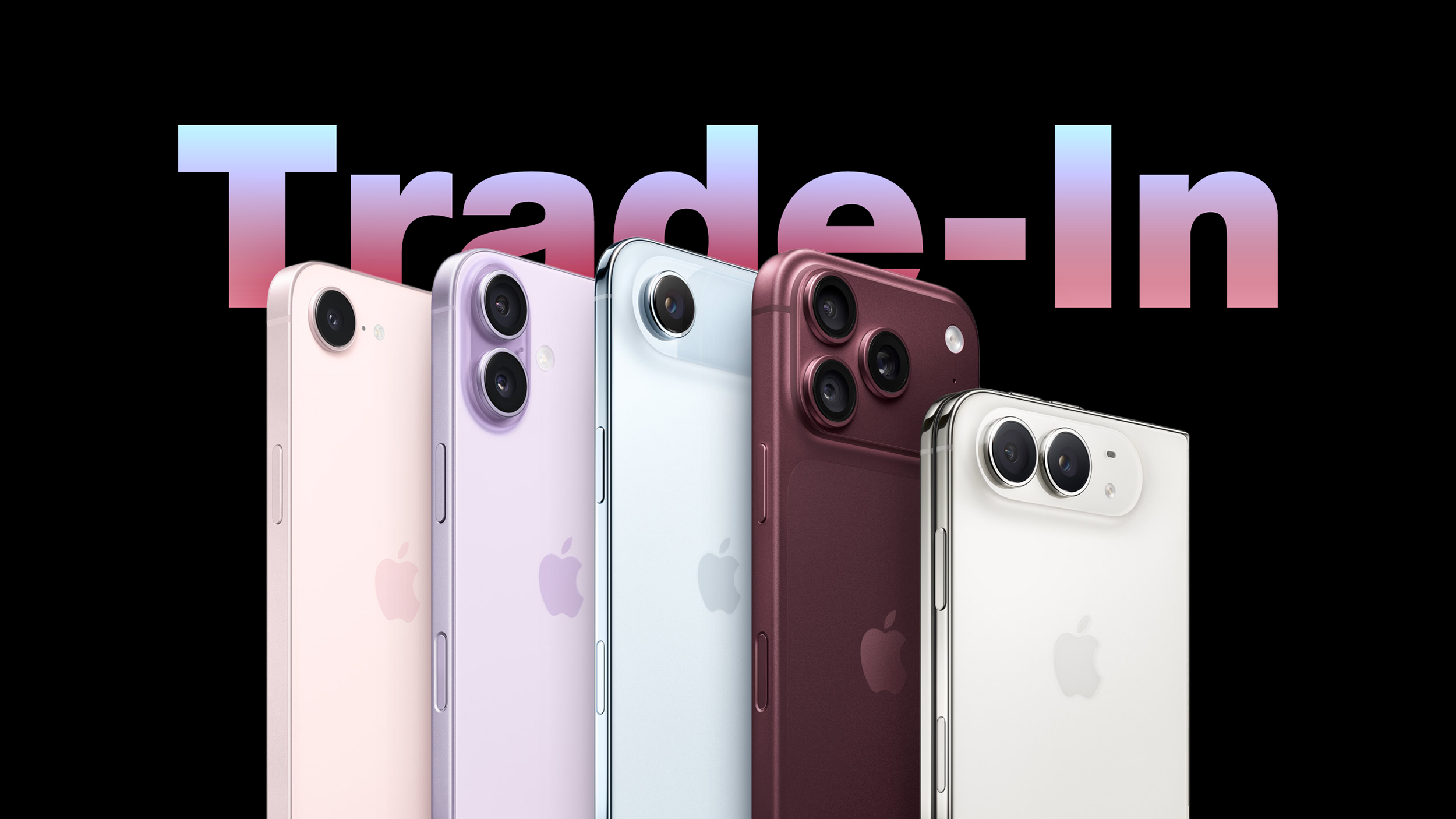
Apple has updated its U.S. trade-in estimates , cutting values for every eligible iPhone while raising them across the iPad and Mac lineups. The refresh follows the announcement of the iPhone 18 Pro and iPhone Duo . Their predecessors now appear on Apple's trade-in list for the first time, led by the iPhone 17 Pro Max at up to $885. The iPhone Air is valued at $585, exactly the same as the standard iPhone 17 , despite having launched at a $200 higher price: iPhone 17 Pro Max : $885 iPhone 17 Pro : $785 iPhone Air : $585 iPhone 17 : $585 The update is also the first to run under Apple's new condition grading system, which is now live. Devices with minor cosmetic defects such as small chips in the display glass were previously treated much like those with far more serious damage, resulting in a similarly steep cut to their value. As we reported last week, Apple now applies more granular tiers that better reflect a device's actual condition, and no device receives less than it would have under the old system. Every other iPhone on the list lost value. The iPhone 16 Pro saw the steepest cut in percentage terms at 19%, while the ‌iPhone 16‌ Pro Max lost the most in absolute terms, falling $110 barely a month after Apple raised it to $720: iPhone 16 Pro Max : $720 to $610 iPhone 16 Pro : $630 to $510 iPhone 16 Plus : $485 to $430 iPhone 16 : $480 to $430 iPhone 16e : $310 to $270 iPhone 15 Pro Max : $530 to $455 iPhone 15 Pro : $420 to $370 iPhone 15 Plus : $340 to $315 iPhone 15 : $335 to $305 iPhone 14 Pro Max : $405 to $360 iPhone 14 Pro : $335 to $285 iPhone 14 Plus : $235 to $210 iPhone 14 : $235 to $195 iPhone SE (3rd generation) : $85 to $75 iPhone 13 Pro Max : $340 to $320 iPhone 13 Pro : $285 to $255 iPhone 13 : $205 to $175 iPhone 13 mini : $155 to $145 iPhone 12 Pro Max : $240 to $210 iPhone 12 Pro : $195 to $165 iPhone 12 : $135 to $120 iPhone 12 mini : $90 to $80 iPhone SE (2nd generation) : $45 to $40 iPhone 11 Pro Max : $160 to $140 iPhone 11 Pro : $145 to $125 iPhone 11 : $110 to $100 iPhone XS Max : $95 to $85 iPhone XS : $70 to $60 iPhone XR : $90 to $75 iPhone X : $60 to $50 iPhone 8 Plus : $40 to $35 The Apple Watch followed the same pattern. The Apple Watch Ultra 3 joins at $430, well clear of any other watch Apple accepts, with the Apple Watch Series 11 at $200 and the Apple Watch SE (3rd generation) at $115. Only the two older Apple Watch SE models held their value, at $60 and $30 respectively: Apple Watch Ultra 2 : $305 to $265 Apple Watch Ultra : $205 to $190 Apple Watch Series 10 : $165 to $150 Apple Watch Series 9 : $135 to $115 Apple Watch Series 8 : $95 to $90 Apple Watch Series 7 : $70 to $65 Apple Watch Series 6 : $45 to $40 The ‌iPad‌ and the Mac moved decisively the other way, with every model gaining value. The iPad Pro climbed almost 26%: iPad Pro : $720 to $905 iPad Air : $490 to $510 iPad mini : $300 to $320 iPad : $260 to $280 The Mac saw the largest increases anywhere in the update, continuing a run that has nearly doubled some trade-in estimates since the spring. The MacBook Pro has risen from $690 in May to $1,315 today, while the Mac mini is up 65% over the same period of time: MacBook Pro : $855 to $1,315 MacBook Air : $580 to $705 Mac mini : $480 to $620 Mac Studio : $1,305 to $1,460 iMac Pro : $315 to $340 iMac : $380 to $385 The Mac Pro was the only Mac left untouched, holding at $2,195 and keeping the top of Apple's trade-in range where it has sat since August. Android estimates were largely static, with four small reductions and a single increase for the Google Pixel 7: Google Pixel 9 Pro XL : $315 to $290 Google Pixel 9 Pro : $305 to $275 Google Pixel 9 : $210 to $200 Google Pixel 8 Pro : $155 to $150 Samsung Galaxy S22+ 5G : $85 to $80 Samsung Galaxy S22 5G : $85 to $80 Samsung Galaxy S21+ 5G : $75 to $70 Google Pixel 7 : $60 to $65 The Samsung Galaxy S22 Ultra 5G, Samsung Galaxy S21 Ultra 5G, Samsung Galaxy S21 5G, Google Pixel 8, Google Pixel 8a, Google Pixel 7 Pro, OnePlus 13, OnePlus 13R, OnePlus 12, and OnePlus 12R all held at the same trade-in prices. As always, Apple's listed values are estimates, with the company noting that final offers can vary based on a device's condition and configuration, and that not all devices are eligible for trade-in credit. Tag: Apple Trade-In This article, " Apple Cuts iPhone Trade-In Values While Raising Mac and iPad " first appeared on MacRumors.com Discuss this article in our forums

MacRumorsMacRumorsHartley Charlton15 Sept

Moof! Apple Snuck a Dogcow Into iOS 27 - Here's How to Find It

If you have installed iOS 27 on your iPhone or iPadOS 27 on your iPad (download it via Settings ➝ General ➝ Software Update), Apple left a fun little easter egg for you to discover. Open the Settings app, then tap through to Appearance ➝ Liquid Glass. Scroll to the bottom of the "Welcome to Apple Park" sample images, and went you hit the last image, keep dragging up with your finger until the word "Moof!" appears in the search bar overlay and the image changes. Say hello to Clarus. A bitmap image of the famous dogcow was originally used to demonstrate page layout in the classic Mac OS, indicating to users which orientation the paper would be in when it was printed. The original glyph it was based on was created by Susan Kare for the Cairo dingbat font that came with the original Mac in 1984, but it became the official mascot of Apple's Developer Technical Support. When Apple was a fledgling company, Mac developers regularly left fun little Easter eggs in software, but not so much these days. While surprises can still be found, they are a lot more subtle, and exist more as a nod and wink to Apple's origins rather than anything edgy or unauthorized. If you're interested, several have been found in macOS over the years . Related Roundups: iOS 27 , iPadOS 27 Related Forum: iOS 27 This article, " Moof! Apple Snuck a Dogcow Into iOS 27 - Here's How to Find It " first appeared on MacRumors.com Discuss this article in our forums

MacRumorsMacRumorsTim Hardwick15 Sept

macOS Golden Gate: 10 Features to Try First

Apple released macOS Golden Gate to the public today, which means anyone with a compatible Mac can download it. The new version of macOS requires an Apple chip, so if you have a Mac with an M1 or later or a MacBook Neo , you can upgrade. ‌macOS Golden Gate‌ includes Siri AI, and the Mac is the only device that people in the EU can try ‌Siri‌ AI with. It also brings a long list of performance improvements, updates to Liquid Glass, and new Apple Intelligence features for apps like Photos , Calendar, Reminders, Home, and Safari. Liquid Glass Apple added a Liquid Glass slider in macOS 27, which means you can adjust the transparency level. You can select a clearer version of Liquid Glass that lets some of the background show through, or a more opaque version for improved legibility. Since it's a slider, you can also pick something in between. Apple tweaked the overall opacity of Liquid Glass, and it better diffuses complex content behind navigation bars and buttons. Darkened edges and brighter specular highlights add more depth and separation for different UI elements. Toolbars, Sidebars, and Windows Uniform toolbars in apps make text headings and groups of controls more legible, and Apple has cut back on the number of icons that are used in menu interfaces. Windows have the same corner radius for more consistency, and you'll notice that app corners are not as dramatically rounded. Changes to window shadows and the Liquid Glass updates make it a lot easier to tell which window is active when you have several apps open. Sidebars no longer float and are edge-to-edge, which is a less distracting design. Sidebar icons once again use color, too. Siri AI ‌Siri‌ AI is the biggest change in ‌macOS Golden Gate‌. ‌Siri‌ is smarter, more capable, and functions like a chatbot. On the Mac, you can ask ‌Siri‌ anything using the Spotlight interface that comes up with Command + Space. Spotlight is now a unified "Search or Ask" bar where you can search for files, apps, and other content, or ask ‌Siri‌ to complete tasks or answer queries. You can also interact with ‌Siri‌ using the dedicated ‌Siri‌ app, which is where you can view past conversations and start new conversations. ‌Siri‌ conversations sync across all of your devices, and the ‌Siri‌ app is cross-platform. ‌Siri‌ can see what's on your screen and access your personal information like emails, messages, and photos to answer questions. ‌Siri‌ can also search the web and complete tasks in apps for you. It's a huge change from the prior version of ‌Siri‌, and ‌Siri‌ can handle far more than it could before. We have more on some of the tasks you can complete with ‌Siri‌ in our Siri AI guide . Visual Intelligence Apple brought the iPhone's Visual Intelligence feature to the Mac in macOS 27. You can ask ‌Siri‌ questions about what's on your screen with ‌Visual Intelligence‌, choosing the entire screen or just a portion. ‌Visual Intelligence‌ on the Mac works when you press Command + Shift + Space or Command + Shift + 6 to capture one area of the display. If you press Command + Shift + 5 (also used for recording your display and capturing screenshots), you can click on the ‌Visual Intelligence‌ icon to get an adjustable selection square for selecting an area of the screen. ‌Siri‌ can search for images, summarize, translate, identify objects, add information from the screen to apps like Calendar or Reminders, answer questions about what you're looking at, and more. ‌Visual Intelligence‌ on Mac has all of the same features as Visual Intelligence on iPhone , and it includes the new ‌Visual Intelligence‌ features like telling you nutritional information for food or splitting out a bill. Write with Siri There is a system-wide Write with ‌Siri‌ feature that goes beyond the ‌Apple Intelligence‌ Writing Tools available in macOS Tahoe . ‌Siri‌ can compose entire emails or messages for you, give you feedback on your writing, change out words, and complete other editing tasks. To use Write with ‌Siri‌ on Mac, right-click in an app and choose the Ask ‌Siri‌ option. If you select text before the right-click, you can ask ‌Siri‌ for editing help. If you have a blank document, you can ask ‌Siri‌ to generate something for you. When drafting emails or messages, ‌Siri‌ can analyze your past communications and generate something in your own writing style. Apple also expanded spell correction in ‌macOS Golden Gate‌, and your Mac will give you grammar suggestions and fixes. iPhone Mirroring You can resize the iPhone Mirroring window in ‌macOS Golden Gate‌, dragging at the corner to make a window larger or smaller. Depending on the app, you may be limited to a portrait iPhone aspect ratio, but other apps support iPad or landscape layouts. It's a feature Apple likely added for the iPhone Duo , but it's nice to have for any iPhone. Shortcuts It's easier for anyone to create a Shortcut in just a few minutes in ‌macOS Golden Gate‌. The Shortcuts app on Mac opens to an interface that lets you describe what you want a shortcut to do using natural language. AI creates the shortcut for you, and you can refine it with further natural language commands or manually edit it. You can activate your shortcuts through the app or with ‌Siri‌ commands. Safari Extensions Safari has a customizable extension feature in ‌macOS Golden Gate‌, and you can use the Describe Extension option to type in what you want an extension to do. The extension is created using AI and is available to use right away. To use it, click on the settings icon on the right side of the URL bar and choose the Describe Extension option. Some Apple examples: Display a reading time estimate as a badge on the extension Close duplicate tabs pointing to the same URL when I click the extension Highlight this word Create a 3-minute focus timer for the page Set the minimum font size to 14pt Every time I open a new tab, draw me a flower Highlight and show the dimensions of webpage elements when I click them Enter design mode for a website so that I can edit the contents Save this recipe Safari Tab Grouping and Notifications Safari also has an intelligent tab grouping feature. Tabs in related categories are automatically grouped together in the tab view. You can also set Safari to monitor a webpage for updates, with Hourly, Daily, Weekly, and Monthly checks available. When you set this feature up, you'll get a notification when the content on the webpage changes. Performance Improvements In addition to introducing ‌Siri‌ and new ‌Apple Intelligence‌ features, ‌macOS Golden Gate‌ cleans up underlying code. Apple made multiple refinements to speed up performance. Animations and interactions are faster and smoother, and you'll notice a difference when scrolling Safari and other apps, opening Mission Control and Spaces, and using other Mac interface elements. AirDrop transfers complete more quickly, browsing through files on attached network devices is faster, and window positioning is more stable when using external displays. Messages also sync faster and more reliably across devices. Apple rebuilt its search foundation for Spotlight, ‌Photos‌, Mail, and Messages, and indexing is quicker. When you search for something recent, it's more likely to come up right away than before, and in Mail, there's a ranking system that surfaces the emails you're most likely looking for. Mail search indexing is more reliable than before, and Spotlight search suggestions are more relevant. How to Install ‌macOS Golden Gate‌ can be installed through the System Settings app on your Mac. Just go to General > Software Update. Full System Requirements ‌macOS Golden Gate‌ runs on Macs with an ‌M1‌ chip or later, plus the A18 Pro ‌MacBook Neo‌. Intel Macs do not support ‌macOS Golden Gate‌ and won't get the new features. Every Mac that runs ‌macOS Golden Gate‌ supports ‌Apple Intelligence‌ and ‌Siri‌ AI, but some on-device ‌Siri‌ processing features for selecting a natural voice and getting upgraded dictation require an M3 or later. Related Roundup: macOS Golden Gate Related Forum: macOS Golden Gate This article, " macOS Golden Gate: 10 Features to Try First " first appeared on MacRumors.com Discuss this article in our forums

MacRumorsMacRumorsJuli Clover15 Sept

AppZapper Mac Uninstaller Returns as AppZapper 3000

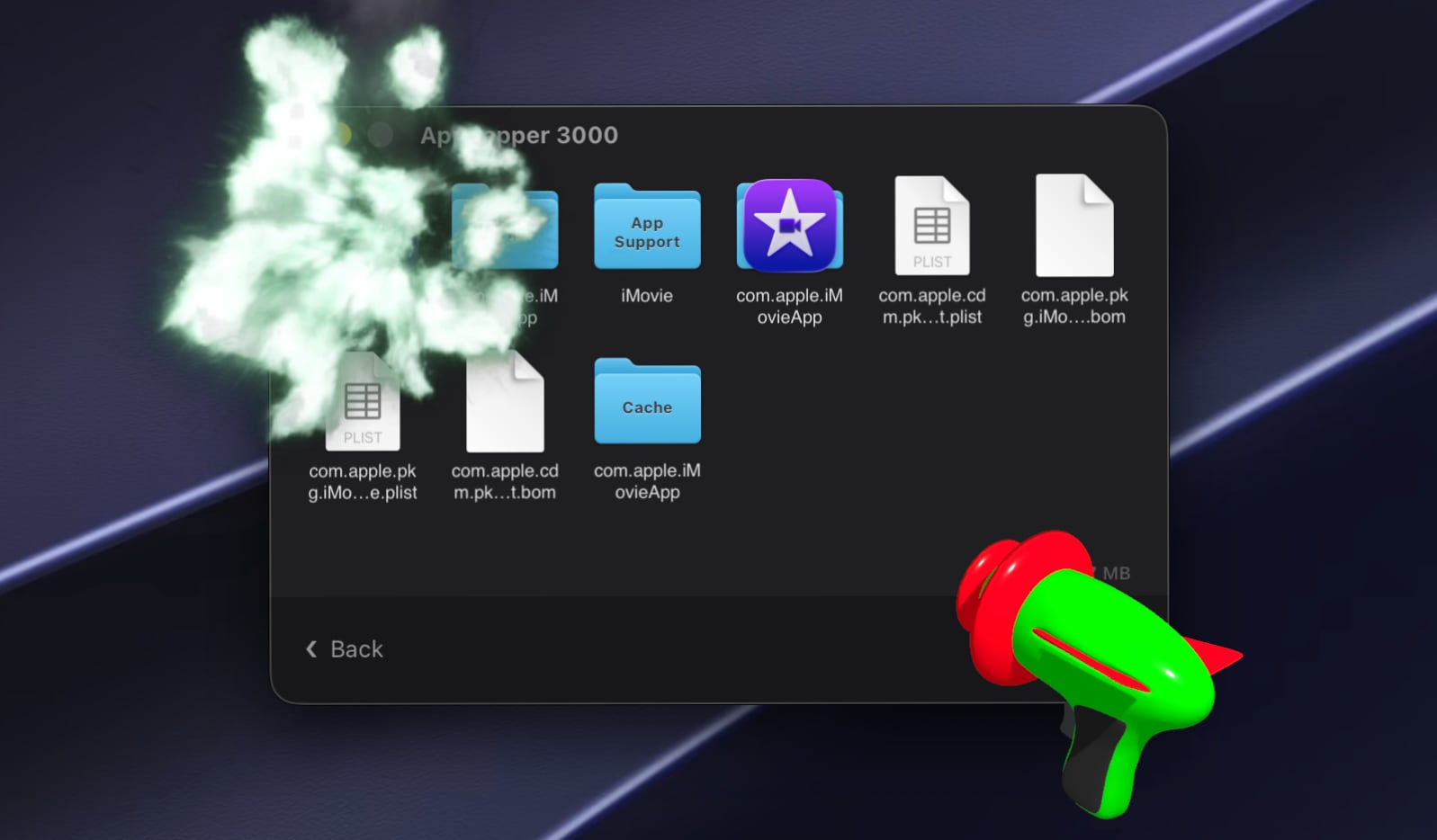
Popular Mac app AppZapper was today revamped with a new design, updated functionality, and a fresh name. AppZapper 3000 offers a quick way to delete Mac apps and their associated files. AppZapper requires Full Disk Access permission to find files on the Mac. Once installed, you can drag and drop an app into AppZapper and then click on the Zap All button to remove the app and related files with a fun laser gun animation and sound. AppZapper locates and deletes all of an app's files in just a few seconds, and users can choose from four different themes. AppZapper first launched in 2006, so the new version is debuting on its 20th anniversary. Developer Austin Sarner says the updated version of the app is tailored to macOS security requirements and is better at finding related app files. The app can be downloaded for free and tested before purchasing. A license is priced at $18 for a single user and $29 for a family pack that allows the app to be used on up to five Macs. macOS 15 or later is required. MacRumors readers can get a 20 percent discount by using the promo code MACRUMORS when checking out. The discount is available through September 21. This article, " AppZapper Mac Uninstaller Returns as AppZapper 3000 " first appeared on MacRumors.com Discuss this article in our forums

MacRumorsMacRumorsJuli Clover14 Sept

AppleCare One Family Launches at $49.99 Per Month

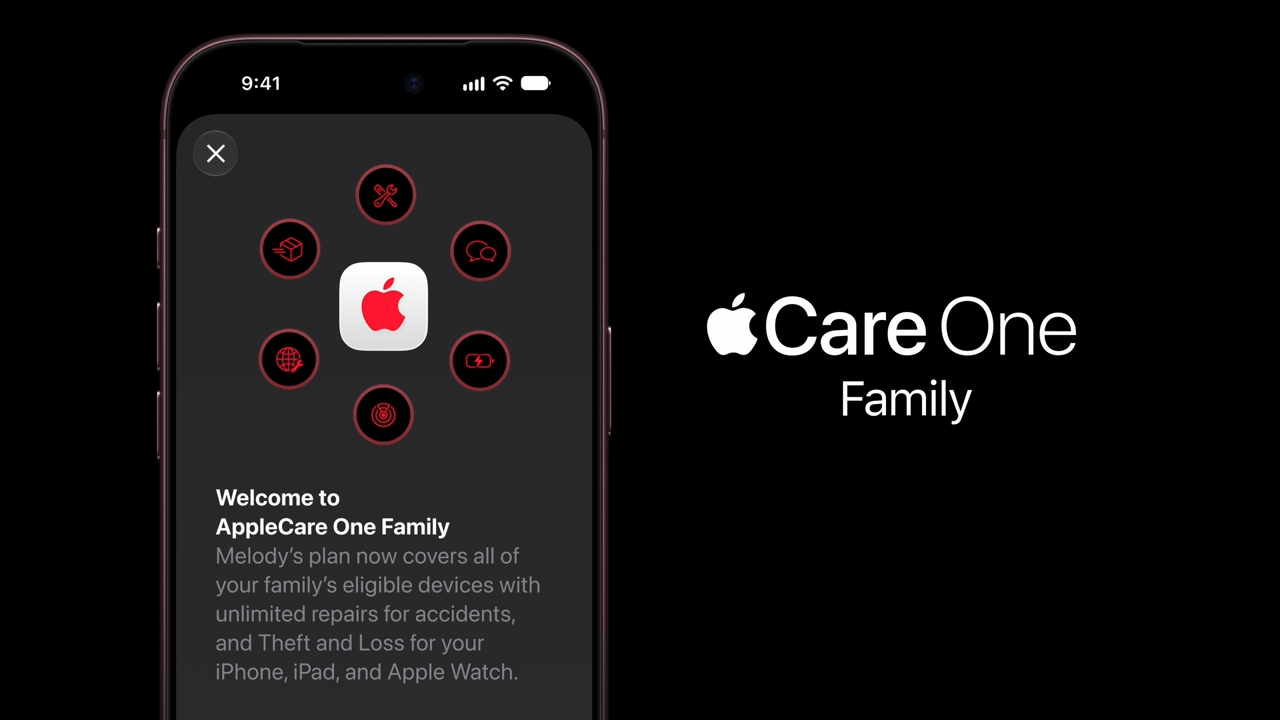
iPhone, iPad , and Mac users in the United States can now sign up for AppleCare One Family, a new ‌AppleCare‌ plan that covers the Apple products of up to six people. ‌AppleCare‌ One Family offers the same benefits as ‌AppleCare‌+, including protection from accidental damage as well as theft and loss protection for iPhone, ‌iPad‌, and Apple Watch. The same service fees and deductibles apply, and up to six loss and theft claims are available across the family per year. ‌AppleCare‌ One Family is priced at $49.99 per month and covers all of the eligible Apple devices in a Family Sharing group. All devices already protected by ‌AppleCare‌ at the time of signup and devices purchased less than 60 days ago are automatically enrolled in ‌AppleCare‌ One Family during setup. Other devices up to four years old (or one year for AirPods and Beats) can also be added, but users may need to complete a device check to confirm the device is in good condition. Devices not in good working condition cannot be added to the plan. There are few limits on the number of devices that can be added. A family's entire product list will be covered, though Apple says the plan covers a maximum of six Vision Pro headsets. All devices added to ‌AppleCare‌ Family remain covered for as long as the plan is active. Devices have to check in with Apple's servers at least once every 12 months, and Apple can remove a device if service parts are unavailable. ‌AppleCare‌ One Family is limited to the United States, and all devices need to be signed in to the Apple Account of a family member to be covered. If someone signs out and another account not in the family group signs in, coverage ends. More limits are outlined on Apple's support page for the feature. Any adult member of a Family Sharing group can start an ‌AppleCare‌ One Family plan. If Purchase Sharing is turned on, the family organizer will automatically pay the subscription price, but Apple says the plan subscriber can choose to use their own payment method for the plan. ‌AppleCare‌ One Family is an alternative to ‌AppleCare‌ One, the $19.99/month subscription Apple introduced in July 2025. ‌AppleCare‌ One is limited to three devices, but coverage can be added for additional devices at $5.99 per month each. Tags: AppleCare , AppleCare One This article, " AppleCare One Family Launches at $49.99 Per Month " first appeared on MacRumors.com Discuss this article in our forums

MacRumorsMacRumorsJuli Clover14 Sept

macOS Golden Gate Now Available With Siri AI, Visual Intelligence and More

Apple today released macOS Golden Gate 27, the latest version of the macOS operating system that runs on the Mac. ‌macOS Golden Gate‌ is a free app that can be downloaded on all compatible Macs. The update requires a Mac with an Apple silicon chip, and it is not available on Intel Macs. Mac users can download the ‌macOS Golden Gate‌ update by using the Software Update section of System Settings. The update introduces Siri AI, a smarter chatbot version of ‌Siri‌ with a dedicated ‌Siri‌ app. It brings Visual Intelligence to the Mac for the first time, and tweaks the look of the Liquid Glass design update Apple introduced last year. Apple's release notes for ‌macOS Golden Gate‌ are below. Experience the new Siri AI Introducing Siri AI, an entirely new version of Siri powered by Apple Intelligence that's more personal, more capable, and more conversational. It is integrated into Spotlight, so you can search for answers about almost any topic right from where you already search for things across your system. It can draw on personal context to find things across your messages, mail, photos, and more. And it can get things done across your apps, just by asking. Revisit and resume past conversations in the new dedicated Siri app, synced with iCloud across your Apple devices. Siri AI is rolling out to users, and you can get started by turning it on in Settings. Take action on what's onscreen With Visual Intelligence, you can select a window of your screen and Siri can answer questions or take action with what's onscreen, like adding events to your calendar. You can access Visual Intelligence with a dedicated keyboard shortcut — Command-Shift-Space. Powerful new ways to edit photos Use intelligent photo editing tools to reframe a photo after it's been taken with Spatial Reframing or expand your shot with the Extend tool. And enhancements to Clean Up let you remove distractions with better quality and more realistic infill, even when the scene is complex. New tools to browse in Safari Automatically group your tabs into topics, so related pages are easier to find. With Notify Me, Safari can monitor pages for changes like price drops or restocks and alert you when it's time to act. Describe an Extension lets you use natural language to create custom extensions, like adding a button to save your favorite recipes. Easily create Shortcuts using natural language With Describe a Shortcut, you can automate daily tasks with a simple description and all of the required steps are assembled on your behalf. For example, you can describe a shortcut to automatically text your partner when you're headed home from work with an estimated arrival time based on traffic. Even more refined design Updates to Liquid Glass improve readability, and a new slider lets you customize how it looks, from ultra-clear to fully tinted. Uniform toolbars, edge-to-edge sidebars, and more detailed app icons further elevate the design. New child safety features Powerful new parental controls help parents more easily manage what content their children can see, who they can communicate with, and when they have access to apps. Ask to Browse requires kids to request permission before visiting any new website in Safari. Communication Safety expands its protections to help keep conversations safe. Time Allowances gives parents more flexible ways to manage the time kids spend in apps across categories, and offers guidance based on expert research that's tailored to a child's age. Schedules help manage which apps kids have access to at different times of the day and across the week. A more responsive and delightful experience An expansive set of improvements make your Mac even faster, more reliable, and easier to use. Better search in Spotlight and Mail helps you find what you're looking for with greater ease. AirDrop Transfers and network file browsing happen faster. And many more improvements make your day-to-day use more enjoyable. For more on all of the new features in ‌macOS Golden Gate‌, check out our dedicated roundup . Related Roundup: macOS Golden Gate Tags: Siri , Visual Intelligence Related Forum: macOS Golden Gate This article, " macOS Golden Gate Now Available With Siri AI, Visual Intelligence and More " first appeared on MacRumors.com Discuss this article in our forums

MacRumorsMacRumorsJuli Clover14 Sept

Apple Releases HomePod Software 27 With AutoMix Support

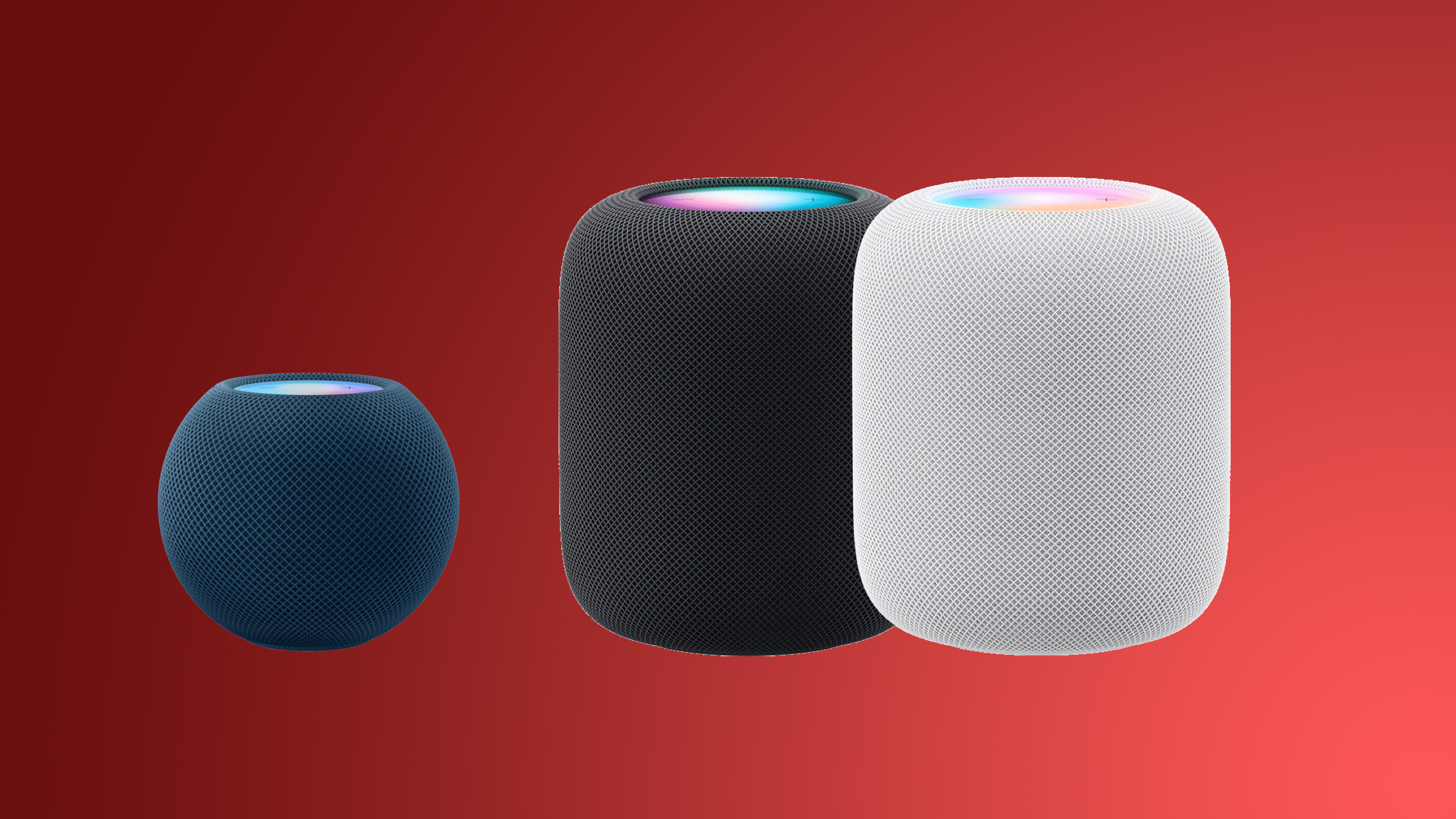
Alongside iOS 27 , iPadOS 27 , and macOS Golden Gate , Apple today released new software for the HomePod and HomePod mini . ‌HomePod‌ Software 27 adds AirPlay improvements and support for AutoMix when listening to Apple Music . This update introduces support for AutoMix with Apple Music, which transitions between songs like a DJ does, time stretching and beatmatching to deliver a continuous playback experience. It also delivers improved AirPlay performance, providing faster and more responsive connections when sharing music from iPhone, iPad, or Mac, and provides bug fixes and security updates for your HomePod. ‌HomePod‌ software can be installed on the Home app on the iPhone, iPad , or Mac by selecting on the More button, choosing Home Settings, and then using the Software Update option. If automatic updates are turned on, the new ‌HomePod‌ software will be installed automatically. Related Roundup: HomePod Buyer's Guide: HomePod (Caution) This article, " Apple Releases HomePod Software 27 With AutoMix Support " first appeared on MacRumors.com Discuss this article in our forums

MacRumorsMacRumorsJuli Clover14 Sept

Amazon Offers Up to $600 Off M5 MacBook Pro, $330 Off Studio Display

Huge discounts hit Apple's M5 Pro and M5 Max MacBook Pro this week, with as much as $600 off select models on Amazon. We're also tracking ongoing deals on pre-orders for the new Mac mini and Mac Studio, plus you can pair your new computer with a Studio Display or Studio Display XDR at up to $330 off. Note: MacRumors is an affiliate partner with some of these vendors. When you click a link and make a purchase, we may receive a small payment, which helps us keep the site running. MacBook Pro What's the deal? Take up to $600 off 2026 MacBook Pro Where can I get it? Amazon Where can I find the original deal? Right here $500 OFF 14-inch M5 Pro MacBook Pro (18-Core/24GB/2TB) for $2,699.00 $600 OFF 14-inch M5 Max MacBook Pro (36GB/2TB) for $3,499.00 $400 OFF 16-inch M5 Max MacBook Pro (36GB/2TB) for $3,899.00 $500 OFF 16-inch M5 Max MacBook Pro (48GB/2TB) for $4,499.00 Amazon this week introduced big discounts on the M5 Pro and M5 Max MacBook Pro, with up to $600 off select models. A handful of models have better discounts when compared to the last time we tracked these deals, coming in as much as $100 off previous price points. Mac Mini and Mac Studio Pre-Orders What's the deal? Take up to $49 off Mac mini and Mac Studio pre-orders Where can I get it? Amazon Where can I find the original deal? Right here $49 OFF M5 Max Mac Studio 36GB/512GB for $2,449.99 $19 OFF M6 Mac mini 16GB/256GB for $879.99 $29 OFF M6 Mac mini 16GB/512GB for $1,069.99 $29 OFF M5 Pro Mac mini 24GB/512GB for $1,669.99 Amazon recently introduced the first cash discounts on Apple's brand new Mac mini and Mac Studio, with discounts reaching up to $49 off original prices. All of these deals are pre-order discounts on the 2026 Mac mini and Mac Studio, which officially launches on September 22. Studio Display What's the deal? Take up to $330 off Apple Studio Displays Where can I get it? Amazon Where can I find the original deal? Right here $100 OFF Studio Display (Standard/Tilt Adjustable) for $1,499.00 $112 OFF Studio Display (Standard/Tilt and Height Adjustable) for $1,886.35 $330 OFF Studio Display XDR (Standard/Tilt and Height Adjustable) for $2,969.00 Amazon this month introduced major discounts on the Apple Studio Display and Apple Studio Display XDR, providing up to $330 off these monitors, and you can still get these deals today. The steepest discount is on the Studio Display XDR with Standard Glass and Tilt- and Height-Adjustable display. AirTag 2 What's the deal? Take up to $19 off AirTag 2 Where can I get it? Amazon Where can I find the original deal? Right here $5 OFF AirTag 2 (1-Pack) for $24.00 $19 OFF AirTag 2 (4-Pack) for $79.99 Apple's AirTag 2 is on sale for $79.99 this week on Amazon, down from $99.00. This deal is on the 4-Pack of the AirTag 2, and it's a new record low price for the accessory, beating the previous low by about $9. If you're on the hunt for more discounts, be sure to visit our Apple Deals roundup where we recap the best Apple-related bargains of the past week. Deals Newsletter Interested in hearing more about the best deals you can find in 2026? Sign up for our Deals Newsletter and we'll keep you updated so you don't miss the biggest deals of the season! Related Roundup: Apple Deals This article, " Amazon Offers Up to $600 Off M5 MacBook Pro, $330 Off Studio Display " first appeared on MacRumors.com Discuss this article in our forums

MacRumorsMacRumorsMitchel Broussard11 Sept

Mac's Edge Light Feature Rumored to Expand to iPhone

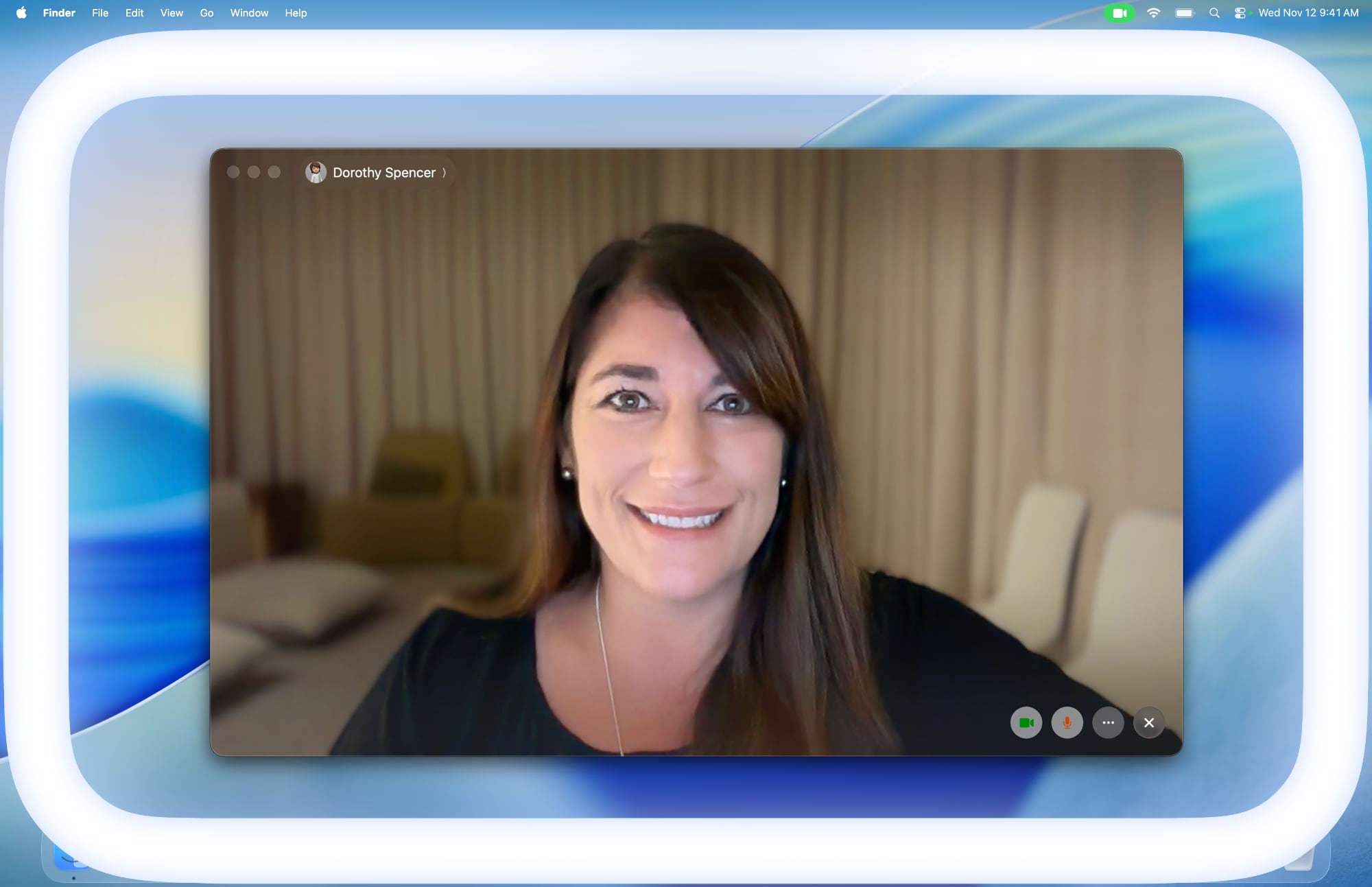
macOS 26.2 added an Edge Light feature to Macs with the M1 chip or newer, and it has now been rumored that this feature will expand to the iPhone. According to pdfu , who has been digging through code in Apple's software updates in recent weeks, the iOS 27 Release Candidate contains evidence of the Edge Light feature coming to the iPhone Duo at a minimum. However, it appears that the feature is still in development, as they said the color temperature setting is not fully implemented. On the Mac, Edge Light illuminates the borders of the screen to evenly illuminate your face in low-light conditions. The feature is essentially a virtual ring light, and there are settings to adjust the width of the white line around the screen and a color temperature slider to make the light it produces appear more or less warm. Edge Light is coming to iPhone. iOS 27 RC gates the feature behind a device subtype that points to iPhone Duo. The color temperature setting isn't fully implemented. pic.twitter.com/dc4pQmikJc — pdfu (@itspdfu) September 10, 2026 Based on a video of the feature in action on a simulated iPhone, it appears that the feature will work in a similar manner and have the same brightness and color temperature settings on the iPhone. It is unclear if Edge Light will be available on the iPhone Duo when the device launches on October 23, or if it will expand to other iPhone models. Some of pdfu's other Apple-related code findings have already proven to be right, so the user has an accurate track record so far. Related Roundups: iOS 27 , iPadOS 27 , iPhone Duo Tag: pdfu Related Forums: iOS 27 , iPhone This article, " Mac's Edge Light Feature Rumored to Expand to iPhone " first appeared on MacRumors.com Discuss this article in our forums

MacRumorsMacRumorsJoe Rossignol10 Sept