.jpg)
How to Claim Your Cut of Apple’s $250 Million Siri Settlement
Apple may pay out up to $95 for each eligible iPhone purchased by someone who felt misled about Siri’s release. You have until December 21 to submit a claim.
Apple may pay out up to $95 for each eligible iPhone purchased by someone who felt misled about Siri’s release. You have until December 21 to submit a claim.
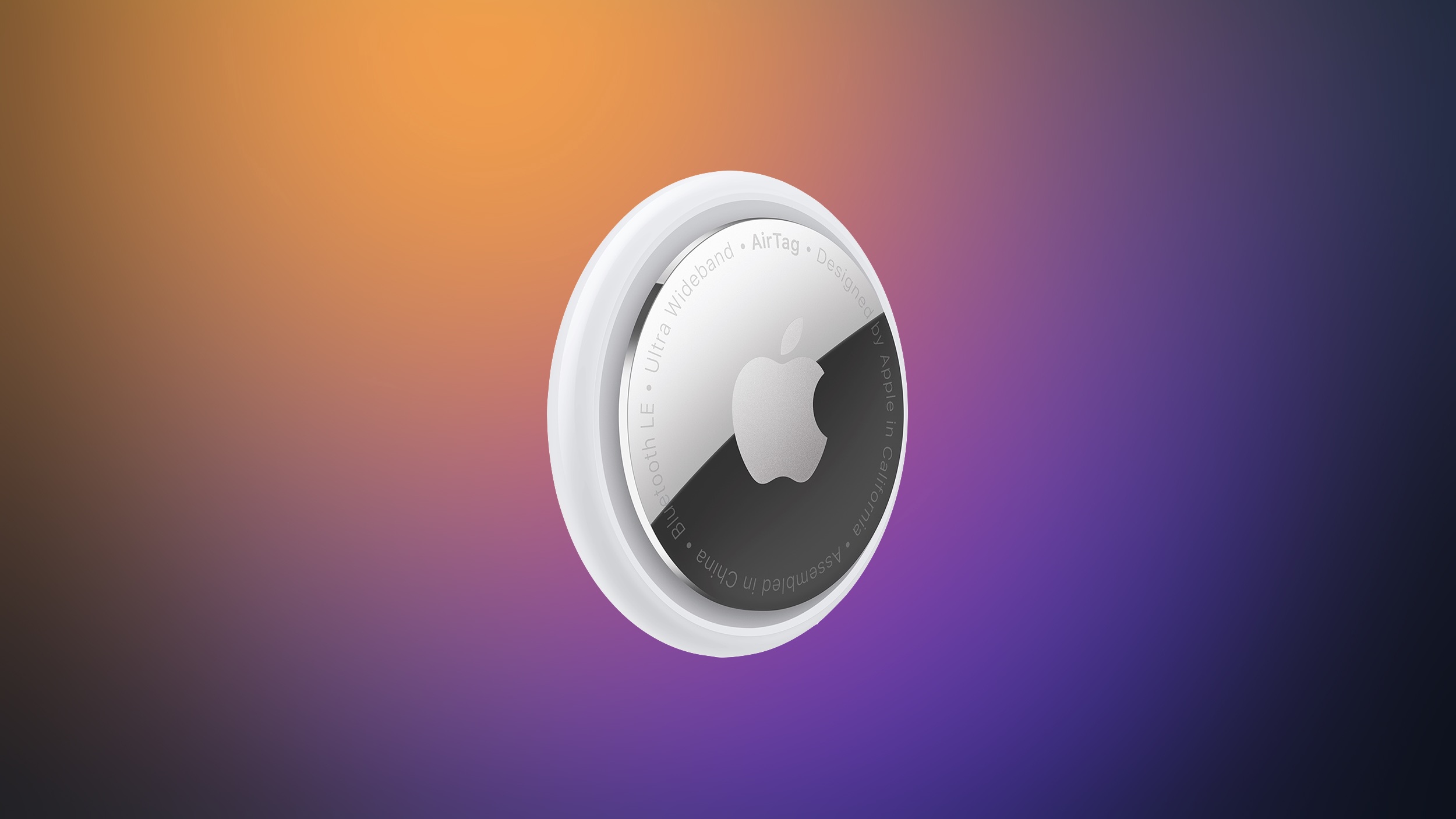
Apple has paused development on a camera-equipped AI wearable, reports Bloomberg . The device was described as a pin or pendant that could be attached to clothing or worn around the neck. A camera would relay information about the wearer's surroundings to Siri , like the rumored AirPods with cameras that could come as soon as 2027. The AI pin would have Visual Intelligence features, with Siri AI able to answer questions about where the wearer is located or what the wearer is looking at. The prototype Apple worked on was described as similar in size to an AirTag , with a thin, circular disc shape. It was made from aluminum and glass, with a physical control button on the side. Rumors suggested Apple could introduce the AI wearable as soon as 2027, but with development postponed, that seems unlikely. Apple is working on several other wearables, including a screen-free fitness band , AI smart glasses, and AirPods with cameras. Related Roundup: AirTag Tag: Apple AI Pin Buyer's Guide: AirTag (Buy Now) This article, " Apple Puts AirTag-Sized AI Pin on Hold " first appeared on MacRumors.com Discuss this article in our forums

Apple's first smart glasses could arrive in a rapidly expanding market, with worldwide AI glasses shipments increasing 263% year-over-year during the first half of 2026, according to Counterpoint Research . The figures are particularly relevant for Apple because display-less products accounted for 96% of shipments. Apple's initial smart glasses are likewise rumored to omit an augmented reality display, focusing instead on audio, cameras, Siri , and connectivity with the iPhone and Apple's wider ecosystem. Bloomberg 's Mark Gurman reports that the company is targeting a late 2027 release for the device. Apple could introduce the glasses at WWDC 2027 with an emphasis on privacy. Counterpoint said shipments of display-less AI glasses increased 258% from the first half of 2025 and 22% from the preceding six months. This category includes products such as the Ray-Ban Meta glasses, which provide photography, audio, calling, and AI features without screens. Meta currently presents Apple with a formidable incumbent. The company accounted for approximately 94% of total AI glasses shipments, while its own volume grew 260% year over year and 22% sequentially. Its expansion has been supported by additional frame styles, wider retail distribution, and new glasses priced from $299 . Display-equipped AI glasses represented only 4% of the market, although shipments in that segment increased 449% year-over-year. Apple's more advanced augmented-reality glasses are not expected until 2029 at the earliest . Counterpoint identified increasing semiconductor costs and public unease about wearable cameras as possible obstacles to continued growth. It nevertheless expects investment from Apple, Meta, Google, and Samsung to push the category toward more proactive glasses that use AI to understand their surroundings and provide assistance based on context. Tags: Counterpoint , Meta This article, " Apple's Smart Glasses to Enter a Rapidly Growing Market " first appeared on MacRumors.com Discuss this article in our forums

The claim process has opened for a massive settlement involving select iPhones.
 The Hill•Addy Bink and Alix Martichoux21 Sept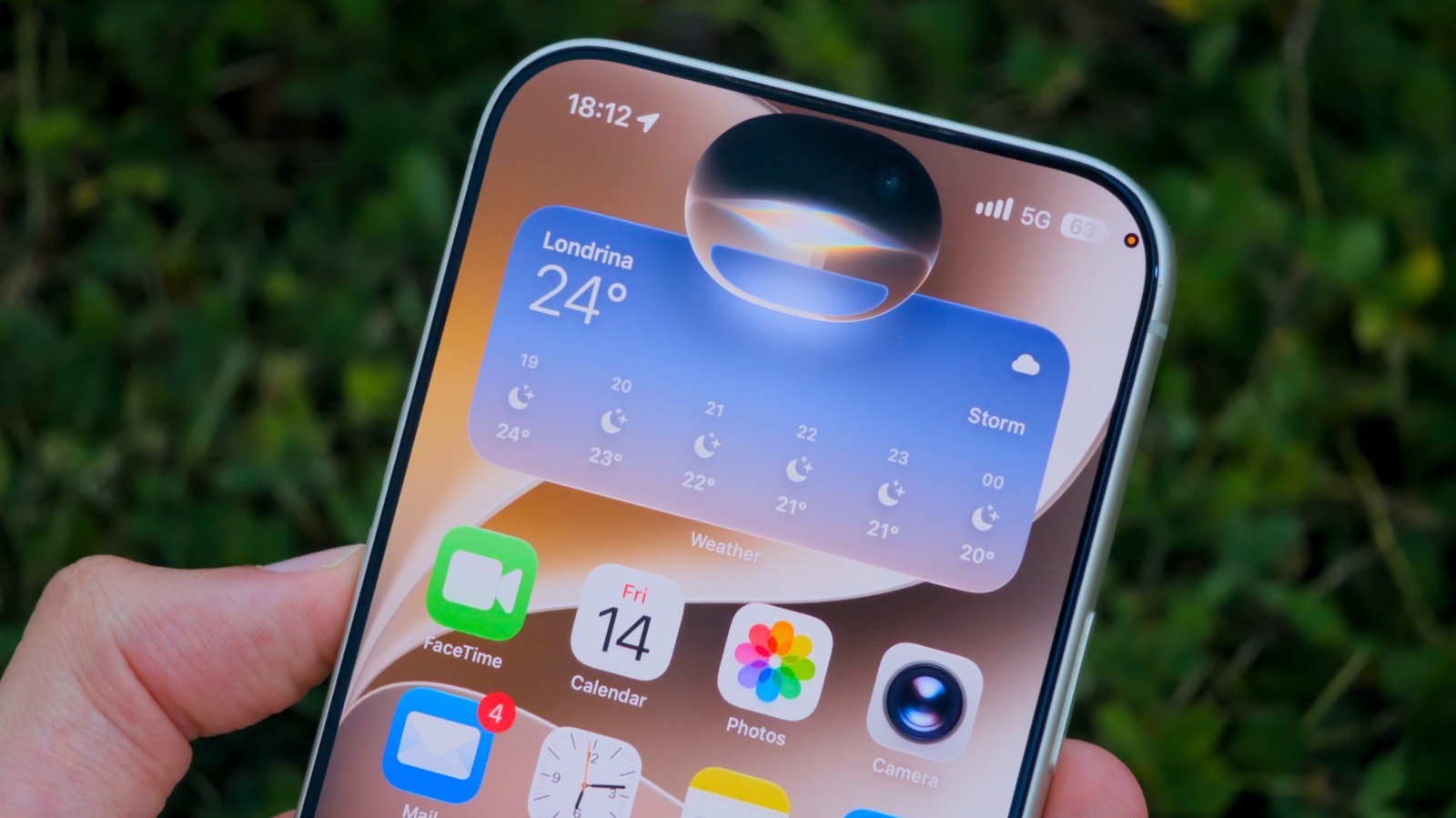
Siri has long been known for its stagnation, but that changes with iOS 27 and accompanying releases. Siri has undergone major improvements.

Apple is paying $250 million to settle claims that it failed to deliver an AI-upgraded Siri - and now, eligible iPhone owners can submit a claim for a payout. If you live in the US and purchased an iPhone 15 Pro, iPhone 15 Pro Max, or any iPhone 16 model between June 10th, 2024, and […]
 The Verge•Emma Roth21 Sept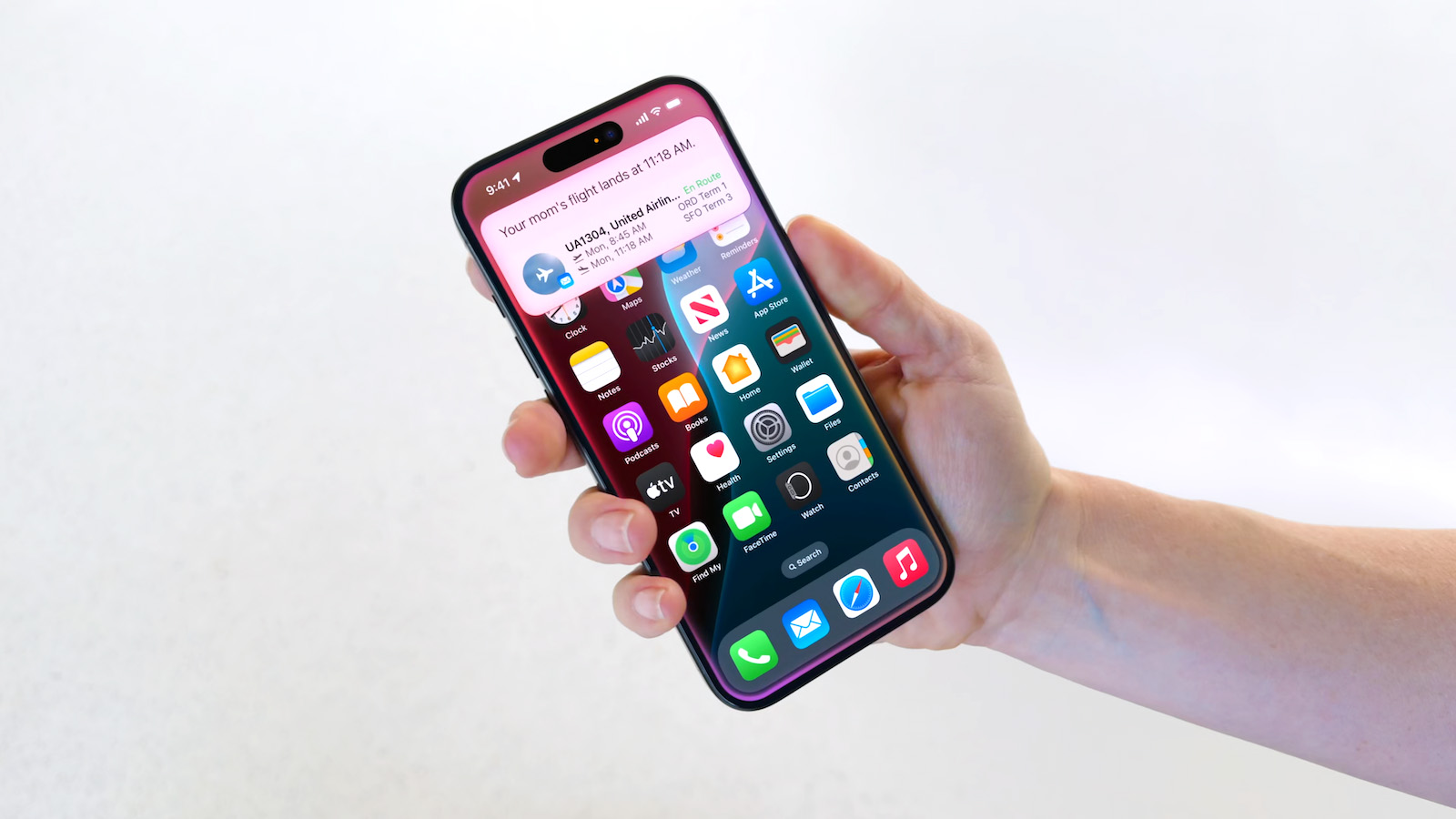
In May, Apple agreed to pay $250 million to settle a U.S. class action lawsuit over Siri AI's delayed launch, and the settlement website is now live. Apple will pay an estimated $25 per eligible iPhone to eligible customers, who can submit a claim via the settlement website between September 21 and December 21 of this year. The exact payment may be higher or lower than $25 depending on the total number of valid claims submitted and other factors, with the maximum amount set at $95. Apple denies all of the allegations made in the lawsuit. Apple agreed to the settlement to avoid the costs and risks of a trial. Below, we have answered some key questions regarding the lawsuit. Why Was Apple Sued? In June 2024, Apple previewed new Siri capabilities powered by Apple Intelligence, including understanding of a user's personal context, on-screen awareness, and deeper per-app controls. For example, Apple showed an iPhone user asking Siri about their mother's flight and lunch reservation plans based on info from the Mail and Messages apps. Apple advertised those Siri features in product presentations, on its website, in a TV commercial starring actor Bella Ramsey , and elsewhere. In March 2025, Apple delayed the launch of the personalized version of Siri , leading to the company being hit with a class action lawsuit alleging false advertising. In a statement, Apple touted a range of other Apple Intelligence features it had already released. Nevertheless, Apple agreed to settle the lawsuit "to stay focused" on "delivering the most innovative products and services to our users." Apple finally announced Siri AI at WWDC 2026 in June. Siri AI is available on iPhone 15 Pro models and newer running iOS 27, which was released last week . Siri AI is still considered a beta feature even though iOS 27 is no longer in beta. Am I Eligible? To be eligible to submit a claim, you must reside in the U.S. and have purchased one of the iPhone models listed below in the U.S. for purposes other than resale between June 10, 2024 and March 29, 2025. The full list of eligible iPhone models: iPhone 15 Pro iPhone 15 Pro Max iPhone 16 iPhone 16e iPhone 16 Plus iPhone 16 Pro iPhone 16 Pro Max Over the coming days, eligible customers should be notified about the settlement in an email, which will contain a claim ID and a PIN code. But, the settlement website also offers an option to submit a claim without this information. The claims form asks for your personal information and the eligible iPhone's serial number. If you indicate that you do not have the serial number, the form asks for your Apple Account email address and the eligible iPhone's phone number. How Much Will Apple Pay Me? According to the terms of the settlement, each person who files an eligible claim will receive a per-device payment of $25, but this amount could increase up to $95 if the total number of claims submitted is lower than anticipated. Where and When Can I Submit a Claim? You can submit a claim on the settlement website between September 21 and December 21. When Will I Receive Payment? A final approval hearing is scheduled for February 24, 2027, so payments to customers are not expected to begin until some point next year. What Else Should I Know? The settlement website answers some common questions about opting out of the settlement and other important topics, so be sure to read it carefully. Tags: Apple Lawsuits , Siri , Siri AI This article, " Siri AI Settlement Website Now Live: Apple to Pay Some iPhone Owners " first appeared on MacRumors.com Discuss this article in our forums

If you aren't happy with Siri while driving, several other chatbot apps are compatible with CarPlay now.

Apple released macOS 27 Golden Gate this week, and despite the company's focus this year on refining its flagship operating system, improving performance, and nixing bugs, there are still plenty of new things to explore. There's an overhauled Siri experience, changes across Apple's apps, and much-needed updates across the system interface. In this article, we've selected 50 new features and lesser-known changes that are worth checking out if you're updating your Mac. Siri AI remains in beta and is initially rolling out in English, and the availability of some features varies by language and region. What do you think of macOS Golden Gate so far? Let us know in the comments. Siri AI Replaces the Old Siri Experience In macOS 27, Apple has turned Spotlight into the place to search your Mac or ask Siri AI a question. From the new "Search or Ask" bar, you can hold a conversation with Siri, find relevant information in apps such as Mail and Photos, and take actions in supported apps. Adjustable Liquid Glass Transparency Slider System Settings now has a slider that lets users adjust Liquid Glass from ultra-clear to fully tinted (found in Appearance ➝ Liquid Glass). Apple has also improved contrast and window shadows, standardized macOS toolbars, and made sidebars extend to the edges of app windows. The changes aim to make controls easier to read and active windows easier to distinguish. Safari's Start Page Can Resume a Browsing Topic Safari's Start Page has a new Recently Viewed section that brings back your recently closed browsing topics as well as topics open on any of your other devices. It offers a handy way to pick up a search or research session without trawling through your browser history. Visual Intelligence Comes to the Mac Visual Intelligence is now available on the Mac. Simply press Shift-Command-Space to select something onscreen, then ask Siri to explain it, translate text, search for similar images, or find related information. Siri can also use what it recognizes to take an action, such as adding the details from an event flyer to your Calendar. Photos Can Save a Video Frame as a Still Photo The Photos app can now save a frame from a video as a separate photo. Pause a clip at the moment you want, right-click (or Control-click) it, then choose "Save Video Frame as Photo," and it will add the still image to your library without exporting the entire video. Past Conversations Are Saved in a New Siri App macOS now has a dedicated Siri app where you can start new conversations or revisit past chats you've had with Siri. The app has a card-style interface with details on your most recent chats across all of your devices. You can also use the search button to find conversations, and there's a pin option for ones you revisit frequently. The Siri app is cross-platform and your content syncs across all of your Apple devices. Shared Albums Go Full Resolution Previously in Photos, pictures in a Shared Album were automatically reduced to 2,048 pixels on the long edge (except for panoramic photos, which can be up to 5,400 pixels wide). In macOS 27 though, Shared Albums finally support full-resolution photos and videos. But there comes a major trade-off. For years now, Apple has allowed you to store up to 5,000 photos and videos in Shared Albums without impacting your iCloud storage limit. That's no longer the case in Golden Gate. Non-Apple Users Can Add to Shared Albums People using Android or Windows can now join and contribute to your Shared Albums through iCloud.com. Users can also set an album to expire after 30 days, filter its photos and videos, review recent activity, and react to images with any emoji. Just remember that if you share an album with someone, what they add to it counts against your iCloud storage limit. Photos Can Reframe Images Photos has a new advanced editing tool in macOS 27. Reframe uses information captured with a compatible photo to change its apparent camera angle. It works by combining AI and spatial images so you can change the perspective or composition of a picture. Photos Can Extend Images Photos has another new editing feature: Extend lets you change the crop of an image, expanding the borders around content to zoom out a bit or change the photo's composition. It uses generative AI to fill in missing areas, and you can adjust the borders with drag gestures. Cleaning Up Photos Got a Lot Better Clean Up now uses new AI models, and it's better at removing objects. The original version of Clean Up was best for small items with little complexity in the surrounding area, but now it can do more work reconstructing backgrounds with generative AI. It also offers Fast, High Quality, and Auto modes. Apple says usage limits may apply. Swipe Down to Refresh Comes to Mac Apps The familiar swipe-down-to-refresh gesture comes to Safari, Mail, News, Podcasts, and Calendar on the Mac. Pulling down on content via your trackpad (or with your finger on iPad via Sidecar) causes the app to load the latest information, meaning you don't have to reach for a refresh button or keyboard shortcut. Mail Search Puts More Relevant Results First In Mail, search actually works properly in macOS 27. It now ranks messages by relevance rather than relying on matching words and recency. A search for a store, for example, can put an order confirmation ahead of promotional emails from the same sender, even if the order is buried in the inbox. App Icons Gain More Liquid Glass Detail Apple's app icons now have more layers of Liquid Glass, which adds detail and sharper edges across light, dark, clear, and tinted appearances. It's a smaller visual change than the new Appearance slider, but one you'll see throughout the Dock and app grid. iPhone Mirroring Windows Become Resizable Users can now drag a corner of an iPhone Mirroring window to make it larger or wider. Supported apps can show more information as the window expands, and macOS 27 now also supports playback of protected video in the mirrored window. Bear in mind that individual streaming providers may still restrict what can be mirrored, and iPhone Mirroring remains unavailable in the European Union. Write With Siri Almost Anywhere Write with Siri can generate a draft from a description, give feedback on existing text, or make a requested edit, such as shortening a paragraph or changing its tone. It works virtually anywhere you can type, and Apple says it can match your writing style in Mail and Messages. Photos Adds Keywords and Star Ratings Photos now lets users add keywords and one-to-five-star ratings to both photos and videos. Ratings can also be used as a filter, so it's easier to narrow down a large library to your best shots. Ratings controls are off by default, but you can enable them in Photos' General settings by checking the box next to "Show Rating Controls." Add Extra-Large Widgets to Desktop If you have any widgets on your desktop, try right-clicking (or Ctrl-clicking) on them and looking for a new option called Extra-Large Portrait. You can now make widgets take up a lot more screen space, which is useful for things like weather, home, and reminder widgets. Trade in Siri for ChatGPT The new Siri app and the "Search or Ask" bar (Command-Space) defaults to the new Siri AI, but you can switch it to ChatGPT if you prefer. Simply right-click (or Ctrl-click) and select "Ask..." From the context menu, and you'll see an option to change to ChatGPT. Note that conversation context doesn't transfer when you switch chatbot providers. Safari Organizes Pages for You If you have several webpages open with related content, Safari can automatically group these open tabs by topic while keeping any unrelated browsing sessions apart. To enable the feature, open Safari's Settings, select the Tabs section, and choose "Organize Tabs: Automatically Create Topics." Safari Can Notify You When a Page Changes Notify Me is another new Safari feature that enables the browser to watch a webpage for a specific change, such as a product restock or price drop, and alert you when it happens. The feature's monitoring options include daily, weekly, or monthly schedules. Apple Notes Now Lets You Draw The Continuity feature has allowed you to sketch in the Notes app by opening a virtual drawing board on your iPhone or iPad. But that meant you had to have at least one iOS device linked to your Apple Account. Happily, that's no longer a requirement in macOS 27, which adds a native drawing tool to the Notes app. It includes Pen, Monoline, Marker, Pencil, Crayon, Fountain Pen, Reed, and Watercolor tools. Video Podcasts Get Better Mac Playback The Podcasts app gives video shows fuller playback controls on the Mac, including Picture in Picture and a download option for offline viewing. You can switch between watching and listening when a show supports video, and the search function in a show's episode list makes older episodes easier to find. Image Playground Gets More Styles Image Playground has been overhauled to become genuinely useful, and it can now generate pictures in a wider range of styles, including photorealistic images. You can select part of an image and describe how you want it changed, or combine images to create something new. As with other Apple Intelligence features, Apple says usage limits may apply. New Golden Gate Wallpapers Arrive Golden Gate includes Sunset and Night wallpapers featuring San Francisco's Golden Gate Bridge, along with a new abstract wallpaper. The Bridge wallpapers animate when your Mac unlocks and you can also use them as your screen savers. Safari Can Build Extensions From a Description Safari's Create an Extension option lets you describe what you want a browser extension to do in plain language. For example, a request to add a button for saving recipes can become a custom extension without you having to go near a single line of code. Safari also offers suggested prompts for productivity, focus, and design tasks. Freeform Adds Drawing, Collaborative Folders Freeform now supports drawing directly on the Mac, thanks to sketching tools being included in its shared boards. Golden Gate also adds folders for organizing collaborative boards and a canvas that adapts to Dark Mode. Faster AirDrop and Network Browsing Apple says Golden Gate makes AirDrop transfers and browsing folders on Windows or NAS network shares faster. Safari's Start Page content also loads more quickly, and Mission Control and Spaces animations are smoother. Calendar Events Can Be Added by Description Calendar can now create or edit an event from your plain-language description. You can describe a lunch meeting, change the time and adjust the description to make it a coffee meeting, and Calendar will adjust the event rather than requiring every detail to be edited separately. Enhanced Maps Flyover With Flyover, cities like Boston, New York, London, and Chicago include more detailed 3D renderings of their skylines. Apple has enhanced the 3D models for these cities by combining AI and aerial imagery to achieve more detailed and realistic cityscapes. Slideshows Can Start From Any Photos Album Photos can now create slideshows from any album or collection, rather than limiting them to Memories. You can customize the presentation and save it as a video to keep or share. Passwords Will (Soon) Auto-Repair Weak Logins The Passwords app already warns users about weak or compromised logins. Apple says a future software update will let it use Safari to change eligible passwords automatically, replacing a vulnerable login with a stronger one on your behalf. External Displays Get Better Resolution Support Golden Gate adds more resolution and refresh-rate choices for compatible external displays, including 5K at 120Hz on certain ultrawide screens. Apple also says the Mac does a better job of restoring window positions, Spaces, and screen assignments when a display is unplugged and reconnected. macOS Suggests Names for Files and Folders In Finder, TextEdit, and other Apple apps, Apple Intelligence can suggest a name for a file or folder based on its contents. The feature is designed to make saved items easier to recognize later, especially when the original name doesn't give much away about what's inside. Siri Gains New Expressive Voices Siri AI now has more expressive voices alongside a big improvement to systemwide dictation accuracy. You can adjust both the expressiveness and pace of Siri's voice to your preference with sliders in a new Voice section in System Settings ➝ Siri. Siri's new expressive voices require an M3 or newer Mac with at least 12GB of memory. Weather's Forecast Views Are Refreshed Weather in macOS 27 has a more orderly layout, with more room for its hourly and 10-day forecasts. You can also switch between current conditions, precipitation, and wind views, while a new Highlights section calls out notable weather events ahead. Highlights are currently only available in U.S. English. Create Shortcuts With Natural Language True to this era of AI, Shortcuts can now build you an automation from a plain-language description. You can ask it to assemble a sequence of actions across apps, then test, edit, or refine the result with another description. Apple says usage limits may apply. Finder Columns Are Easier to Size and Reset New autosize and reset controls make columns easier to manage in Finder. Right-click (or Control-click) the bottom of a column, and you'll see options to adjust a crowded view without dragging each column boundary into place by hand. Sidecar Finally Supports Direct Finger Input Sidecar now lets you interact directly with the Mac interface on an iPad used as a second display. With a compatible iPad, you can tap controls, scroll with a finger, and use more system gestures instead of relying on your mouse or trackpad. New Screen Time Controls for Parents Parents can now set category-level allowances with different schedules by day and time, making controls more flexible than one broad daily limit. Meanwhile, Ask to Browse lets kids ask your permission to visit websites. There are also expanded protections against gore and violence, alongside existing nudity protections. Make Interface Boundaries Clearer A new Show Borders accessibility option makes the boundaries of macOS interface elements easier to see, in case you could do with some help distinguishing controls and panels where translucent surfaces otherwise blend into the surrounding window. Widgets Can Update in Real Time Widgets will now update in real time when their associated app is open, so the information you see on the desktop remains in step with what you see inside the app, instead of you having to wait for a less frequent refresh. Dock Shows Active Background Processes If you quit an app and it is still running a background process, you'll see the indicator beneath its Dock icon turn a light gray. To end the activity, right-click the app's icon and select "Stop Running in Background." Photos Gains New Utility Collections The Photos app now has two Utility collections. "Captured by Me" gathers pictures taken with your current and any previous iPhones, while "Identity Documents" brings together images of passports, driver's licenses, and any similar records you might have. Intel Macs Miss Golden Gate If you have a very old machine, there's something you should know: Golden Gate does not run on Intel Macs – it requires Apple silicon (that includes the A-series chip in MacBook Neo). Sorry, Intel users. Rosetta Support Is Ending macOS 27 is also the final major release with general-purpose Rosetta support for Intel-only apps on Macs with Apple silicon. Apple says those apps will stop working in the next major release, apart from certain older games. Smart Replies Can Sound More Like You Mail's Smart Replies are able to reflect your usual writing style when they suggest a response, right down to your tone and phrasing, so now a quick reply can sound more like something you would have written yourself. To use a smart reply, click the reply button on an email, click inside the message field, then choose one of the suggested replies generated by Apple Intelligence. Get Context on a Phone Call Just like in iOS 27, the Phone app on Mac supports a new Call Context feature. It can surface relevant information from the Mail app. If you call an airline, it might show your confirmation code for an upcoming flight, or your reservation code if you're calling a hotel. It doesn't listen to what you're saying, but instead looks at the number you're calling and links it to details in the Mail app. Shortcuts Adds Screenshot and Alert Triggers Shortcuts automations can now be triggered simply by taking a screenshot or receiving a notification. The new options add to existing triggers such as time of day, location, and app activity, giving you more ways to start a routine automatically. Reminders Understands Natural Language If you enter a natural-language request in Reminders, the app can fill in details you specify such as a date, time, or location, saving you from having to enter each field separately. Related Roundup: macOS Golden Gate Related Forum: macOS Golden Gate This article, " 50 New macOS Golden Gate Features and Changes Worth Checking Out " first appeared on MacRumors.com Discuss this article in our forums

Siri’s reintroduction takes center stage as Apple officially rolls out the latest version of macOS to download and install.
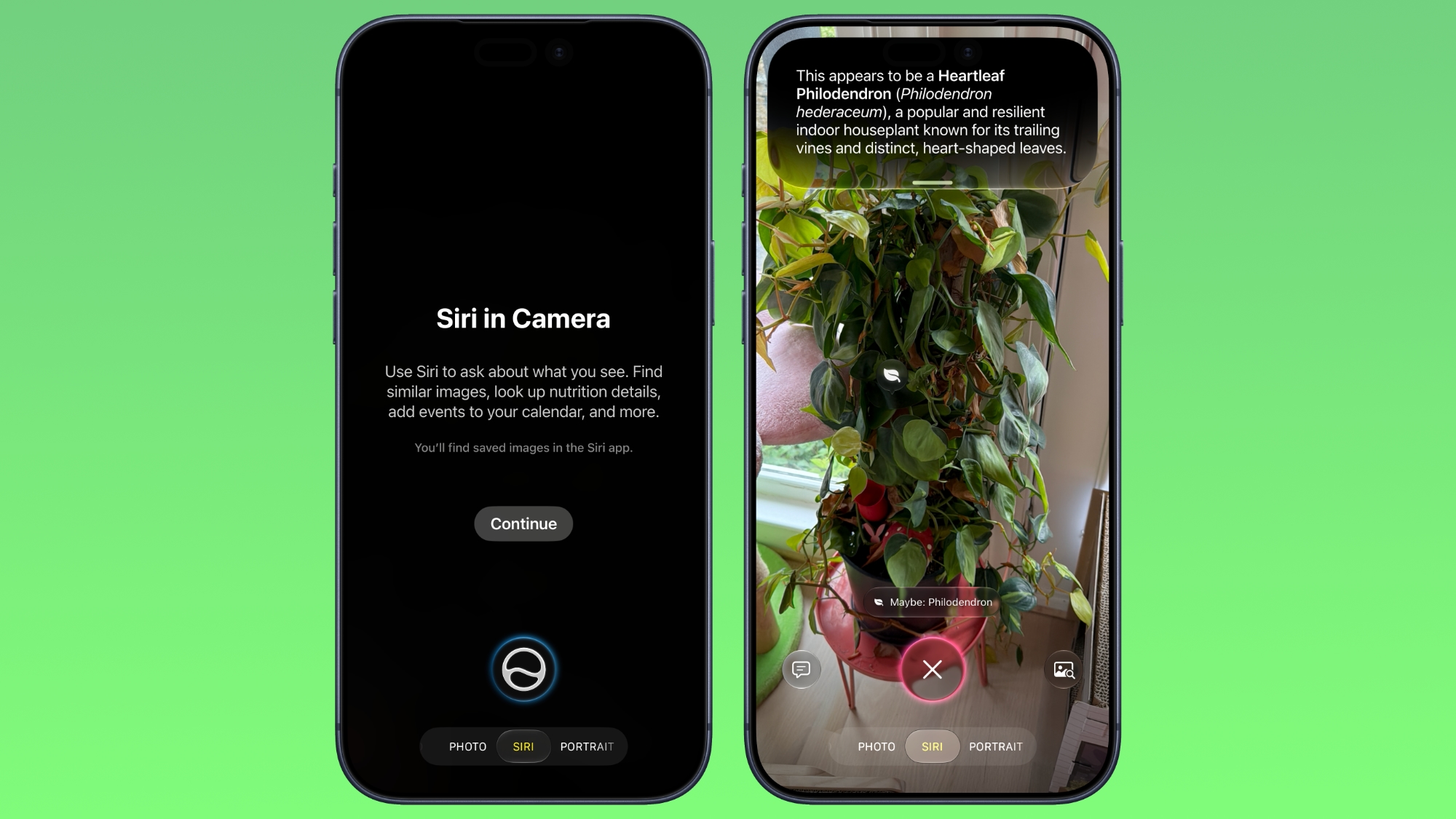
In iOS 27, available now, Apple has made some changes and additions to the iPhone's stock Camera app, including the addition of a new Siri mode. Available in addition to the Video, Photo, and other camera modes, Siri mode can be accessed by swiping across the mode carousel at the bottom of the screen. The new mode uses Visual Intelligence to identify objects in the frame and provide information about them. It can be used to identify plants, animals, food, and more. If it's food you want info on, for example, it can tell you what it is, and how many calories are in it. Other examples Siri mode can be used for include capturing a photo of an event flyer and adding a date to the Calendar app, text translation, splitting a bill, and more. In Siri mode, a button on the right lets you search Google Images, and a button on the left lets you ask a specific question. So you can ask for help to cook the food in the frame, for instance. Apple has also tweaked the way the camera interface works in other ways. Quick access tools for activating flash, Live Photo, and Night mode are now located at the top-center of the UI, while the full set of tools can be accessed from the bottom-right instead of the top-right. It's also possible to customize which controls are displayed at the top of the screen . Apple made iOS 27 available to download on supported iPhone models on September 14, a few days ahead of the launch of new iPhone 18 Pro models on September 18. Related Roundups: iOS 27 , iPadOS 27 Tag: Visual Intelligence Related Forum: iOS 27 This article, " iOS 27: Use Visual Intelligence in the Camera App " first appeared on MacRumors.com Discuss this article in our forums
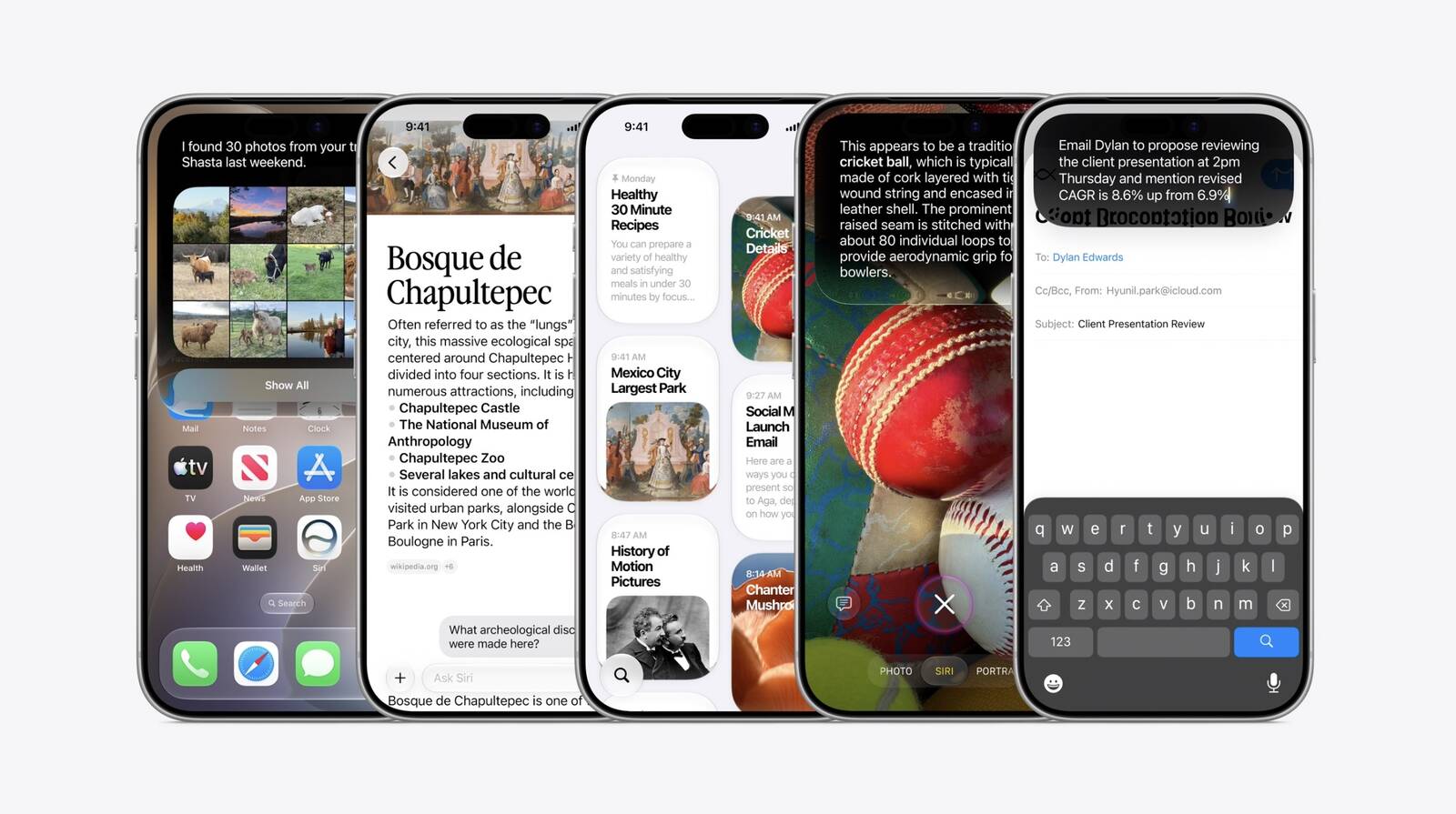
Apple this week released iOS 27 following around three months of beta testing. If you just installed the software update on your iPhone, you might be wondering where the new-and-improved Siri AI and dedicated Siri app are. In case you missed it, you must join Apple's waitlist in order to gain access to these new features. Keep in mind that while iOS 27 is compatible with the iPhone 11 and newer, Siri AI is limited to the iPhone 15 Pro and newer. This is because Siri AI requires an iPhone model that is compatible with Apple Intelligence, which we have listed below. Fortunately, joining the Siri AI waitlist is a simple task: Open the Settings app on your iPhone. Tap on the Siri menu . Tap on Try Siri AI (Beta) . Follow the prompts. Wait times seem to vary, with some users receiving access to Siri AI within a few minutes of signing up and others having to wait a few hours or even days. You will receive a notification on your iPhone once you have received access to Siri AI, and the Siri app will automatically appear on your device at that time. You can talk or type to Siri AI in three ways: swipe down on your iPhone's Dynamic Island, press and hold your iPhone's side button to invoke the assistant, or open the Siri app. The classic version of Siri has always been useful for basic actions like setting a timer and checking the weather, but it has notoriously struggled with more advanced requests over the years. Siri AI is much more intelligent and personalized: it is essentially a ChatGPT-like version of Siri that can respond to most questions. Siri AI can draw on your personal information stored on your iPhone, has on-screen awareness, and can perform actions in more apps that support it. The new Siri is limited to English to start, but Apple said support for French, Japanese, Korean, Portuguese, and Spanish will be available in October, likely as part of the release of iOS 27.1. Apple said Siri AI has unspecified daily usage limits, but it noted that expanded access will be coming with select iCloud+ plans. Siri AI is not available in the EU on iOS 27, iPadOS 27, and watchOS 27 at launch, as Apple is in a regulatory battle with the European Commission. The following iPhone models are compatible with Siri AI: iPhone 18 Pro iPhone 18 Pro Max iPhone Duo iPhone 17e iPhone 17 iPhone 17 Pro iPhone 17 Pro Max iPhone Air iPhone 16e iPhone 16 iPhone 16 Plus iPhone 16 Pro iPhone 16 Pro Max iPhone 15 iPhone 15 Plus iPhone 15 Pro iPhone 15 Pro Max You can adjust Siri AI's pace and expressivity on these iPhone models: iPhone 18 Pro iPhone 18 Pro Max iPhone Duo iPhone 17 Pro iPhone 17 Pro Max iPhone Air Apple still considers Siri AI to be in beta even though iOS 27 is no longer in beta overall. Related Roundups: iOS 27 , iPadOS 27 Tags: Siri , Siri AI Related Forum: iOS 27 This article, " Reminder: iOS 27's All-New Siri AI Has a Waitlist, Here's How to Sign Up " first appeared on MacRumors.com Discuss this article in our forums
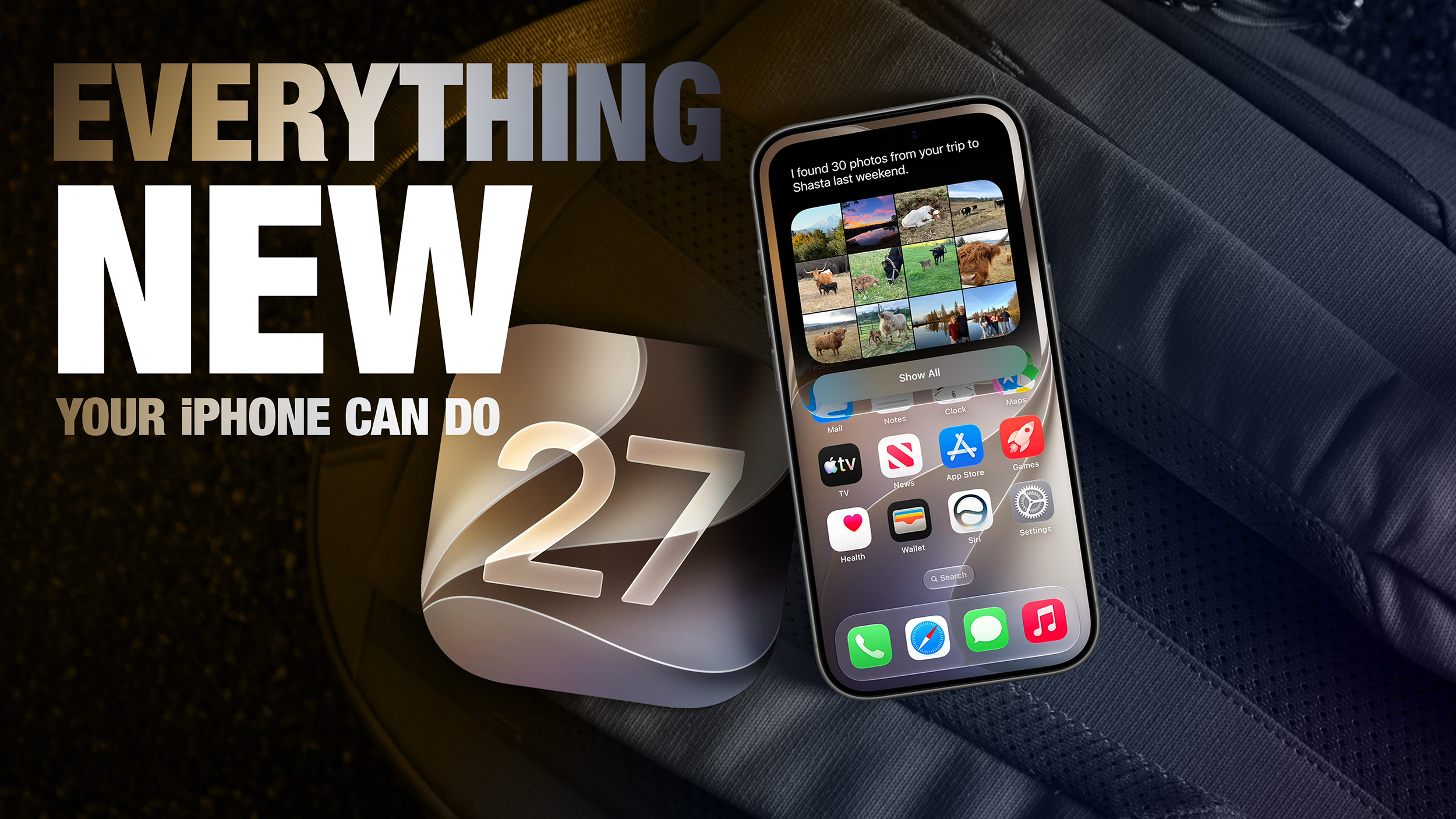
Apple released iOS 27 this week, and despite the company's focus this year on refining its flagship operating system and nixing bugs, there are still many additional features to explore, not least of which is Apple's new context-aware Siri, re-tooled for the generative AI era. Which iPhones Support Every iOS 27 Feature? This year's major iPhone software update isn't all about AI, though, as the following feature list testifies. iOS 27 is available now on supported iPhone models as a free update, and can be downloaded from the Settings app, via General ➝ Software Update. Extend Your Photos and Lock Screen Wallpaper A new wallpaper extension feature in iOS 27 uses Apple Intelligence to automatically expand a photo beyond its original boundaries so it fills the entire Lock Screen more naturally. If a photo is cropped too tightly, doesn't match your iPhone's aspect ratio, or it leaves empty space when positioned on the Lock Screen, iOS 27 can generate additional image content around the edges with the "Extend" option. It will analyze the existing image and create matching background details that blend with the original photo, so there's no need for aggressive cropping. The Extend option can also be found in the Photos app. Organize Your Safari Tabs Safari uses Apple Intelligence to automatically organize your open tabs into related topics, making them easier to browse and manage. For example, if you're shopping for a new refrigerator while planning a vacation, Safari groups tabs for each activity into separate topic-based collections. You can enable this feature by opening Tab View, tapping the three-line icon in the top-right corner, and turning on Automatically Create Topics. Use Natural Language for Reminder and Calendar Entries In the Reminders app, you can now create reminders using natural language, and Apple Intelligence will automatically fill in details such as the date, time, and location. For example, if you type "Pick up Dad at 6 p.m. tonight" or "Send the photos to Eric tomorrow at 3 p.m.," Reminders extracts the relevant information and adds it to the reminder automatically. The Calendar app also supports natural language input, identifying people, dates, and locations as you type. You can then tap the suggested information to quickly add it to your event. Inline Reply to Messages From Android Users In the Messages app, you can now long press on a specific message from an Android user (a green chat bubble) and get an option to reply to it. That contrasts with iOS 26, where inline replies are limited to blue bubbles sent over Apple's iMessage platform. Upgrade Your Wallet Passes Apple has expanded the redesigned pass experience in the Wallet app with iOS 27, bringing the enhanced design introduced for airline boarding passes in iOS 26 to additional pass types. Membership, gift, loyalty, and rewards cards can now use a new Poster Generic layout with a background image, a logo, customizable header and footer fields, main information, and an optional barcode. Passes can also include up to two quick actions at the bottom, such as getting directions to a venue or checking a rewards points balance. Describe Your Next Shortcut Apple Intelligence makes creating shortcuts much more accessible by letting you build them with natural language. Tapping New Shortcut in the Shortcuts app opens a Describe a Shortcut interface, where you simply explain what you want the shortcut to do. You can describe a single action or a more complex automation, and Apple Intelligence selects the appropriate actions and assembles the shortcut automatically. For example, you could create a shortcut that sets tomorrow's alarm based on your first Calendar event, enables Sleep Focus, and dims the bedroom lights each evening, or one that displays your first meeting, the weather, and today's reminders every morning. Like existing shortcuts, these automations can be triggered by factors such as the time of day, your location, app activity, system events like taking a screenshot, incoming notifications, and more. Get a Better Flyover of Your City Apple is enhancing the Flyover feature in Maps with iOS 27, using Apple Intelligence models to improve aerial imagery with greater texture and sharper detail. Trees, buildings, and other landmarks appear more realistic, with more accurate geometry and improved lighting effects. According to Apple, the update makes select cities around the world look more lifelike, from the shape of individual trees to the way light reflects off glass skyscrapers. Flyover already offers detailed 3D views of landmarks, roads, parks, and buildings in more than 350 cities, so iOS 27 is essentially using AI to further improve the quality of those visualizations. Ask Siri What Your Camera Sees The iOS 27 Camera app has a new "Siri" mode that is available in addition to the video, photo, and other camera modes. The new mode uses Visual Intelligence to identify objects in the frame and provide information about them. It can be used to identify plants, animals, food, and more. If it's food you want info on, for example, it can tell you what it is, and how many calories are in it. Other examples Siri mode can be used for include capturing a photo of an event flyer and adding a date to the Calendar app, text translation, splitting a bill, and more. Make Your Lock Screen Clock More Compact A new compact clock mode is available as a new Lock Screen layout option in iOS 27. Found in the top-right corner of the Font & Color panel, the option moves the time from its traditional large, centered position to a much smaller format alongside the date and widgets at the top of the screen. It's a nice option to have if you like a cleaner Lock Screen look that shows off your wallpaper more fully, and it's the complete opposite effect introduced in iOS 26 that stretches the clock down the screen. Generate Photo-realistic Images with Image Playground Apple's Image Playground has been a bit of an embarrassment up until now, being limited to cutesy re-renderings of actual photos and sketched illustrations. But the app gets a major update in iOS 27. Powered by a new generative model that runs on Private Cloud Compute, it can produce high-quality images in virtually any style, including photo-realistic output for the first time. All generated images automatically carry a hidden SynthID watermark to identify them as AI-generated. The app now also supports photo-based editing in addition to creation. Tweak Liquid Glass Opacity If Apple's Liquid Glass UI embrace in iOS 26 wasn't your thing, there's a way to tone it down. In iOS 27, Apple added a full Liquid Glass slider under Settings ➝ Appearance ➝ Liquid Glass. It changes the translucency of Liquid Glass elements, and you can choose a clear version of Liquid Glass that allows some of the background to show through, select a more opaque, tinted version that improves the legibility of text, or choose something in between. Create a Slideshow from Any Album In iOS 27, you can create a slideshow from any album, collection, or selection of photos in the Photos app, rather than being limited to Memories. Open an album or select multiple photos, tap the menu button in the top-right corner, and choose Start Slideshow. Slideshows can be customized with different transition styles, slide durations, and background music, and then saved as a video or shared directly to social media. Easily Switch Between Siri and ChatGPT The new Siri app in iOS 27 defaults to the new Siri AI, but you can switch it to ChatGPT if you prefer. Simply long press on the text input field and tap "Ask...", then you'll see an option to change to ChatGPT. Note that conversation context does not transfer when you switch chatbot providers. Currently, ChatGPT appears as an alternative in the Siri AI app whether or not you have the ChatGPT extension enabled in Settings ➝ Siri ➝ ChatGPT. Build a Browser Extension With a Prompt Safari has been given a new AI-powered extension creation feature. A new Create an Extension option, available from Safari's menu to the left of the address bar, lets you describe what you want an extension to do in plain language, and Apple generates it for you. If you need inspiration, Apple also provides suggested ideas across categories including Boost Productivity, Improve Focus, Get Creative, and Develop and Design. Get AI Summaries of HomeKit Camera Footage (iCloud+ Only) The Home app is now able to generate written summaries for motion alerts from HomeKit Secure Video cameras. It's also able to group footage from separate cameras for an overview of activity and pull out noteworthy recordings, plus it supports natural language search. Bear in mind that this feature is only available if you have an iCloud+ plan with at least 2TB of storage (that's a $9.99/month subscription). Equalize Your AirPods With iOS 27, Apple finally introduces adjustable EQ controls for compatible AirPods models. With your AirPods paired and the latest firmware installed, you can go to Settings ➝ [Your AirPods] ➝ Audio & Routing ➝ Equalizer ➝ Custom to adjust the lows, mids, and highs. Custom EQ is available on AirPods with Apple's H2 chip, including AirPods Pro 2, AirPods Pro 3, AirPods 4, and AirPods Max 2. Customize Siri's Voice Apple has introduced a more powerful on-device Apple Intelligence model for the iPhone 17 Pro, iPhone 17 Pro Max, and iPhone Air. The upgraded model can understand and generate speech, as well as interpret text and images, enabling a more natural and responsive Siri experience. It also unlocks new voice customization options that let you adjust Siri's expressiveness and speaking pace to suit your preferences. Rate Your Photos Apple now lets you assign one- to five-star ratings and keywords to photos and videos in the Photos app, making it easier to organize and filter your library. To go with the new feature, Apple has added a Show Rating Controls option to the Photos section of the Settings app. When enabled, it displays star ratings on photos and videos and adds rating badges to thumbnails, ensuring that your highest-rated media is easy to spot at a glance. Ask Questions About Your Surroundings In Accessibility, Apple has added a new Live Recognition section. Powered by on-device intelligence, Live Recognition uses the iPhone's camera to identify and describe people, objects, and surroundings in real time. It can also answer questions about what it sees, with the option to set a default prompt for quick access. Auto-Update Your Weak Passwords If you use Apple's Passwords app, there's a new feature that uses Safari to automatically change weak and compromised passwords for you. The feature uses Apple Intelligence to automatically navigate to eligible websites, sign in, and update your password with a tap. Save a Still From a Video The Photos app in iOS 27 lets you pull a single frame out of a video and save it as its own photo. So you no longer have to rely on the old workaround of pausing playback, taking a screenshot, and cropping out the scrubber. The frame is subsequently saved in your library as a normal image, ready to edit or share just like any other shot. Give Your Alarms Their Own Volume In iOS 27, Settings ➝ Sounds & Haptics gains an Alarms and Timers section with a "Match Ringtone Volume" toggle. Switch it off and a dedicated slider appears, so you can drop the ringer to nothing overnight and still get woken at the volume you chose. Apple's own note under the slider says it won't override wake-up alarms or other alarms that carry their own volume control. Share Your Location for as Long as You Want In iOS 26, sharing your location in Find My involves choosing from three presets: one hour, until end of day, or indefinitely. By contrast, iOS 27 adds custom durations – four days and six hours, for example. Alternatively, you can enter an exact date and time for sharing to expire. You can also pause sharing with specific people until the end of the day, without them being informed. Show Both Camera Views on a FaceTime Call FaceTime has a Dual Capture option in iOS 27. On the iPhone 17 models and the iPhone Air, you can use the front and back cameras at the same time while on a FaceTime call. The person you're calling is able to see your face and what's shown through the back camera. You can turn on Dual Capture on a supported iPhone by tapping on the camera flip button. If you only want to show the back camera feed, you can tap to turn off the front camera view. Draw in Messages You can now drawing in the Messages app to send little sketches and notes. It's available when tapping on the "+" button next to the text bar in a conversation. The drawing interface is the same as the Markup tool available in apps like Photos and Notes. There's a marker, a pen, a highlighter, and an eraser, plus options to use the tools in any color. Get Notified About a Webpage Change Apple's new version of Safari browser in macOS 27 and iOS 27 can be tasked to monitor a webpage and notify you of any changes. With "Notify Me," Safari can keep checking a website on your behalf – such as a product you've been watching for when it comes back in stock – and alert you when a change occurs. Reframe a Photo A new Reframe feature in Photos can change the perspective of a photo and make adjustments to the angle of a person or object. It uses the spatial information the iPhone gathers when a photo is taken, and combines it with AI to change the angle of the camera in post-processing. The spatial data is used for adjusting the subject of the image, and then AI fills in any pixels that are missing. Get Spending Insights in Wallet A new "Insights" feature in the Wallet app lets you add different Connected Accounts to monitor your spending. Accessed by tapping the three dots in the top right corner, the feature displays your spending highlights, trends, and other details. Note that Connected Accounts integration is dependent on your bank offering the feature, and currently it has broader support in the U.K. than in the U.S. Get Context When on a Call When you're on a phone call to a business, a new feature called "Call Context" proactively surfaces relevant information. If you call an airline to change a flight, for example, the Phone app can automatically find the relevant confirmation code or reservation number from Mail and display it during the call. Apple says Call Context looks only at who the user is calling and not at the call audio itself. The feature runs entirely on device, meaning no data is shared with Apple or any third party. Learn What's Trending Around You in Maps In Maps, a new Local Lists section uses intelligent insights from what's trending around you for suggestions on places you should visit. Maps surfaces locally relevant collections of places to make it easier to find popular and interesting locations. Apple says Local Lists is privacy-focused and does not use information tied to individual users. Note that this feature is only available in the U.S. Write With Siri Anywhere You Type Siri's Writing Tools have been broadened to work across the system in iOS 27. You can ask Siri to draft something from scratch, shorten it, turn bullet points into prose, or change the tone of an email to something more formal. In Mail and Messages, Siri also mimics your writing style, and Smart Replies are configured to match it. There's also automatic proofreading for spelling and grammar as you type. Ask Siri About Whatever's on Your Screen Onscreen awareness means Siri knows what you're looking at without you having to describe it. You can select text or long press an image in any app, then ask Siri about the selection. It can summarize text, translate menus, tell you where a photo taken, and explain what a chart shows. It works in third-party apps too. Put Siri to Work in Your Inbox Long press an email and a built-in Ask Siri option will appear. From there, you can ask Siri to summarize the message, pull out a flight number, track a package, or save an attached photo. It can also carry out tasks, like deleting every email from a particular sender or moving details into your Reminders list. Swipe down on the response and you can ask follow-ups. And the whole exchange gets logged in the Siri app. Swipe Down for Search or Ask Spotlight, as you know it, is gone in iOS 27. Swiping down from the middle of the Home Screen now opens Search or Ask, where you can type or speak to Siri. Apple rebuilt the underlying search index at the same time, so returned results are more current. Meanwhile, Mail search now ranks by relevance and intent rather than date, and shows you up to five top results. Turn a Paper Ticket Into a Wallet Pass A new Create a Pass option in Wallet lets you digitize physical tickets, membership cards, and coupons that have no app equivalent. Simply point your iPhone's camera at a barcode or QR code and Visual Intelligence will do the rest, or you can add the details manually. Templates cover Standard, Membership, and Event types, and you can choose from 12 background colors, several texture options, and seven themed backgrounds for the likes of theater, music, and sports. Use One Phone Number on Two iPhones iPhone Handoff is a new feature that lets you use the same number on two iPhones and switch between them, which is super-handy if you keep an older device as a backup. It relies on eSIM and needs carrier support. At launch, that means T-Mobile in the U.S. and Deutsche Telekom in Germany. Note that T-Mobile will charge you $5 a month for the privilege. Redeem a Gift Card by Tapping It Apple gift cards can be redeemed by holding the card against the back of your iPhone, so you don't need to scan or type in the code. It's a small but nice touch, especially for anyone who has squinted at a 16-character string in the checkout queue. Let Android Friends Into Your Shared Albums iCloud Shared Albums now accept contributions from Android and Windows users via a web browser, and photos and videos can be added at full resolution in all common formats. Albums can be set to expire after 30 days, filtered by photos or videos, and reacted to with any emoji, and there's an activity log showing who added what. Just be aware that if you own the Shared Album, its contents take up your iCloud storage space. Find the Photos You Actually Took There are two new Utilities folders in the Photos app in iOS 27. Captured by Me gathers every image shot with the Camera app on your current or previous iPhone, while filtering out screenshots, memes, and everything else that finds itself into your library. Elsewhere, Identity Documents collects pictures of passports, licenses, and any of your similar paperwork in one place. Erase Bigger Things From Your Photos Clean Up has been rebuilt on new models and can reconstruct much more of a background than in previous iOS versions, so it's no longer limited to small blemishes on plain backdrops. It now offers three options: Fast for simple edits, High Quality for busier scenes, and Auto, which lets the Photos app decide. Give One Widget a Whole Home Screen Page iOS 27 adds an extra-large widget size that fills an entire Home Screen page. Apps that support it include Calendar, Photos, Music, and Weather, with third-party app developers able to add the bumper size too. Stop Sending Accidental Voice Messages If you've ever fired off three seconds of ambient noise by accident in the Messages app, you can now select which audio button sits at the end of the input field, or get rid of the icon entirely. Go to Settings ➝ Messages ➝ Show in Text Field and set the right-side button to Record Audio, Start Dictation, or None. Let Failed Messages Resend Themselves When a message, photo, or video fails to send, your iPhone now retries automatically instead of slapping a red exclamation mark next to it. Sending a large attachment on a weak connection no longer holds up the rest of the conversation either, since each item gets its own progress bar. Notifications for tapback responses are consolidated too, which spares you multiple alerts every time a group thread gives you a collective thumbs-up. Redo a Genmoji Without Starting Over Genmoji creation has been overhauled in iOS 27, and now you can start from an existing emoji, a photo, or a person, then use a "Describe a Change" interface to adjust individual elements rather than regenerating them from scratch. Each tweak builds on the previous version, and a style option lets you swap the default 3D cartoon look for something closer to a sketch or drawing. Pair Your iPhone With a Treadmill GymKit has finally come to the iPhone. Gym equipment that supports it, like treadmills and indoor bikes, can now pair directly with your iPhone for two-way data syncing. The feature previously required an Apple Watch. Track Perimenopause in the Health App Cycle Tracking has been expanded to cover perimenopause and menopause, and the Health app will send a notification when your logged cycle patterns suggest perimenopause. Apple has also added matching Fitness+ workouts, while the Browse section has been redesigned around cards instead of a long list. See Rain and Wind Hour by Hour The Weather app now opens with a new Highlights section covering what you need to know for the day. Below that, the Conditions view can be toggled between temperature, precipitation, and wind, while the 10-day forecast changes to match, so you can the chances of rain for the week without tapping into anything. Watch Video in CarPlay While You're Parked CarPlay apps can now offer video browsing and playback, but only while the car is stationary, as it should be. If you start driving mid-episode, playback automatically drops to audio only. iPhone apps that support AirPlay can stream to the car display as well, but that requires automakers to enable it, and none have said they will yet. Approve Every Website Your Child Visits Apple in iOS 27 has substantially reworked Parental Controls. Ask to Browse now requires your sign-off on each new website a child opens in Safari, joining Ask to Buy for app downloads and a new setting that requires permission before a child contacts someone new. Time Allowances cap daily use of Entertainment, Games, and Social Media apps with age-based suggestions, Daily Schedules control which apps are available when, and a redesigned Screen Time shows usage at a glance. Lastly, Communication Safety now blurs gore and violence as well as nudity for under-18s. Notice Your Old iPhone Getting Faster Apple put a lot of effort into maximizing iPhone performance in iOS 27, and its work in this area reaches all the way back to the iPhone 11. Apple says apps launch up to 30 percent faster, AirDrop transfers are up to 80 percent quicker, and new captures appear in a 50,000-photo library up to 70 percent faster. The CPU scheduler has also been reworked, while the emoji keyboard no longer pauses before it appears, and the Camera app opens faster in Low Power Mode. If that's not enough, the iPhone is also better at judging when to switch between Wi-Fi and cellular. Related Roundups: iOS 27 , iPadOS 27 Related Forum: iOS 27 This article, " 50 New Things Your iPhone Can Do in iOS 27 - Out Now! " first appeared on MacRumors.com Discuss this article in our forums
When iOS 27 first came out back in June, we started working on a series of in-depth feature guides and how tos that go through all of the updates in Apple's new software. Our ultimate guide aggregates all of our iOS 27 coverage, and it is useful for iPhone and iPad users new to iOS 27 or those who might want a recap on what's included. We've organized it by feature to make it easy to find what you're looking for. Liquid Glass Here's How Liquid Glass Is Changing in iOS 27 iOS 27: Tone Down Liquid Glass Transparency Get Clear App Icons on Your iPhone Home Screen Siri and Apple Intelligence Siri AI in iOS 27: Features, Requirements, and How It Works Here's What's New With Visual Intelligence in iOS 27 Messages iOS 27: 13 Ways the Messages App is Smarter and Less Annoying iOS 27 Adds New Drawing Tool to Your iPhone's Messages App iOS 27 Lets You Hide the Messages Button Everyone Hits by Mistake Phone and FaceTime iOS 27: All the New Phone and FaceTime Features AirPods Every New AirPods Feature in iOS 27 Set a Custom EQ for Your AirPods in iOS 27 Safari iOS 27: All the New Safari Features Apple Maps iOS 27: All the New Apple Maps Features Mail iOS 27: What's New With the Mail App Calendar, Reminders, and Notes Everything New in Calendar and Reminders in iOS 27 iOS 27 Adds Four New Features to Notes App, Including Markdown Copy-and-Paste Photos What's New in the iOS 27 Photos App Wallet iOS 27 Wallet App Gets 7 New Features Health iOS 27 Apple Health App Redesign: Every New Feature Coming in 2026 iOS 27: All the New Health and Fitness Features Weather iOS 27 Weather App: All the New Features Home and HomePod iOS 27 Home App: 10+ New HomeKit Features Apple Intelligence Home Features Require 2TB iCloud+ Plan in iOS 27 iOS 27 Brings New Functionality to HomePod Shortcuts iOS 27 Makes the Shortcuts App Much Less Intimidating Lock Screen iOS 27 Brings These Five New Features to Your iPhone Lock Screen iOS 27's New Compact Clock Gives Your Wallpaper Room to Breathe Add a Volume Slider to Your iPhone Lock Screen iOS 27 Lets You Dismiss the 'Now Playing' Lock Screen Widget Control Center and Settings Open the Current App's Settings From Control Center iOS 27 Finally Unlinks Alarm Volume From Your iPhone Ringer iOS 27 Adds a Useful New Copy-and-Paste Feature to Your iPhone CarPlay iOS 27: 8+ New CarPlay Features Find My iOS 27 Adds These New Features to Find My, Including 'Hide Location' Apple TV iOS 27 Lets You Update Your Apple TV Using Your iPhone iOS 27 Lets You Add Apple TV Remote to Your iPhone's Home Screen iCloud iOS 27: All the New iCloud Features Screen Time and Parental Controls iOS 27 Adds New Parental Controls: Ask to Browse, Time Allowances, and a Redesigned Screen Time Performance and Recovery 10 iOS 27 Performance Improvements You'll Actually Notice iOS 27 Adds Mac-Like Recovery Mode for iPhone and iPad iOS 27: Access the New iPhone Recovery Screen Limited and Delayed Features Two iOS 27 Features Won't Be Ready Launch Two iOS 27 Features Are Only Available on iPhone 17 Pro and iPhone Air iOS 27 Features You Can't Use in the EU Read More We have a complete overview of all of the new features in iOS 27 in one place in our iOS 27 roundup , which is also well worth checking out for all of the smaller details that didn't make it into our guides and how tos. Related Roundups: iOS 27 , iPadOS 27 Related Forum: iOS 27 This article, " iOS 27 Features: The Ultimate Mega Guide " first appeared on MacRumors.com Discuss this article in our forums

Now rolling out, the iPhone update is chock-full of smart upgrades, with a big focus on improvements to Siri.

Apple’s long-delayed Siri overhaul is finally here with iOS 27, and it changes how useful the assistant feels day to day
 TechCrunch•Ivan Mehta14 Sept
macOS 27 Goldgen Gate gets a new Spotlight Search with Siri integrated
TechCrunch•Ivan Mehta14 Sept
Apple is now rolling out its iOS 27 update to compatible devices today, alongside the watchOS 27, iPadOS 27, and visionOS 27 updates. Siri AI is the headline feature across all four updates, the delayed AI-powered overhaul of the Siri assistant. Siri AI is available as a beta today for English-only devices, and Apple says […]
The Verge•Tom Warren14 Sept
Apple today released macOS Golden Gate 27, the latest version of the macOS operating system that runs on the Mac. macOS Golden Gate is a free app that can be downloaded on all compatible Macs. The update requires a Mac with an Apple silicon chip, and it is not available on Intel Macs. Mac users can download the macOS Golden Gate update by using the Software Update section of System Settings. The update introduces Siri AI, a smarter chatbot version of Siri with a dedicated Siri app. It brings Visual Intelligence to the Mac for the first time, and tweaks the look of the Liquid Glass design update Apple introduced last year. Apple's release notes for macOS Golden Gate are below. Experience the new Siri AI Introducing Siri AI, an entirely new version of Siri powered by Apple Intelligence that's more personal, more capable, and more conversational. It is integrated into Spotlight, so you can search for answers about almost any topic right from where you already search for things across your system. It can draw on personal context to find things across your messages, mail, photos, and more. And it can get things done across your apps, just by asking. Revisit and resume past conversations in the new dedicated Siri app, synced with iCloud across your Apple devices. Siri AI is rolling out to users, and you can get started by turning it on in Settings. Take action on what's onscreen With Visual Intelligence, you can select a window of your screen and Siri can answer questions or take action with what's onscreen, like adding events to your calendar. You can access Visual Intelligence with a dedicated keyboard shortcut — Command-Shift-Space. Powerful new ways to edit photos Use intelligent photo editing tools to reframe a photo after it's been taken with Spatial Reframing or expand your shot with the Extend tool. And enhancements to Clean Up let you remove distractions with better quality and more realistic infill, even when the scene is complex. New tools to browse in Safari Automatically group your tabs into topics, so related pages are easier to find. With Notify Me, Safari can monitor pages for changes like price drops or restocks and alert you when it's time to act. Describe an Extension lets you use natural language to create custom extensions, like adding a button to save your favorite recipes. Easily create Shortcuts using natural language With Describe a Shortcut, you can automate daily tasks with a simple description and all of the required steps are assembled on your behalf. For example, you can describe a shortcut to automatically text your partner when you're headed home from work with an estimated arrival time based on traffic. Even more refined design Updates to Liquid Glass improve readability, and a new slider lets you customize how it looks, from ultra-clear to fully tinted. Uniform toolbars, edge-to-edge sidebars, and more detailed app icons further elevate the design. New child safety features Powerful new parental controls help parents more easily manage what content their children can see, who they can communicate with, and when they have access to apps. Ask to Browse requires kids to request permission before visiting any new website in Safari. Communication Safety expands its protections to help keep conversations safe. Time Allowances gives parents more flexible ways to manage the time kids spend in apps across categories, and offers guidance based on expert research that's tailored to a child's age. Schedules help manage which apps kids have access to at different times of the day and across the week. A more responsive and delightful experience An expansive set of improvements make your Mac even faster, more reliable, and easier to use. Better search in Spotlight and Mail helps you find what you're looking for with greater ease. AirDrop Transfers and network file browsing happen faster. And many more improvements make your day-to-day use more enjoyable. For more on all of the new features in macOS Golden Gate, check out our dedicated roundup . Related Roundup: macOS Golden Gate Tags: Siri , Visual Intelligence Related Forum: macOS Golden Gate This article, " macOS Golden Gate Now Available With Siri AI, Visual Intelligence and More " first appeared on MacRumors.com Discuss this article in our forums

Apple today released watchOS 27 , the newest version of the operating system that runs on the Apple Watch. watchOS 27 is compatible with the Apple Watch Series 9 and later, the Apple Watch Ultra 2 and later, and the Apple Watch SE 3 . watchOS 27 can be downloaded for free on a compatible device through the Settings app on the watch. The update introduces support for Siri AI, a more capable version of Siri that uses personal context and onscreen awareness to help you get things done. There's a new Siri Modular watch face, updates to Smart Stack, improvements to Liquid Glass, and a consolidated Find My app. Apple's release notes for the update are below. Siri AI - A more capable and conversational version of Siri is rolling out to users. It helps you find what you need and get more done, drawing on capabilities like personal context understanding, app actions, onscreen awareness, and access to broad world knowledge - New voice experience offers more expressive and natural-sounding voices, and lets you customize expressivity and pace to make Siri more personal to you using powerful on-device models on paired iPhone Air and iPhone 17 Pro models and later - Dedicated Siri app provides an easy way to revisit an existing conversation or kick off a new one, and privately syncs conversations across your Apple products with iCloud Apple Intelligence across apps - Workout Buddy delivers motivation with new insights and is now available without your iPhone nearby when you have a Wi-Fi or cellular connection - Call Context in the Phone app understands when you're speaking to certain businesses and proactively surfaces relevant information from across your apps, like a confirmation code or a reservation number Cycle Tracking - Cycle deviation notifications that are suggestive of perimenopause can be received by those age 40 and over Watch Faces - Siri Modular face features a rectangular complication that mirrors the top widget of the Smart Stack, which dynamically updates to show the most relevant widget, as well as a Siri complication to quickly invoke Siri Smart Stack - Single-handed tap gesture enables you to tap your index finger and thumb together once to select a widget in the Smart Stack, even if your other hand is occupied - New suggestion widgets will be surfaced when most relevant to you, including a Parked Car location, birthday reminders for a close contact, balance changes on a transit card, Noise app after a loud noise notification, and more System Improvements - Dynamic app grid highlights your most popular and recently used apps - Find My app is now consolidated into one app to show People, Devices, and Items with a map-centric interface - Media playback now starts faster - Workout app makes distance calculations during treadmill workouts even more accurate from the first step of every walk or run - Fitness app features more accurate route maps after workouts - Battery extension notifications may be proactively offered to disable certain features to increase battery life, including gestures, Start Workout reminders, and Raise to Speak method of invoking Siri - Shazam in the Smart Stack and Music Recognition app identifies songs offline without an internet connection and delivers results automatically when you're back online - Liquid Glass refinements improve readability with more uniform refraction and improved contrast Siri AI in watchOS 27 requires an Apple Intelligence-capable iPhone, which includes the iPhone 15 Pro models, the iPhone Air , and all iPhone 16 , iPhone 17 , and iPhone 18 models. Related Roundups: watchOS 26 , watchOS 27 Tag: Siri Related Forum: Apple Watch This article, " Apple Releases watchOS 27 With Siri AI, New Watch Face, Smart Stack Improvements and More " first appeared on MacRumors.com Discuss this article in our forums