Mac

Person · 51 articles
Share

All coverage

page 1 of 3

Apple Intelligence Taking up 30GB+ on Some Macs Running macOS 27

After you install macOS 27 Golden Gate, Apple automatically downloads a multi-gigabyte AI model to your Mac the next time it's connected to the internet. Unlike previous versions of macOS, you can't prevent it. Siri AI, and by extension Apple Intelligence, are now a mandatory part of your system. For macOS 27 Golden Gate, Apple says the latest Apple Intelligence features require up to 14GB of on-device storage on Macs with an M3 chip or later and at least 12GB of unified memory, and up to 8GB of storage for other Apple Intelligence-enabled Macs. But in our experience, AI model storage allocation appears to be considerably higher on some Macs than others. On an M4 Pro Mac mini running macOS 27, for example, MacRumors saw 20.67GB handed over for Apple Intelligence. ArsTechnica recorded an even higher figure of 22.42GB on an M3 MacBook Air after a fresh installation of macOS 27.0 beta 7. Both of these systems will be using Apple's AFM 3 Core Advanced on-device model, which requires an M3-or-newer Mac with 12GB or more of RAM. This doesn't explain why Macs that don't meet the minimum requirements for Apple's most advanced model are still losing unusually large amounts of storage to Apple Intelligence. ArsTechnica reported the same screen showed around 14GB on an M1 MacBook Air and a MacBook Neo, and yet both of these models fall into a category for which Apple lists a requirement of up to 8GB. Other Mac users have posted similar higher-than-expected readings. For example, one Reddit user shared a screenshot from the macOS 27 Release Candidate showing Apple Intelligence gobbled up 30.16GB on their machine. Another user quoted 24.35GB for Apple Intelligence after installing macOS 27 on a MacBook Pro with M3 Pro chip. Device Apple Intelligence storage iPhone 18 Pro, iPhone 18 Pro Max, iPhone Duo Up to 14GB iPhone 17 Pro, iPhone 17 Pro Max, iPhone Air Up to 14GB Other compatible iPhones: iPhone 15 Pro and Pro Max, all iPhone 16 models, iPhone 17, and iPhone 17e Up to 8GB iPad with M4 or later and at least 12GB of unified memory; Mac with M3 or later and at least 12GB of unified memory; Apple Vision Pro (M5) Up to 14GB Other compatible iPad, Mac, and Apple Vision Pro models Up to 8GB Compatible Apple Watch models Up to 1.5GB on the watch iPhone 15 and 15 Plus, iPhone 14 and earlier, and iPhone SE Not supported Figures taken from Apple's support document Apple's support document does not explain whether its "up to 14GB" requirement is directly comparable with the Apple Intelligence "Storage" category in System Settings, or why some Macs display substantially higher numbers. For what it's worth, we haven't seen the same ballooning figures on iPhones and iPads running iOS 27 and iPadOS 27. It's not just academic, either. While using Apple Intelligence is optional, downloading its on-device models is not. Apple removed the toggle to disable Apple Intelligence, so users must set aside space for Apple's on-device models. In an era where memory and storage costs are rising because of AI, the irony of the situation is not lost, but it doesn't make it any less frustrating. If you're on a Mac, you can check your own reading in System Settings ➝ General ➝ Storage by clicking the information button beside macOS . Let us know your findings in the comments. Tag: Apple Intelligence This article, " Apple Intelligence Taking up 30GB+ on Some Macs Running macOS 27 " first appeared on MacRumors.com Discuss this article in our forums

MacRumorsMacRumorsTim Hardwick3h ago

New Mac Mini Has Two Storage Downsides, Including Unremovable SSD

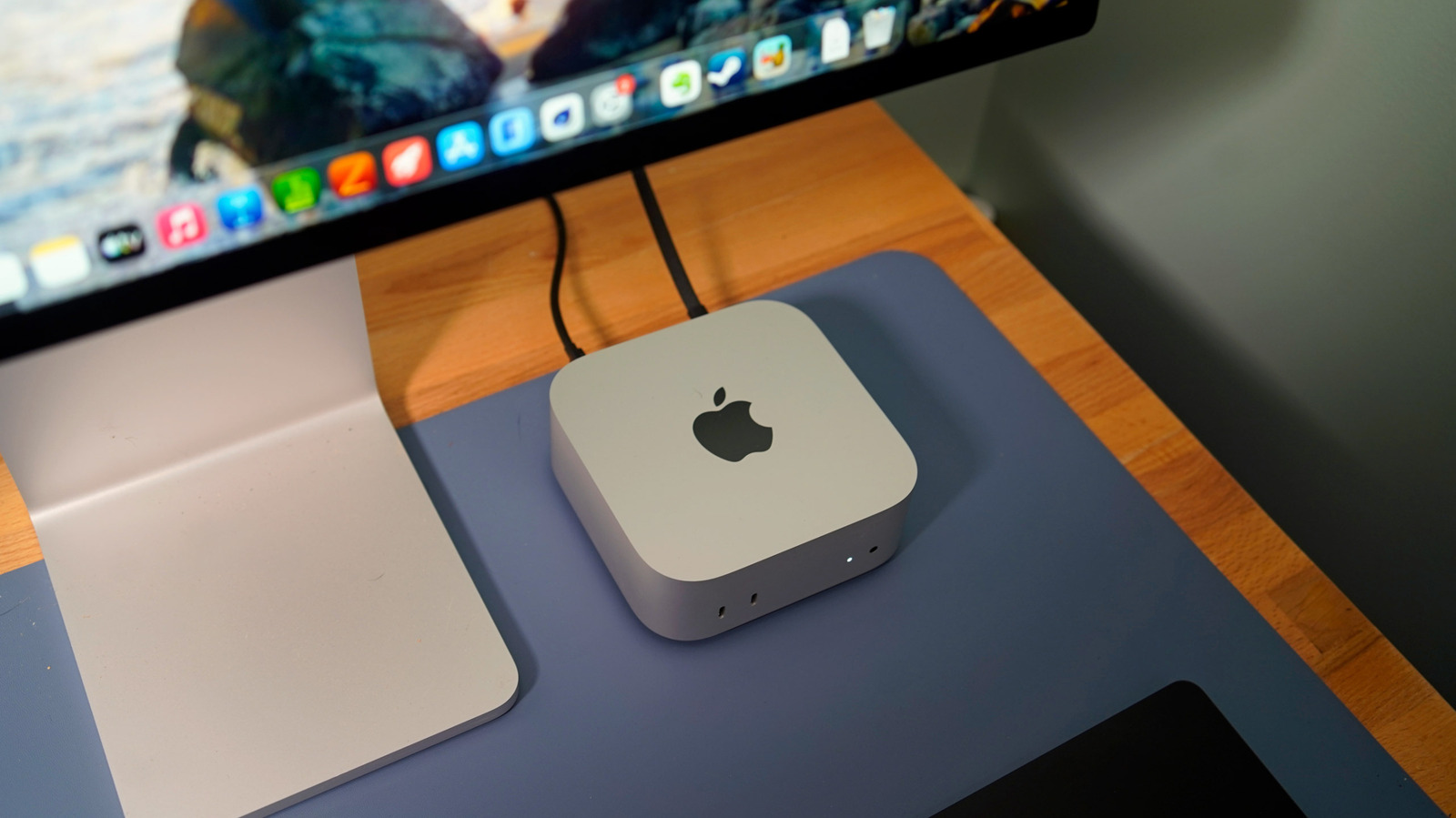
As confirmed by the website "Expand Mac mini," NAND storage in the new Mac mini models with the M6 and M5 Pro chips is soldered to the logic board, whereas the previous models with the M4 and M4 Pro chips have removable storage that can be upgraded. In other words, the new Mac mini does not support aftermarket storage upgrades. "Expand Mac mini" offers plug-and-play SSD modules that are functionally equivalent to Apple's proprietary modules, yet hundreds of dollars cheaper. As a result, customers were able to save a significant amount of money by configuring their Mac mini with the minimum 256GB capacity that was available on Apple's online store and later installing a higher-capacity aftermarket module. With the new models, that is no longer possible. "We will keep looking for an opening, but support for the M6 and M5 Pro now looks unlikely," the "Expand Mac mini" website said, in a blog post. Mac mini models with the M1 chip and M2/M2 Pro chips also had NAND soldered to the logic board, so the M4/M4 Pro configurations having removable storage has proven to be a one-off exception for now. Apple has not commented on the reversal. In addition, all new Mac mini configurations with 256GB of storage reportedly have a single NAND chip, rather than a pair of 128GB chips. As a result, 256GB configurations have slower SSD read and write speeds compared to configurations with 512GB of storage or more, according to AAPL Ch. 's testing with Blackmagic's Disk Speed Test benchmark tool. Mac mini Configuration Read Speed Write Speed M6, 512GB 6,371.5 MB/s 6,577.4 MB/s M6, 256GB 3,216.8 MB/s 3,000.2 MB/s M4, 256GB 2,792.5 MB/s 2,014.5 MB/s The new 256GB model's Disk Speed Test scores were roughly half that of models with 512GB of storage or more. The average customer is unlikely to notice the difference, but power users will appreciate knowing that they need to opt for at least 512GB of storage in order to achieve the fastest SSD speeds possible. Fortunately, even with 256GB of storage, it appears that the new Mac mini has meaningfully faster SSD speeds compared to the previous 256GB model. Mac mini models with M2/M2 Pro and 256GB of storage also had a single NAND chip , so the M4/M4 Pro configurations proved to be a one-off exception for this too. Related Roundup: Mac mini Buyer's Guide: Mac Mini (Buy Now) Related Forum: Mac mini This article, " New Mac Mini Has Two Storage Downsides, Including Unremovable SSD " first appeared on MacRumors.com Discuss this article in our forums

MacRumorsMacRumorsJoe Rossignol10h ago

Apple Releases Firmware Update for Beats 360

Apple today released a firmware update for the Beats 360 over-ear headphones, so customers ordering the headphones will have new software available when they arrive. The firmware has a 4A262 version number, up from the prior 4A260 firmware. We don't know what's included in the firmware update, but Apple may share details on its support site. Announced this morning , the Beats 360 feature an all-new over-ear headphone design with a focus on comfort, active noise cancellation, and sound quality. Beats 360 come in multiple colors and can be customized with removable ear cups and headband cushions in different colors. The headphones are priced at $349.99 and can be ordered from Apple's website and from Amazon.com . Firmware updates for Beats are delivered over the air. Firmware will be installed when the Beats 360 headphones are fully charged and connected to an iPhone, iPad , or Mac. Apple says the headphones should be turned off and kept in Bluetooth range of your Apple device. On Android devices, the headphones can be updated using the dedicated Beats app. Tags: Beats , Beats 360 This article, " Apple Releases Firmware Update for Beats 360 " first appeared on MacRumors.com Discuss this article in our forums

MacRumorsMacRumorsJuli Clover19h ago

New Mac Mini and Mac Studio Now Available for Same-Day Pickup at Apple Stores

Apple launches its new Mac mini and Mac Studio models today in 30 countries and regions, including the U.S, and same-day pickup is now available at many Apple Store locations. To order a product with ‌Apple Store‌ pickup, add the product to your bag on Apple.com, proceed to checkout, select the "I'll pick it up" option, enter your ZIP code, choose an available ‌Apple Store‌ location, and select a pickup date. Payment is completed online, and a valid government-issued photo ID and the order number may be required upon pickup. Same-day Apple Store pickup is not available for custom Mac configurations with upgraded specifications ordered through Apple's online store. Mac mini with M6 starts at $899 ($799 for eligible education customers), while Mac mini with M5 Pro starts at $1,699 ($1,599 for eduction). Mac Studio with M5 Max starts at $2,499 ($2,299 for eduction), and Mac Studio with M5 Ultra starts at $5,499 ($5,099 for education). With Apple Upgrade, eligible customers in the U.S. can also opt to lease a new Mac with monthly payments and upgrade at the end of their lease. More information can be found on the Apple website . Related Roundups: Mac Studio , Mac mini Buyer's Guide: Mac Studio (Buy Now) , Mac Mini (Buy Now) Related Forums: Mac Studio , Mac mini This article, " New Mac Mini and Mac Studio Now Available for Same-Day Pickup at Apple Stores " first appeared on MacRumors.com Discuss this article in our forums

MacRumorsMacRumorsTim Hardwick22 Sept

One Hidden Meta Muse Setting Could Let Attackers Turn the AI Assistant Into a Backdoor

Malware already running on a Mac can quietly take over Meta's Muse assistant and use the broad access its owner granted the app, security researcher Patrick Wardle has shown in a proof-of-concept released on September 21. It works by changing a hidden setting so that when the user taps the microphone and dictates a prompt, the words go to the attacker instead of Meta. The flaw is in

The Hacker NewsThe Hacker Newsinfo@thehackernews.com (The Hacker News)22 Sept

New Mac Mini Reviews: A Good But No Longer 'Insanely Great' Deal

The first reviews of the new Mac mini with M6 and M5 Pro chip options have been published ahead of the computer launching this Tuesday. While the Mac mini now starts at $899 in the U.S., up from just $599 for the previous model when it first launched, WIRED 's Luke Larsen said it is "still a good deal" because of the impressive performance of the M6 and M5 Pro chip options. To borrow a famous Steve Jobs phrase, it just might not be such an " insanely great " deal anymore. This is the gist of most Mac mini reviews published today: the new model is extremely capable, including for AI, but the $300 price increase is unfortunate. Apple said it has raised prices on many products due to the ongoing memory chip shortage , with the company passing on the skyrocketing prices of RAM and storage chips to customers. Here are some other Mac mini reviews: Tom's Guide , CNET , Engadget , 9to5Mac , and Six Colors . Related Roundup: Mac mini Buyer's Guide: Mac Mini (Buy Now) Related Forum: Mac mini This article, " New Mac Mini Reviews: A Good But No Longer 'Insanely Great' Deal " first appeared on MacRumors.com Discuss this article in our forums

MacRumorsMacRumorsJoe Rossignol21 Sept

New Mac Mini and Mac Studio Launch Tomorrow

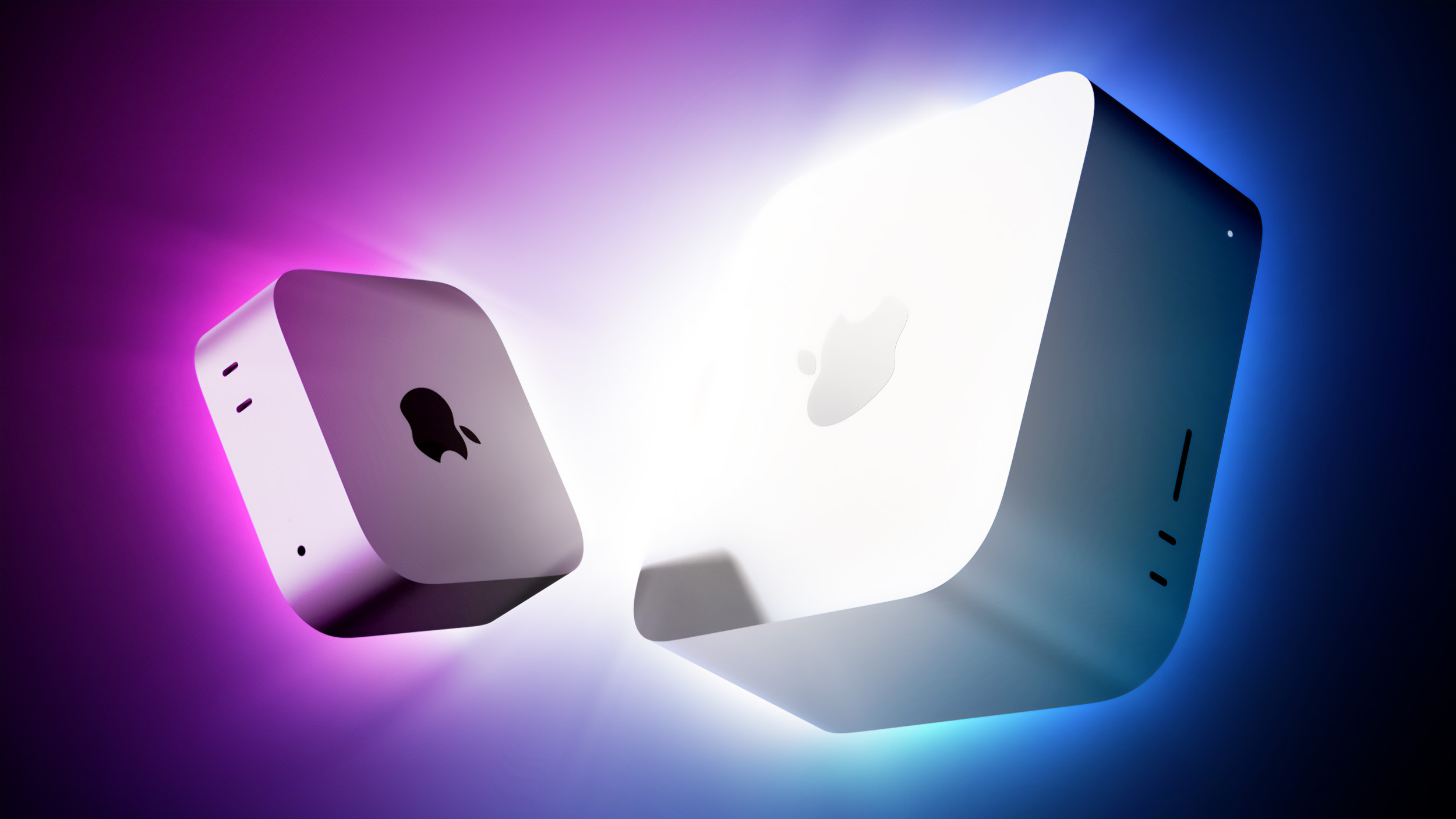
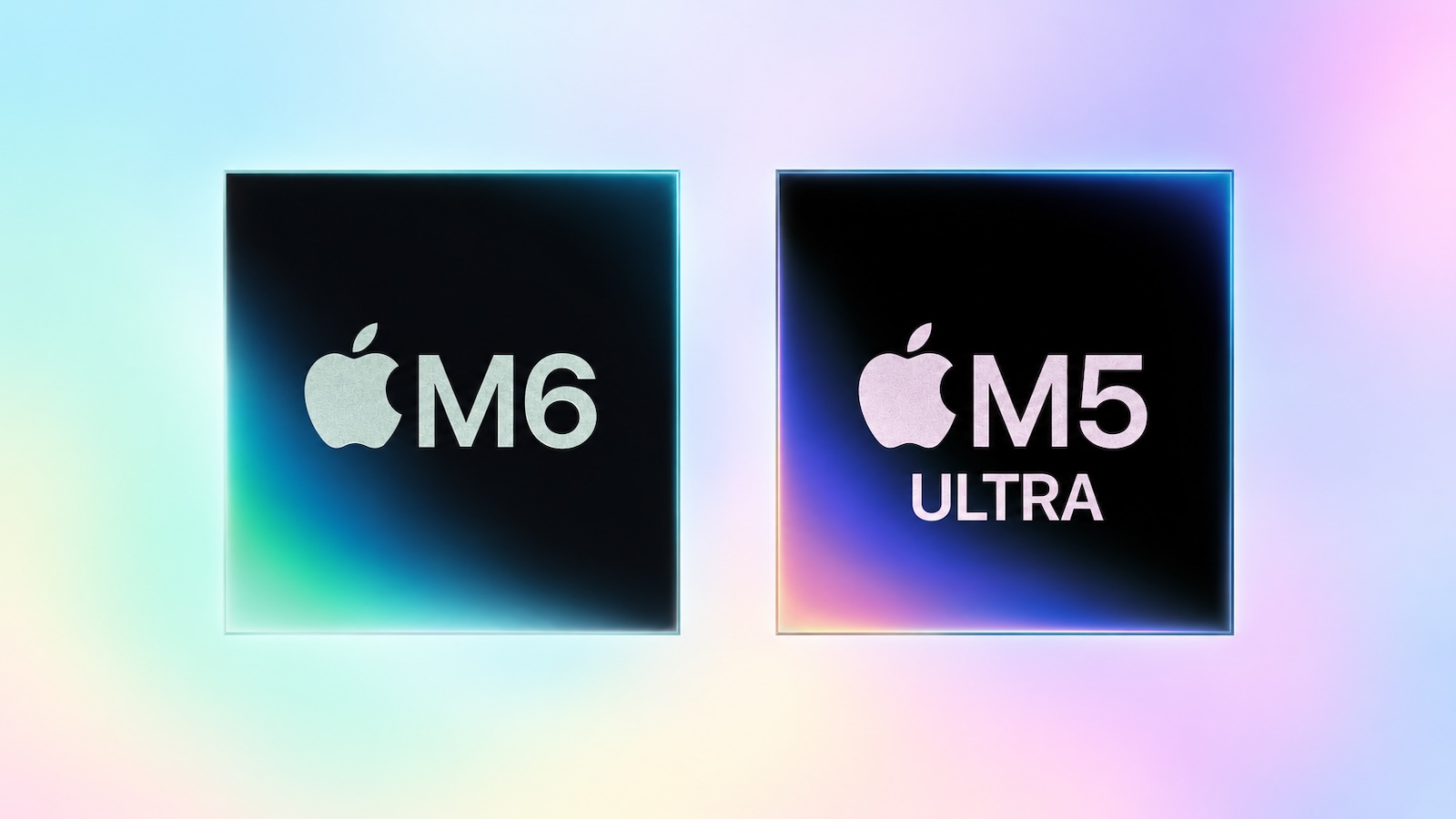
Last month, Apple announced new Mac mini and Mac Studio models, and the computers are finally set to launch this Tuesday, September 22. The new Mac mini is available with M6 and M5 Pro chip options, while the new Mac Studio can be configured with M5 Max or M5 Ultra chips. There are no major design changes, with both computers receiving spec bumps only. To learn more, read our previous coverage: Apple Announces New Mac Mini With M6 and M5 Pro Chips and More Apple Unveils New Mac Studio With M5 Max and M5 Ultra Chips Apple Reveals M6 as First-Ever 2nm Chip Apple Debuts M5 Ultra as Most Powerful Chip Ever Both new Macs have been available to pre-order since August 25. Related Roundups: Mac Studio , Mac mini Buyer's Guide: Mac Studio (Buy Now) , Mac Mini (Buy Now) Related Forums: Mac Studio , Mac mini This article, " New Mac Mini and Mac Studio Launch Tomorrow " first appeared on MacRumors.com Discuss this article in our forums

MacRumorsMacRumorsJoe Rossignol21 Sept

M5 Ultra and M6 Chip Benchmark Results Reveal Graphics Performance

The first GPU benchmark results for Apple's new M5 Ultra and M6 chips have surfaced, ahead of the new Mac Studio and Mac mini models launching on Tuesday. If you are interested in CPU results, we shared those earlier this week . So far, the M5 Ultra has achieved up to a 59% higher Metal score (366,744) on Geekbench 7 compared to the M3 Ultra's average score of 230,420, and the chip's OpenCL score is roughly in line with NVIDIA's GeForce RTX 4080. As for the M6 chip, it has so far achieved up to a 34% higher Metal score (93,217) compared to the M5 chip's average score of 69,563. Chip Metal Score M5 Ultra 366,744 M3 Ultra 230,420 M5 Max 225,606 M2 Ultra 201,144 M4 Max 189,301 M1 Ultra 150,098 M3 Max 146,550 M5 Pro 130,896 M2 Max 130,091 M1 Max 107,711 M4 Pro 107,354 M6 93,217 M2 Pro 77,176 M3 Pro 72,637 M5 69,563 M1 Pro 63,531 M4 51,818 M3 46,033 M2 40,529 M1 27,277 As always, real-world performance will vary. Tags: Benchmark , Geekbench This article, " M5 Ultra and M6 Chip Benchmark Results Reveal Graphics Performance " first appeared on MacRumors.com Discuss this article in our forums

MacRumorsMacRumorsJoe Rossignol18 Sept

MacRumors Giveaway: Win an iPhone Duo From iMazing

For this week's giveaway we've teamed up with iMazing to offer MacRumors readers a chance to win an iPhone Duo and a copy of the iMazing software to go along with it. If you're unfamiliar with iMazing, it's Mac and PC software that offers a speedy, simple way to manage all of the data on your iPhone. You can make backups, add and delete photos, videos, and music, save content like messages, and much more. While Apple has the built-in Finder on Mac for managing an iPhone, iMazing has a ton of features Apple doesn't offer. You can set up automatic backups with snapshots that make it easy to find what you're looking for and selective restore for bringing back just what you need. A useful search tool lets you find files on your devices and in your backups. There's a Device Overview with detailed information about your iPhone in one spot, and dedicated tools for browsing, exporting, and archiving content. You can transfer photos, music, books, movies, and other media files from your computer to your iPhone and vice versa. You can even create an entire archive of your messages from the Messages app or WhatsApp. iMazing can be used for screen recording on macOS, and there are diagnostic and device-info export tools. A Spyware Analyzer lets you know if any of your devices have been compromised. The software isn't limited to the iPhone. It works with the iPad and Vision Pro, along with older devices like the iPod. If you have an old iPod with music on it, you can use iMazing to get it off. It also supports song transfers from non-iOS music players. iMazing was entirely overhauled in 2024, and since then, the software has continued to get regular updates to add new features. The user interface has been updated with a collapsible sidebar and customizable device and backup list views, and data export has been improved. You can export all of your data with advanced filters, and use the same filters on the Unified Logs browser. Business features have improved too, with streamlined MDM enrollment, a Command Line Interface for advanced interaction with iOS devices and backups, and the iMazing Profile Editor 2 for configuring macOS app, notification, and login permissions. You'll never have to worry about a device being unsupported with iMazing. It's updated with ongoing support for new models as they come out. In the near future, iMazing plans to add Android support, which will make it even more useful. iMazing can be downloaded from the iMazing website at prices starting at $30. iMazing has personal subscriptions, family subscriptions, and enterprise subscriptions, with free trials available. Some functions are free without a purchase. We have a 256GB ‌iPhone Duo‌ and a copy of iMazing to give away to one MacRumors reader. 10 other readers will win a copy of iMazing. Since the ‌iPhone Duo‌ has not been released yet, this is a prize that will be delivered after the device launches on October 23. To enter to win, use the widget below and enter an email address. Email addresses will be used solely for contact purposes to reach the winner(s) and send the prize(s). You can earn additional entries by subscribing to our weekly newsletter , subscribing to our YouTube channel , following us on Twitter , following us on Instagram , following us on Threads , or visiting the MacRumors Facebook page . Due to the complexities of international laws regarding giveaways, only U.S. residents who are 18 years or older, UK residents who are 18 years or older, and Canadian residents who have reached the age of majority in their province or territory are eligible to enter . All federal, state, provincial, and/or local taxes, fees, and surcharges are the sole responsibility of the prize winner. To offer feedback or get more information on the giveaway restrictions, please refer to our Site Feedback section , as that is where discussion of the rules will be redirected. iMazing Giveaway The contest will run from today (September 18) at 9:00 a.m. Pacific Time through 9:00 a.m. Pacific Time on September 25. The winners will be chosen randomly on or shortly after September 25 and will be contacted by email. The winners will have 48 hours to respond and provide a shipping address before a new winner is chosen. Related Roundup: iPhone Duo Tag: Giveaway Buyer's Guide: iPhone Duo (Coming Soon) Related Forum: iPhone This article, " MacRumors Giveaway: Win an iPhone Duo From iMazing " first appeared on MacRumors.com Discuss this article in our forums

MacRumorsMacRumorsJuli Clover18 Sept

How to Get the New 3-Month Trial of Apple One Premier ($120 Value)

Starting today, new and qualifying returning subscribers can get a free three-month Apple One trial with the purchase of any new iPhone, iPad, or Mac capable of running the latest iOS, iPadOS, or macOS versions from Apple or an Apple Authorized Reseller. For the three-month trial, you can choose from any of the available plans: Apple One Individual (normally $21.95 per month in the U.S.), Apple One Family (normally $27.95 per month), or Apple One Premier (normally $39.95 per month). After the trial ends, you will be automatically billed at the full price unless/until you cancel. Here's what each plan includes: Individual: 50GB of iCloud+ storage, Apple TV, Apple Music, and Apple Arcade Family: 200GB of iCloud+ storage, Apple TV, Apple Music, and Apple Arcade Premier: 2TB of iCloud+ storage, Apple TV, Apple Music, Apple Arcade, Apple Fitness+, and Apple News+ Apple says the offer is not available to current Apple One subscribers, or to previous Apple One subscribers who cancelled within the last 60 days. There are some other strings attached, so visit the offer page and review Apple's terms and conditions . Apple's steps to initiate the trial: Turn on your new iPhone, iPad, or Mac and sign in with your Apple Account. Make sure the device is running the latest version of iOS, iPadOS, or macOS. Open the Settings app and look for "Services included with your purchase" to complete setup. If you cancel the trial, Apple says it ends immediately. Apple says the three-month trial is available in the following countries: Argentina Australia Austria Belarus Belgium Brazil Bulgaria Canada Chile Colombia Cyprus Czechia Denmark Estonia Finland France Germany Greece Hungary Ireland Italy Japan Latvia Lithuania Luxembourg Malta Mexico The Netherlands New Zealand Norway Poland Portugal Slovakia Slovenia South Africa South Korea Spain Sweden Switzerland United Kingdom United States Tag: Apple One This article, " How to Get the New 3-Month Trial of Apple One Premier ($120 Value) " first appeared on MacRumors.com Discuss this article in our forums

MacRumorsMacRumorsJoe Rossignol17 Sept

50 New macOS Golden Gate Features and Changes Worth Checking Out

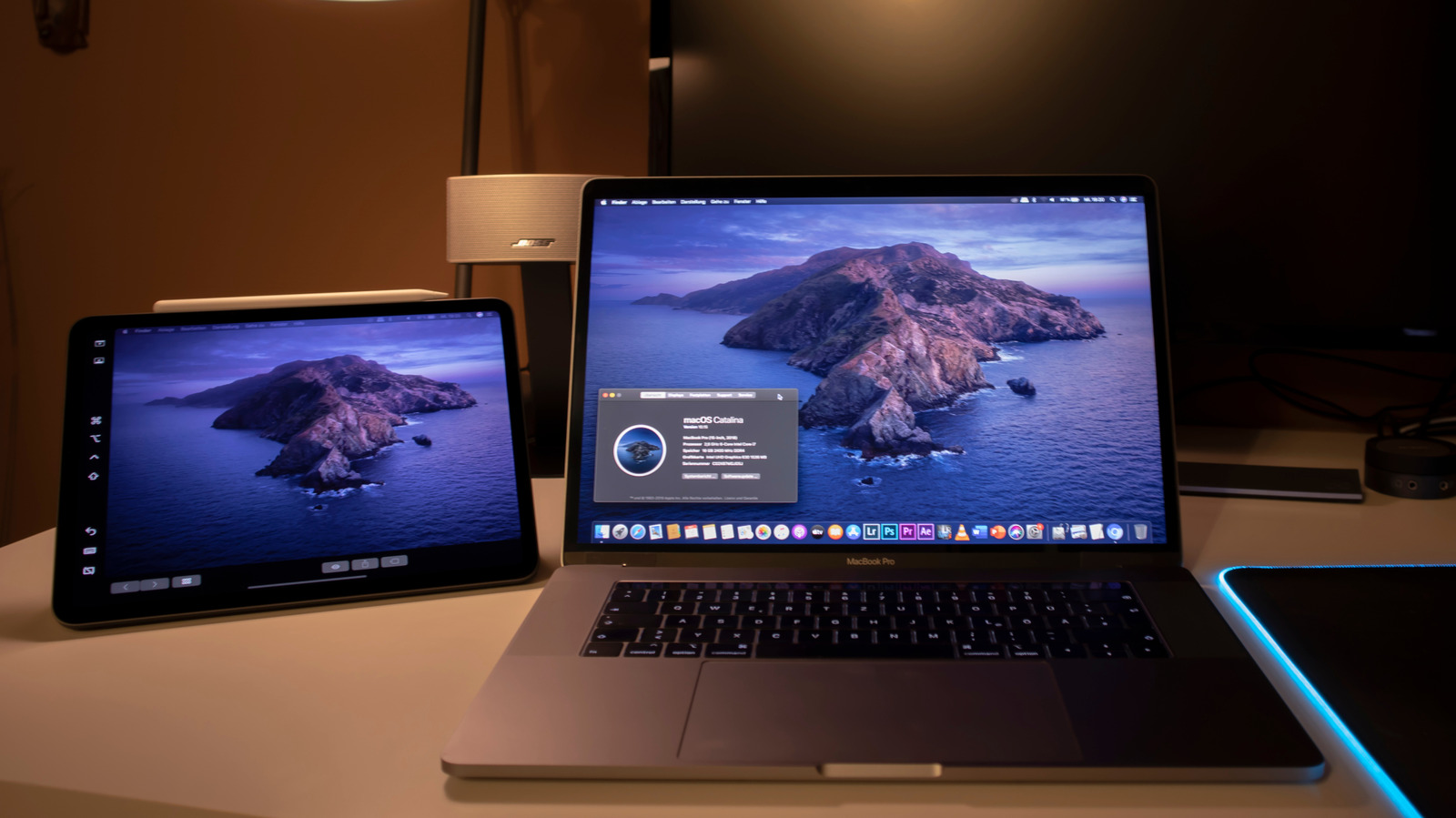
Apple released macOS 27 Golden Gate this week, and despite the company's focus this year on refining its flagship operating system, improving performance, and nixing bugs, there are still plenty of new things to explore. There's an overhauled Siri experience, changes across Apple's apps, and much-needed updates across the system interface. In this article, we've selected 50 new features and lesser-known changes that are worth checking out if you're updating your Mac. Siri AI remains in beta and is initially rolling out in English, and the availability of some features varies by language and region. What do you think of ‌macOS Golden Gate so far? Let us know in the comments. Siri AI Replaces the Old Siri Experience In macOS 27, Apple has turned Spotlight into the place to search your Mac or ask Siri AI a question. From the new "Search or Ask" bar, you can hold a conversation with Siri, find relevant information in apps such as Mail and Photos, and take actions in supported apps. Adjustable Liquid Glass Transparency Slider System Settings now has a slider that lets users adjust Liquid Glass from ultra-clear to fully tinted (found in Appearance ➝ Liquid Glass). Apple has also improved contrast and window shadows, standardized macOS toolbars, and made sidebars extend to the edges of app windows. The changes aim to make controls easier to read and active windows easier to distinguish. Safari's Start Page Can Resume a Browsing Topic Safari's Start Page has a new Recently Viewed section that brings back your recently closed browsing topics as well as topics open on any of your other devices. It offers a handy way to pick up a search or research session without trawling through your browser history. Visual Intelligence Comes to the Mac Visual Intelligence is now available on the Mac. Simply press Shift-Command-Space to select something onscreen, then ask Siri to explain it, translate text, search for similar images, or find related information. Siri can also use what it recognizes to take an action, such as adding the details from an event flyer to your Calendar. Photos Can Save a Video Frame as a Still Photo The Photos app can now save a frame from a video as a separate photo. Pause a clip at the moment you want, right-click (or Control-click) it, then choose "Save Video Frame as Photo," and it will add the still image to your library without exporting the entire video. Past Conversations Are Saved in a New Siri App macOS now has a dedicated Siri app where you can start new conversations or revisit past chats you've had with Siri. The app has a card-style interface with details on your most recent chats across all of your devices. You can also use the search button to find conversations, and there's a pin option for ones you revisit frequently. The Siri app is cross-platform and your content syncs across all of your Apple devices. Shared Albums Go Full Resolution Previously in Photos, pictures in a Shared Album were automatically reduced to 2,048 pixels on the long edge (except for panoramic photos, which can be up to 5,400 pixels wide). In macOS 27 though, Shared Albums finally support full-resolution photos and videos. But there comes a major trade-off. For years now, Apple has allowed you to store up to 5,000 photos and videos in Shared Albums without impacting your iCloud storage limit. That's no longer the case in Golden Gate. Non-Apple Users Can Add to Shared Albums People using Android or Windows can now join and contribute to your Shared Albums through iCloud.com. Users can also set an album to expire after 30 days, filter its photos and videos, review recent activity, and react to images with any emoji. Just remember that if you share an album with someone, what they add to it counts against your iCloud storage limit. Photos Can Reframe Images Photos has a new advanced editing tool in macOS 27. Reframe uses information captured with a compatible photo to change its apparent camera angle. It works by combining AI and spatial images so you can change the perspective or composition of a picture. Photos Can Extend Images Photos has another new editing feature: Extend lets you change the crop of an image, expanding the borders around content to zoom out a bit or change the photo's composition. It uses generative AI to fill in missing areas, and you can adjust the borders with drag gestures. Cleaning Up Photos Got a Lot Better Clean Up now uses new AI models, and it's better at removing objects. The original version of Clean Up was best for small items with little complexity in the surrounding area, but now it can do more work reconstructing backgrounds with generative AI. It also offers Fast, High Quality, and Auto modes. Apple says usage limits may apply. Swipe Down to Refresh Comes to Mac Apps The familiar swipe-down-to-refresh gesture comes to Safari, Mail, News, Podcasts, and Calendar on the Mac. Pulling down on content via your trackpad (or with your finger on iPad via Sidecar) causes the app to load the latest information, meaning you don't have to reach for a refresh button or keyboard shortcut. Mail Search Puts More Relevant Results First In Mail, search actually works properly in macOS 27. It now ranks messages by relevance rather than relying on matching words and recency. A search for a store, for example, can put an order confirmation ahead of promotional emails from the same sender, even if the order is buried in the inbox. App Icons Gain More Liquid Glass Detail Apple's app icons now have more layers of Liquid Glass, which adds detail and sharper edges across light, dark, clear, and tinted appearances. It's a smaller visual change than the new Appearance slider, but one you'll see throughout the Dock and app grid. iPhone Mirroring Windows Become Resizable Users can now drag a corner of an iPhone Mirroring window to make it larger or wider. Supported apps can show more information as the window expands, and macOS 27 now also supports playback of protected video in the mirrored window. Bear in mind that individual streaming providers may still restrict what can be mirrored, and iPhone Mirroring remains unavailable in the European Union. Write With Siri Almost Anywhere Write with Siri can generate a draft from a description, give feedback on existing text, or make a requested edit, such as shortening a paragraph or changing its tone. It works virtually anywhere you can type, and Apple says it can match your writing style in Mail and Messages. Photos Adds Keywords and Star Ratings Photos now lets users add keywords and one-to-five-star ratings to both photos and videos. Ratings can also be used as a filter, so it's easier to narrow down a large library to your best shots. Ratings controls are off by default, but you can enable them in Photos' General settings by checking the box next to "Show Rating Controls." Add Extra-Large Widgets to Desktop If you have any widgets on your desktop, try right-clicking (or Ctrl-clicking) on them and looking for a new option called Extra-Large Portrait. You can now make widgets take up a lot more screen space, which is useful for things like weather, home, and reminder widgets. Trade in Siri for ChatGPT The new Siri app and the "Search or Ask" bar (Command-Space) defaults to the new Siri AI, but you can switch it to ChatGPT if you prefer. Simply right-click (or Ctrl-click) and select "Ask..." From the context menu, and you'll see an option to change to ChatGPT. Note that conversation context doesn't transfer when you switch chatbot providers. Safari Organizes Pages for You If you have several webpages open with related content, Safari can automatically group these open tabs by topic while keeping any unrelated browsing sessions apart. To enable the feature, open Safari's Settings, select the Tabs section, and choose "Organize Tabs: Automatically Create Topics." Safari Can Notify You When a Page Changes Notify Me is another new Safari feature that enables the browser to watch a webpage for a specific change, such as a product restock or price drop, and alert you when it happens. The feature's monitoring options include daily, weekly, or monthly schedules. Apple Notes Now Lets You Draw The Continuity feature has allowed you to sketch in the Notes app by opening a virtual drawing board on your iPhone or iPad. But that meant you had to have at least one iOS device linked to your Apple Account. Happily, that's no longer a requirement in macOS 27, which adds a native drawing tool to the Notes app. It includes Pen, Monoline, Marker, Pencil, Crayon, Fountain Pen, Reed, and Watercolor tools. Video Podcasts Get Better Mac Playback The Podcasts app gives video shows fuller playback controls on the Mac, including Picture in Picture and a download option for offline viewing. You can switch between watching and listening when a show supports video, and the search function in a show's episode list makes older episodes easier to find. Image Playground Gets More Styles Image Playground has been overhauled to become genuinely useful, and it can now generate pictures in a wider range of styles, including photorealistic images. You can select part of an image and describe how you want it changed, or combine images to create something new. As with other Apple Intelligence features, Apple says usage limits may apply. New Golden Gate Wallpapers Arrive Golden Gate includes Sunset and Night wallpapers featuring San Francisco's Golden Gate Bridge, along with a new abstract wallpaper. The Bridge wallpapers animate when your Mac unlocks and you can also use them as your screen savers. Safari Can Build Extensions From a Description Safari's Create an Extension option lets you describe what you want a browser extension to do in plain language. For example, a request to add a button for saving recipes can become a custom extension without you having to go near a single line of code. Safari also offers suggested prompts for productivity, focus, and design tasks. Freeform Adds Drawing, Collaborative Folders Freeform now supports drawing directly on the Mac, thanks to sketching tools being included in its shared boards. Golden Gate also adds folders for organizing collaborative boards and a canvas that adapts to Dark Mode. Faster AirDrop and Network Browsing Apple says Golden Gate makes AirDrop transfers and browsing folders on Windows or NAS network shares faster. Safari's Start Page content also loads more quickly, and Mission Control and Spaces animations are smoother. Calendar Events Can Be Added by Description Calendar can now create or edit an event from your plain-language description. You can describe a lunch meeting, change the time and adjust the description to make it a coffee meeting, and Calendar will adjust the event rather than requiring every detail to be edited separately. Enhanced Maps Flyover With Flyover, cities like Boston, New York, London, and Chicago include more detailed 3D renderings of their skylines. Apple has enhanced the 3D models for these cities by combining AI and aerial imagery to achieve more detailed and realistic cityscapes. Slideshows Can Start From Any Photos Album Photos can now create slideshows from any album or collection, rather than limiting them to Memories. You can customize the presentation and save it as a video to keep or share. Passwords Will (Soon) Auto-Repair Weak Logins The Passwords app already warns users about weak or compromised logins. Apple says a future software update will let it use Safari to change eligible passwords automatically, replacing a vulnerable login with a stronger one on your behalf. External Displays Get Better Resolution Support Golden Gate adds more resolution and refresh-rate choices for compatible external displays, including 5K at 120Hz on certain ultrawide screens. Apple also says the Mac does a better job of restoring window positions, Spaces, and screen assignments when a display is unplugged and reconnected. macOS Suggests Names for Files and Folders In Finder, TextEdit, and other Apple apps, Apple Intelligence can suggest a name for a file or folder based on its contents. The feature is designed to make saved items easier to recognize later, especially when the original name doesn't give much away about what's inside. Siri Gains New Expressive Voices Siri‌ AI now has more expressive voices alongside a big improvement to systemwide dictation accuracy. You can adjust both the expressiveness and pace of ‌Siri‌'s voice to your preference with sliders in a new Voice section in System Settings ➝ Siri. Siri's new expressive voices require an M3 or newer Mac with at least 12GB of memory. Weather's Forecast Views Are Refreshed Weather in macOS 27 has a more orderly layout, with more room for its hourly and 10-day forecasts. You can also switch between current conditions, precipitation, and wind views, while a new Highlights section calls out notable weather events ahead. Highlights are currently only available in U.S. English. Create Shortcuts With Natural Language True to this era of AI, Shortcuts can now build you an automation from a plain-language description. You can ask it to assemble a sequence of actions across apps, then test, edit, or refine the result with another description. Apple says usage limits may apply. Finder Columns Are Easier to Size and Reset New autosize and reset controls make columns easier to manage in Finder. Right-click (or Control-click) the bottom of a column, and you'll see options to adjust a crowded view without dragging each column boundary into place by hand. Sidecar Finally Supports Direct Finger Input Sidecar now lets you interact directly with the Mac interface on an iPad used as a second display. With a compatible iPad, you can tap controls, scroll with a finger, and use more system gestures instead of relying on your mouse or trackpad. New Screen Time Controls for Parents Parents can now set category-level allowances with different schedules by day and time, making controls more flexible than one broad daily limit. Meanwhile, Ask to Browse lets kids ask your permission to visit websites. There are also expanded protections against gore and violence, alongside existing nudity protections. Make Interface Boundaries Clearer A new Show Borders accessibility option makes the boundaries of macOS interface elements easier to see, in case you could do with some help distinguishing controls and panels where translucent surfaces otherwise blend into the surrounding window. Widgets Can Update in Real Time Widgets will now update in real time when their associated app is open, so the information you see on the desktop remains in step with what you see inside the app, instead of you having to wait for a less frequent refresh. Dock Shows Active Background Processes If you quit an app and it is still running a background process, you'll see the indicator beneath its Dock icon turn a light gray. To end the activity, right-click the app's icon and select "Stop Running in Background." Photos Gains New Utility Collections The Photos app now has two Utility collections. "Captured by Me" gathers pictures taken with your current and any previous iPhones, while "Identity Documents" brings together images of passports, driver's licenses, and any similar records you might have. Intel Macs Miss Golden Gate If you have a very old machine, there's something you should know: Golden Gate does not run on Intel Macs – it requires Apple silicon (that includes the A-series chip in MacBook Neo). Sorry, Intel users. Rosetta Support Is Ending macOS 27 is also the final major release with general-purpose Rosetta support for Intel-only apps on Macs with Apple silicon. Apple says those apps will stop working in the next major release, apart from certain older games. Smart Replies Can Sound More Like You Mail's Smart Replies are able to reflect your usual writing style when they suggest a response, right down to your tone and phrasing, so now a quick reply can sound more like something you would have written yourself. To use a smart reply, click the reply button on an email, click inside the message field, then choose one of the suggested replies generated by Apple Intelligence. Get Context on a Phone Call Just like in iOS 27, the Phone app on Mac supports a new Call Context feature. It can surface relevant information from the Mail app. If you call an airline, it might show your confirmation code for an upcoming flight, or your reservation code if you're calling a hotel. It doesn't listen to what you're saying, but instead looks at the number you're calling and links it to details in the Mail app. Shortcuts Adds Screenshot and Alert Triggers Shortcuts automations can now be triggered simply by taking a screenshot or receiving a notification. The new options add to existing triggers such as time of day, location, and app activity, giving you more ways to start a routine automatically. Reminders Understands Natural Language If you enter a natural-language request in Reminders, the app can fill in details you specify such as a date, time, or location, saving you from having to enter each field separately. Related Roundup: macOS Golden Gate Related Forum: macOS Golden Gate This article, " 50 New macOS Golden Gate Features and Changes Worth Checking Out " first appeared on MacRumors.com Discuss this article in our forums

MacRumorsMacRumorsTim Hardwick17 Sept

XAU/USD (Gold) 4H: Bullish Reversal at $4,254 Support

Technical Analysis Pattern Structure: On the 4-hour timeframe, Gold (XAU/USD) is completing a Falling Wedge / Descending Channel structure following a pullback from peak levels above $4,500. Key Support Zone ($4,254 – $4,280): Price bounced directly off the major structural support demand zone (~$4,254). The lower boundary of the wedge aligns with this key historical level, forming a strong confluence zone. Current Price Action: Gold is trading around $4,350, approaching the upper falling trendline resistance of the wedge pattern. Trade Projection: Pullback / Retest: A minor pullback toward the lower wedge boundary or $4,280–$4,300 zone is projected before a definitive breakout attempt. Upside Target 1: Minor resistance region around $4,400. Upside Target 2: Major resistance level at $4,481 – $4,500. Fundamental Analysis Central Bank & Real Yield Dynamics: Gold has rebounded above $4,300 as markets absorb recent macroeconomic developments, including Federal Reserve interest rate expectations and global central bank demand. Inflation & Commodity Pressures: Elevated energy prices (crude oil firming near $100+) and ongoing structural inflation trends keep safe-haven demand intact. Macro Backdrop: Safe-haven allocations and long-term debasement hedges continue to provide a solid baseline demand for precious metals despite short-term interest rate volatility. Trade Parameters Summary Level Price Level (USD) Notes Primary Support $4,254.35 Major horizontal demand zone & wedge floor Immediate Pivot / Entry Zone $4,280.00 – $4,320.00 Pullback buy zone / Trendline retest area Intermediate Resistance $4,400.00 First structural supply zone Major Target / Resistance $4,481.80 – $4,500.00 Primary pattern objective Disclaimer This analysis is strictly for educational and informational purposes only and does not constitute financial or investment advice. Trading Forex and precious metals involves significant risk of monetary loss. Always conduct your own research, use proper risk management, and consult a certified financial advisor before placing any live trades.

TITradingView Ideas16 Sept

Apple Memory Supplier Explores U.S. Manufacturing With Intel

Apple memory supplier SK Hynix is in exploratory talks with Intel about manufacturing memory chips in the United States for the first time, according to Reuters . One option would see the South Korean chipmaker lease part of Intel's planned manufacturing complex in Ohio. Another would involve a joint venture with Intel and major cloud providers seeking to secure memory supplies, people familiar with the discussions said. No decisions have been made, and other arrangements remain possible. SK Hynix supplies Apple with memory alongside Samsung and Micron. The discussions come as AI infrastructure spending puts pressure on the supply of memory for consumer devices, including iPhones and Macs. Chipmakers have been directing more production capacity toward high-bandwidth memory (HBM) for AI processors, leaving smartphone and computer manufacturers competing for available supplies. In February, Apple reportedly agreed to pay Samsung twice as much for memory chips needed for iPhone 17 production. More recently, analyst Ming-Chi Kuo said Apple was reducing its 2026 hardware shipment plans because of DRAM shortages, with supply constraints also affecting the Mac Studio , Mac mini , and MacBook Air . It remains unclear which types of memory SK Hynix would manufacture under a potential agreement with Intel. Its products include DRAM used in smartphones, computers, and servers, NAND flash storage, and HBM for AI processors. The report does not mention whether a U.S. facility would produce memory for Apple devices. SK Hynix already has an advanced packaging facility under construction in West Lafayette, Indiana. That project will package DRAM wafers manufactured in South Korea into HBM chips, rather than fabricate the wafers domestically. Tags: Intel , United States This article, " Apple Memory Supplier Explores U.S. Manufacturing With Intel " first appeared on MacRumors.com Discuss this article in our forums

MacRumorsMacRumorsHartley Charlton16 Sept