Elon Musk's X Corp and SpaceXAI just moved to dismiss their lawsuit against Apple
A lawsuit from last year accused the iPhone-maker of suppressing apps like Grok on the App Store.
A lawsuit from last year accused the iPhone-maker of suppressing apps like Grok on the App Store.

Alongside macOS Golden Gate , Apple today released new versions of macOS Tahoe and macOS Sequoia. macOS Tahoe 26.7 and macOS Sequoia 15.8 are available for users with older Macs or those who don't yet want to update to Golden Gate. The updates can be downloaded through the Software Update section of the System Settings app. On Macs eligible to install macOS Golden Gate, users will see both the macOS Tahoe 26.7 update and the new macOS Golden Gate update. macOS Tahoe 26.7 and macOS Sequoia 15.8 include security fixes, likely the same fixes that are in macOS Golden Gate. Related Roundup: macOS Tahoe Related Forum: macOS Tahoe This article, " Apple Releases macOS Tahoe 26.7 and macOS Sequoia 15.8 " first appeared on MacRumors.com Discuss this article in our forums
Alongside iOS 27 , Apple today released iOS 26.7, an update to the existing iOS 26 software. Users who check for new software will see iOS 26.7 as the default update, with iOS 27 listed as an option at the bottom of the Software Update interface. According to Apple's release notes, iOS 26.7 includes security fixes, but it does not have any other features. Apple will eventually show iOS 27 as the main update for the iPhone, but that likely won't happen for a few weeks. Users who want to stay on iOS 26 for the time being can do so by opting for iOS 26.7 instead of iOS 27. iOS 27 runs on all of the same iPhones that support iOS 26. Related Roundups: iOS 26 , iPadOS 26 Related Forum: iOS 26 This article, " Apple Releases iOS 26.7 With Security Fixes " first appeared on MacRumors.com Discuss this article in our forums
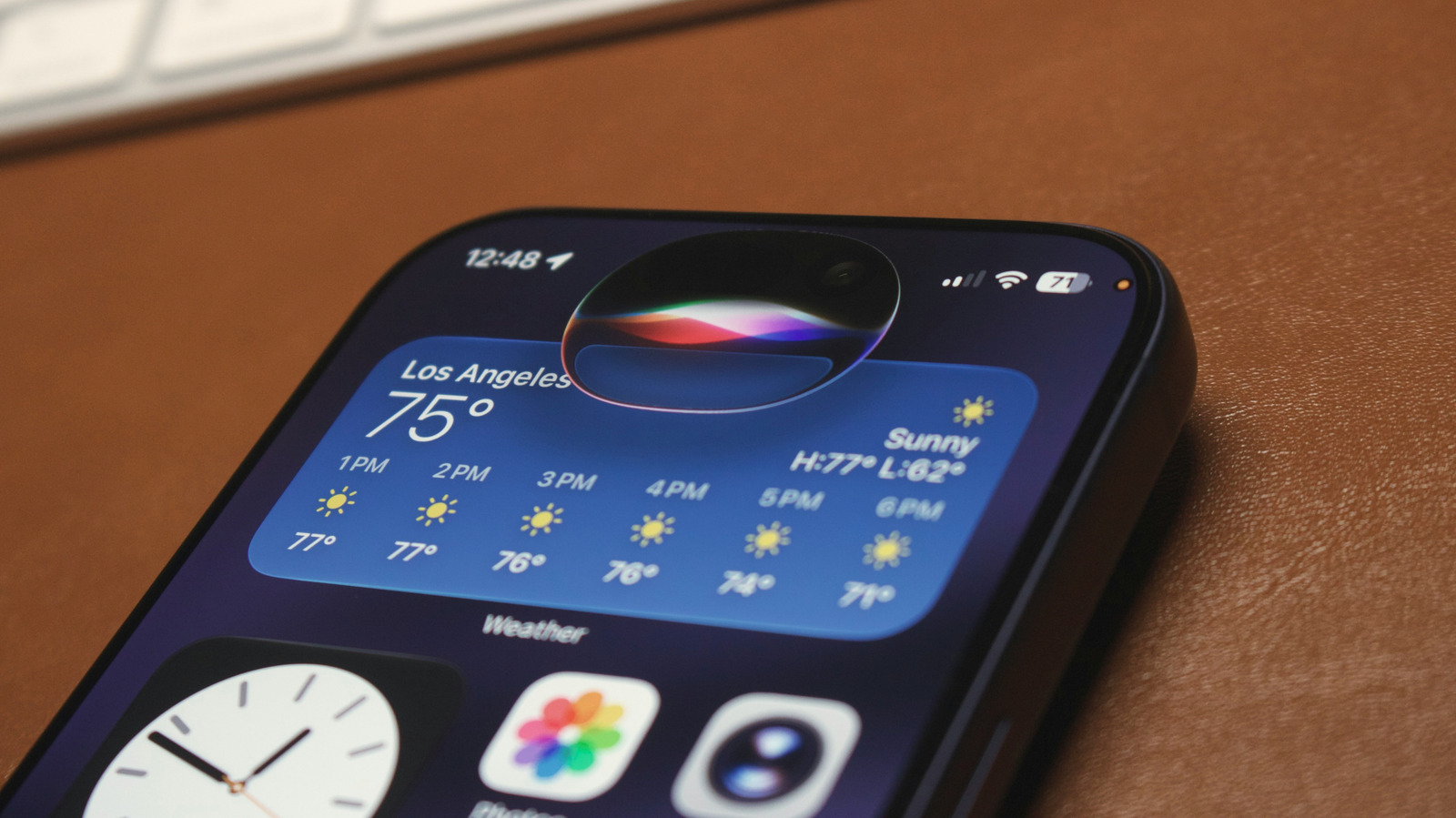
The kinks are still being worked out for users in the EU and China though.

Apple’s long-delayed Siri overhaul is finally here with iOS 27, and it changes how useful the assistant feels day to day
 TechCrunch•Ivan Mehta14 Sept
Apple released macOS 27 Golden Gate on Monday, which brings the new Siri AI assistant, Liquid Glass improvements, improved performance, and more. The update is compatible with all Macs with Apple Silicon, but not Intel Macs - Apple released its final big update for Intel-based Macs last year with macOS Tahoe. Siri AI is arguably […]
 The Verge•Jay Peters14 Sept
Jason Statham’s latest action thriller is finding a second life at home, topping both Amazon and Apple TV movie charts after its theatrical run.

Apple is now rolling out its iOS 27 update to compatible devices today, alongside the watchOS 27, iPadOS 27, and visionOS 27 updates. Siri AI is the headline feature across all four updates, the delayed AI-powered overhaul of the Siri assistant. Siri AI is available as a beta today for English-only devices, and Apple says […]
The Verge•Tom Warren14 Sept
Apple today released macOS Golden Gate 27, the latest version of the macOS operating system that runs on the Mac. macOS Golden Gate is a free app that can be downloaded on all compatible Macs. The update requires a Mac with an Apple silicon chip, and it is not available on Intel Macs. Mac users can download the macOS Golden Gate update by using the Software Update section of System Settings. The update introduces Siri AI, a smarter chatbot version of Siri with a dedicated Siri app. It brings Visual Intelligence to the Mac for the first time, and tweaks the look of the Liquid Glass design update Apple introduced last year. Apple's release notes for macOS Golden Gate are below. Experience the new Siri AI Introducing Siri AI, an entirely new version of Siri powered by Apple Intelligence that's more personal, more capable, and more conversational. It is integrated into Spotlight, so you can search for answers about almost any topic right from where you already search for things across your system. It can draw on personal context to find things across your messages, mail, photos, and more. And it can get things done across your apps, just by asking. Revisit and resume past conversations in the new dedicated Siri app, synced with iCloud across your Apple devices. Siri AI is rolling out to users, and you can get started by turning it on in Settings. Take action on what's onscreen With Visual Intelligence, you can select a window of your screen and Siri can answer questions or take action with what's onscreen, like adding events to your calendar. You can access Visual Intelligence with a dedicated keyboard shortcut — Command-Shift-Space. Powerful new ways to edit photos Use intelligent photo editing tools to reframe a photo after it's been taken with Spatial Reframing or expand your shot with the Extend tool. And enhancements to Clean Up let you remove distractions with better quality and more realistic infill, even when the scene is complex. New tools to browse in Safari Automatically group your tabs into topics, so related pages are easier to find. With Notify Me, Safari can monitor pages for changes like price drops or restocks and alert you when it's time to act. Describe an Extension lets you use natural language to create custom extensions, like adding a button to save your favorite recipes. Easily create Shortcuts using natural language With Describe a Shortcut, you can automate daily tasks with a simple description and all of the required steps are assembled on your behalf. For example, you can describe a shortcut to automatically text your partner when you're headed home from work with an estimated arrival time based on traffic. Even more refined design Updates to Liquid Glass improve readability, and a new slider lets you customize how it looks, from ultra-clear to fully tinted. Uniform toolbars, edge-to-edge sidebars, and more detailed app icons further elevate the design. New child safety features Powerful new parental controls help parents more easily manage what content their children can see, who they can communicate with, and when they have access to apps. Ask to Browse requires kids to request permission before visiting any new website in Safari. Communication Safety expands its protections to help keep conversations safe. Time Allowances gives parents more flexible ways to manage the time kids spend in apps across categories, and offers guidance based on expert research that's tailored to a child's age. Schedules help manage which apps kids have access to at different times of the day and across the week. A more responsive and delightful experience An expansive set of improvements make your Mac even faster, more reliable, and easier to use. Better search in Spotlight and Mail helps you find what you're looking for with greater ease. AirDrop Transfers and network file browsing happen faster. And many more improvements make your day-to-day use more enjoyable. For more on all of the new features in macOS Golden Gate, check out our dedicated roundup . Related Roundup: macOS Golden Gate Tags: Siri , Visual Intelligence Related Forum: macOS Golden Gate This article, " macOS Golden Gate Now Available With Siri AI, Visual Intelligence and More " first appeared on MacRumors.com Discuss this article in our forums
Apple today released iOS 27 and iPadOS 27 , the newest operating system updates for the iPhone and iPad . The software is available for free on all compatible devices, and can be downloaded over the air by going to Settings > General > Software Update. It can take several minutes for the updates to propagate to all users due to high demand on launch day. iOS 27 can be installed on all iPhones that run iOS 26 , which includes the iPhone SE 2 and the iPhone 11 series and later. iPadOS 27 is available on the 2nd-generation and later iPad Pro , 4th-generation and later iPad Air , 6th-generation and later iPad mini , and the A16 iPad. The updates introduce Siri AI, the smarter and more capable version of Siri. You may need to sign up to use Siri AI after updating, which you can do in the Settings app under the Siri section. Along with Siri AI and a dedicated Siri app, there are updates to the Liquid Glass design, and a long list of new Apple Intelligence features. To use the new AI features, you need an iPhone that supports Apple Intelligence, which includes the iPhone 15 Pro, iPhone 15 Pro Max, all iPhone 16 models, all iPhone 17 models, and all iPhone 18 models. For iPad, Apple Intelligence is available on M-series devices and the A17 Pro iPad mini. There are no fees for Siri AI and other Apple Intelligence features yet, but Apple may start charging for higher usage in the future. Apple's release notes for the update are below. Siri AI (All iPhone 16 models and later, iPhone 15 Pro, iPhone 15 Pro Max) - A more capable and conversational version of Siri is rolling out to users. It helps you find what you need and get more done, drawing on capabilities like personal context understanding, app actions, onscreen awareness, and access to broad world knowledge - New voice experience offers more expressive and natural-sounding voices, and lets you customize expressivity and pace to make Siri more personal to you using powerful on-device models on iPhone Air and iPhone 17 Pro models and later - Dedicated Siri app provides an easy way to revisit an existing conversation or kick off a new one, and privately syncs conversations across your Apple products with iCloud - Siri mode in Camera integrates Visual Intelligence into the Camera app, letting you ask questions and take action with what's in front of you, like splitting a bill or looking up nutritional info for a plate of food - Write with Siri enables you to generate a draft from scratch, edit what you've written, or get feedback from Siri virtually anywhere you type. In Messages & Mail, Siri personalizes your writing style based on your relationships, and uses unique phrases and punctuation that you've previously used in your conversations with those people Apple Intelligence across apps (All iPhone 16 models and later, iPhone 15 Pro, iPhone 15 Pro Max) Photos - Spatial Reframing lets you adjust the composition of a photo after it was taken by virtually changing the camera position - Extend tool intelligently expands images beyond their edges with realistic infill, so you can straighten horizons, change aspect ratios, or add more space around a subject - Clean Up supports removing even larger objects, with more realistic, high-quality results, and you can choose between Fast mode for small blemishes or High Quality for more intricate edits Safari - Organize by Topic uses Apple Intelligence to sort your tabs, analyzing webpages and automatically grouping similar tabs together - Notify Me can periodically check a webpage for updates, like price changes and item availability - Describe an Extension lets you create a custom extension using natural language to adjust your view of a website's content or formatting - All-new Image Playground uses a new generative model to make high-quality images in virtually any style, including photorealistic, lets you modify your images using touch and natural language, and lets you generate Lock Screen wallpapers and Contact Posters with personalized suggestions - Describe a Shortcut lets you use natural language to create a shortcut or refine an existing one Home - Summarized activity notifications combine related alerts across accessories into a single notification - Video descriptions for HomeKit Secure Video recordings summarize what's happening in a clip for eligible iCloud+ subscribers - Camera clip search lets you find specific moments from your HomeKit Secure Video cameras by searching in the Home app or Spotlight when on an eligible iCloud+ plan - Describe an event in Calendar lets you use natural language to create an event, and details like the time, location, invitees, and event title are filled in using Apple Intelligence - Suggestions in Mail help you take action based on the context of your emails, like getting directions to a restaurant you booked - Call Context in the Phone app understands when you're speaking to certain businesses and proactively surfaces relevant information from across your apps, like a confirmation code or a reservation number Accessibility - VoiceOver enhancements include more detailed and contextual image understanding for photos, charts, and screenshots, a conversational experience that lets you ask questions about your screen or surroundings, and a new way to get answers fast with an Action button integration - An enhanced Magnifier experience offers conversational visual assistance for users with low vision, with a high-contrast interface and natural language app controls for zooming and other Magnifier functions - A smarter Accessibility Reader uses intelligence to provide better text cleanup and formatting, images and tables, on-demand summaries, and translation - Voice Control flexible inputs help you navigate your device with just your voice by describing elements on screen in your own words, like "tap the gear" or "tap the button in the top right" - And more, including additional ways to create and modify Genmoji, automatic proofreading, and more accurate dictation using an on-device model on iPhone Air and iPhone 17 Pro models and later Child Safety - Improved setup experience for new child accounts lets parents choose the exact apps their kids can access when they set up an iPhone for their child - Ask to Browse gives parents the option to approve each new website before their child can view it - Expanded Communication Safety protections help intervene before children see gore or violent content in shared images and videos - Time Allowances help parents set boundaries around how long kids can use apps across Entertainment, Games, and Social Media apps, offering guidance based on expert research and tailored to each child's age - Schedules let parents choose which apps their kids can access at different points in their day and across weekdays and weekends - Redesigned Screen Time settings give parents at-a-glance information about how their kids use their devices, and controls to adjust access in just a few taps System Improvements - Liquid Glass refinements improve overall readability, and a new slider in Settings lets you personalize its appearance from ultra-clear to fully tinted - Faster performance in experiences across the system, including app launches, new photos loading in your Photos library, and AirDrop transfers - Improved search provides more relevant and comprehensive results in Spotlight, Photos, and Mail - Connectivity Assist enables more seamless transitions between Wi-Fi and cellular networks And more improvements across apps and experiences, including enhancements to iCloud Shared Albums in Photos, Custom EQ for AirPods, support for perimenopause and menopause in Cycle Tracking in the Health app, and independent volume settings for Alarms and Timers For more on the new features, make sure to check out our iOS 27 roundup and our iPadOS 27 roundup . Related Roundups: iOS 27 , iPadOS 27 Tag: Siri Related Forum: iOS 27 This article, " Apple Releases iOS 27 and iPadOS 27 With Siri AI and Liquid Glass Update " first appeared on MacRumors.com Discuss this article in our forums

Apple today released watchOS 27 , the newest version of the operating system that runs on the Apple Watch. watchOS 27 is compatible with the Apple Watch Series 9 and later, the Apple Watch Ultra 2 and later, and the Apple Watch SE 3 . watchOS 27 can be downloaded for free on a compatible device through the Settings app on the watch. The update introduces support for Siri AI, a more capable version of Siri that uses personal context and onscreen awareness to help you get things done. There's a new Siri Modular watch face, updates to Smart Stack, improvements to Liquid Glass, and a consolidated Find My app. Apple's release notes for the update are below. Siri AI - A more capable and conversational version of Siri is rolling out to users. It helps you find what you need and get more done, drawing on capabilities like personal context understanding, app actions, onscreen awareness, and access to broad world knowledge - New voice experience offers more expressive and natural-sounding voices, and lets you customize expressivity and pace to make Siri more personal to you using powerful on-device models on paired iPhone Air and iPhone 17 Pro models and later - Dedicated Siri app provides an easy way to revisit an existing conversation or kick off a new one, and privately syncs conversations across your Apple products with iCloud Apple Intelligence across apps - Workout Buddy delivers motivation with new insights and is now available without your iPhone nearby when you have a Wi-Fi or cellular connection - Call Context in the Phone app understands when you're speaking to certain businesses and proactively surfaces relevant information from across your apps, like a confirmation code or a reservation number Cycle Tracking - Cycle deviation notifications that are suggestive of perimenopause can be received by those age 40 and over Watch Faces - Siri Modular face features a rectangular complication that mirrors the top widget of the Smart Stack, which dynamically updates to show the most relevant widget, as well as a Siri complication to quickly invoke Siri Smart Stack - Single-handed tap gesture enables you to tap your index finger and thumb together once to select a widget in the Smart Stack, even if your other hand is occupied - New suggestion widgets will be surfaced when most relevant to you, including a Parked Car location, birthday reminders for a close contact, balance changes on a transit card, Noise app after a loud noise notification, and more System Improvements - Dynamic app grid highlights your most popular and recently used apps - Find My app is now consolidated into one app to show People, Devices, and Items with a map-centric interface - Media playback now starts faster - Workout app makes distance calculations during treadmill workouts even more accurate from the first step of every walk or run - Fitness app features more accurate route maps after workouts - Battery extension notifications may be proactively offered to disable certain features to increase battery life, including gestures, Start Workout reminders, and Raise to Speak method of invoking Siri - Shazam in the Smart Stack and Music Recognition app identifies songs offline without an internet connection and delivers results automatically when you're back online - Liquid Glass refinements improve readability with more uniform refraction and improved contrast Siri AI in watchOS 27 requires an Apple Intelligence-capable iPhone, which includes the iPhone 15 Pro models, the iPhone Air , and all iPhone 16 , iPhone 17 , and iPhone 18 models. Related Roundups: watchOS 26 , watchOS 27 Tag: Siri Related Forum: Apple Watch This article, " Apple Releases watchOS 27 With Siri AI, New Watch Face, Smart Stack Improvements and More " first appeared on MacRumors.com Discuss this article in our forums

Apple today released visionOS 27, the newest version of the visionOS operating system that runs on the Apple Vision Pro . It is a free update available on both versions of the Vision Pro headset. visionOS 27 can be downloaded by opening the Settings app, selecting the General section, and choosing Software Update. Installing the update requires the headset to be removed, and a progress bar appears EyeSight display. visionOS 27 adds support for Siri AI, a smarter version of Siri that can access your personal information and do more in and between apps. Siri supports Visual Intelligence for asking questions about objects on your screen or in your physical environment. The update adds a new spatial scene feature for panoramic photos, a Thórsmörk Environment, and immersive Safari environments on supported websites. Apple's release notes for visionOS 27 are below. Siri AI (Apple Vision Pro with M2 and later) - A more capable and conversational version of Siri is rolling out to users. It helps you find what you need and get more done, drawing on capabilities like personal context understanding, app actions, onscreen awareness, and access to broad world knowledge - Place Siri anywhere in your space and it stays pinned there, ready to help - Look and speak to Siri without saying "Hey Siri". Just look at Siri and start speaking - Dedicated Siri app provides an easy way to revisit an existing conversation or kick off a new one, and privately syncs conversations across your Apple products with iCloud - Visual Intelligence lets you ask Siri about physical objects in your room or content on your screen, just by looking at them - Write with Siri enables you to generate a draft from scratch, edit what you've written, or get feedback from Siri virtually anywhere you type - New voice experience offers more expressive voices, and lets you customize expressivity and pace to make Siri more personal to you using powerful on-device models on Apple Vision Pro (M5) Apple Intelligence across apps (Apple Vision Pro with M2 and later) Safari - Organize by Topic uses Apple Intelligence to automatically group your Bookmarks and Reading List by topic, so related pages are easier to find Image Playground - All-new Image Playground uses a new generative model to create high-quality images in virtually any style, including photorealistic, and lets you modify images using natural language Home - Summarized activity notifications combine related alerts across accessories into a single notification - Video descriptions for HomeKit Secure Video recordings summarize what's happening in a clip for eligible iCloud+ subscribers - Camera clip search lets you find specific moments from your HomeKit Secure Video cameras by searching in the Home app Spatial Experiences - Spatial scene panoramas transforms your panoramas into spatial scenes with depth and dimension - Personal Environments allows you to choose a panorama special to you and set it as your own Environment - Windows with curvature help you view content more comfortably in apps including Safari, Freeform, and Apple TV using Multiview - Spatial Preview with supported macOS apps lets you pull 3D models directly from Mac Virtual Display into your space to preview and edit at true scale, with changes reflected in real time - Quick Look enhancements let you visualize changes to 3D models in your space. Change materials, choose wireframes or UV maps, or add annotations - New Environment: Thórsmörk transforms your space into Iceland with two variations: a serene daytime river view and a dramatic night scene with aurora - Freeform spatial groups let you pull multiple items off your board and arrange them in your space, view objects together as a group, and organize boards into collaborative folders - Web environments in Safari render fully immersive 360° backgrounds that surround your physical space System Improvements - Faster Wi-Fi connection enables Apple Vision Pro to connect to Wi-Fi up to 3x faster after powering on - Look to see notifications lets you glance at a notification to expand it, and tap and hold to take action like replying to a message without opening the app - Improved Control Center shows notifications, playback controls, and Environments controls organized into three distinct areas for easier access - High quality recording gives you the ability to capture your unfoveated view in 4K, with full edge-to-edge sharpness for up to 3 minutes - Mirror in high resolution lets you check what you're actively recording on a different device or monitor in 4K - Messages syncing more quickly and reliably updates unread counts and notifications across your devices - New extra small widgets let you customize your space with your favorite apps - Mac Virtual Display widget connects to your Mac with a tap and can be placed anywhere in your space Accessibility - Look to Drive enables you to control a compatible powered wheelchair with your eyes by sending a movement command from Apple Vision Pro to a connected wheelchair accessory - Updated Dwell Control offers a new way to make selections using just your eyes by glancing at a selection marker above the dwell pointer to confirm instantly, instead of waiting for timer The customizable Siri voice requires the M5 Vision Pro, but all other features are available on both models. More information on visionOS 27 is available in our Vision Pro roundup . Related Roundup: Apple Vision Pro Tag: Siri Buyer's Guide: Vision Pro (Neutral) Related Forum: Apple Vision Pro This article, " Apple Releases visionOS 27 With Siri AI and New Spatial Experiences " first appeared on MacRumors.com Discuss this article in our forums

Apple today released tvOS 27 after several months of beta testing. tvOS 27 is available for free on the Apple TV 4K. tvOS 27 can be downloaded using the Settings app on the Apple TV. Open up Settings and go to System > Software Update to get the new software. Apple TV owners who have automatic software updates activated will be upgraded to tvOS 27 automatically. tvOS 27 features a redesigned Podcasts app, options for larger text and customizable subtitles, and a more responsive Control Center. AirPlaying to an Apple TV from another Apple device is faster, apps open quicker, and animations are smoother. tvOS 27 works on the 2nd and 3rd generation Apple TV 4K models, and it drops support for the Apple TV HD and the first-generation Apple TV 4K. Related Roundup: Apple TV Buyer's Guide: Apple TV (Don't Buy) Related Forum: Apple TV and Home Theater This article, " Apple Releases tvOS 27 " first appeared on MacRumors.com Discuss this article in our forums

The 26-year-old actress opens up about working on the Apple TV+ drama and what she looks for in roles.
 The Hollywood Reporter•Nicole Fell14 Sept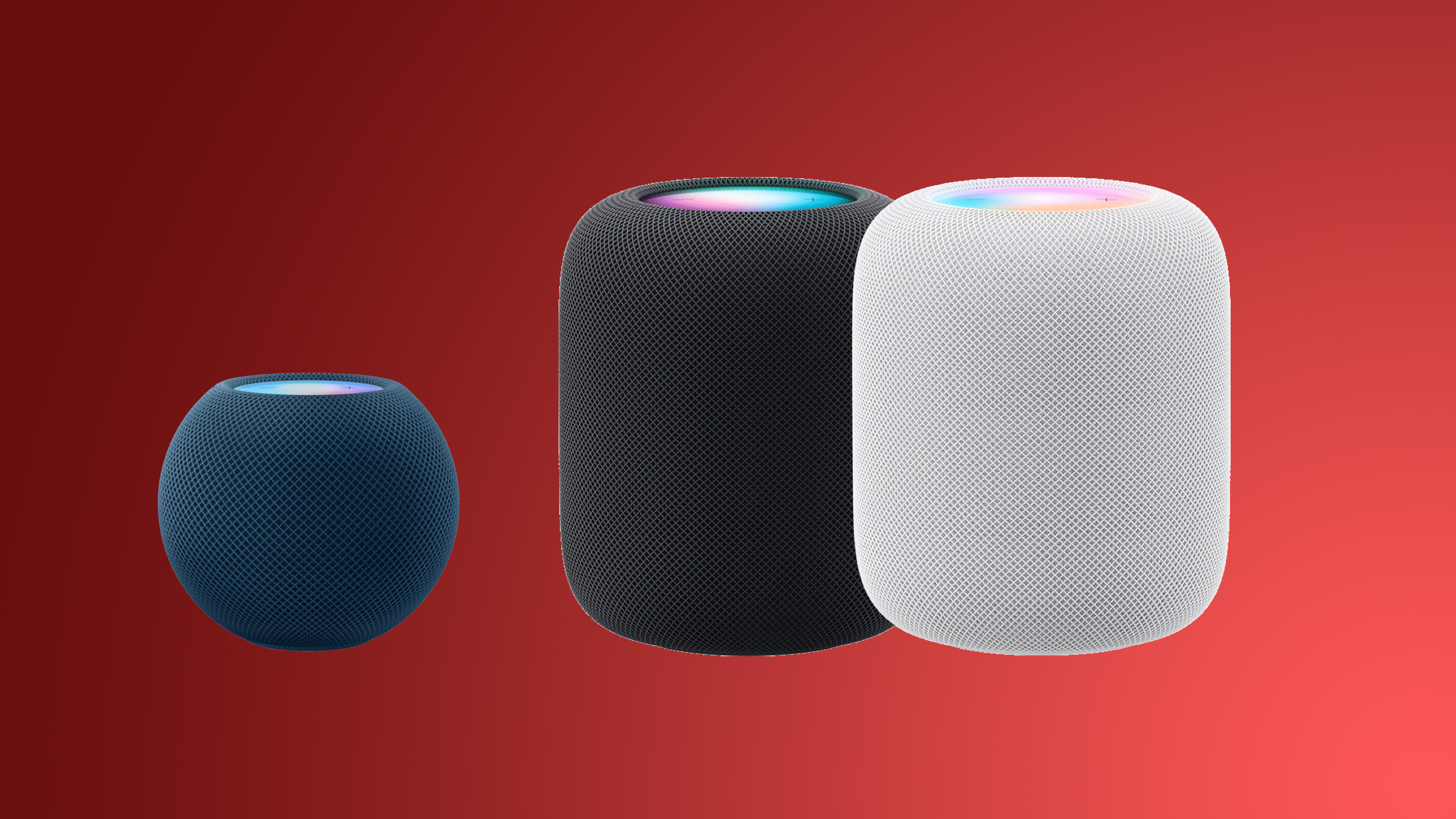
Alongside iOS 27 , iPadOS 27 , and macOS Golden Gate , Apple today released new software for the HomePod and HomePod mini . HomePod Software 27 adds AirPlay improvements and support for AutoMix when listening to Apple Music . This update introduces support for AutoMix with Apple Music, which transitions between songs like a DJ does, time stretching and beatmatching to deliver a continuous playback experience. It also delivers improved AirPlay performance, providing faster and more responsive connections when sharing music from iPhone, iPad, or Mac, and provides bug fixes and security updates for your HomePod. HomePod software can be installed on the Home app on the iPhone, iPad , or Mac by selecting on the More button, choosing Home Settings, and then using the Software Update option. If automatic updates are turned on, the new HomePod software will be installed automatically. Related Roundup: HomePod Buyer's Guide: HomePod (Caution) This article, " Apple Releases HomePod Software 27 With AutoMix Support " first appeared on MacRumors.com Discuss this article in our forums
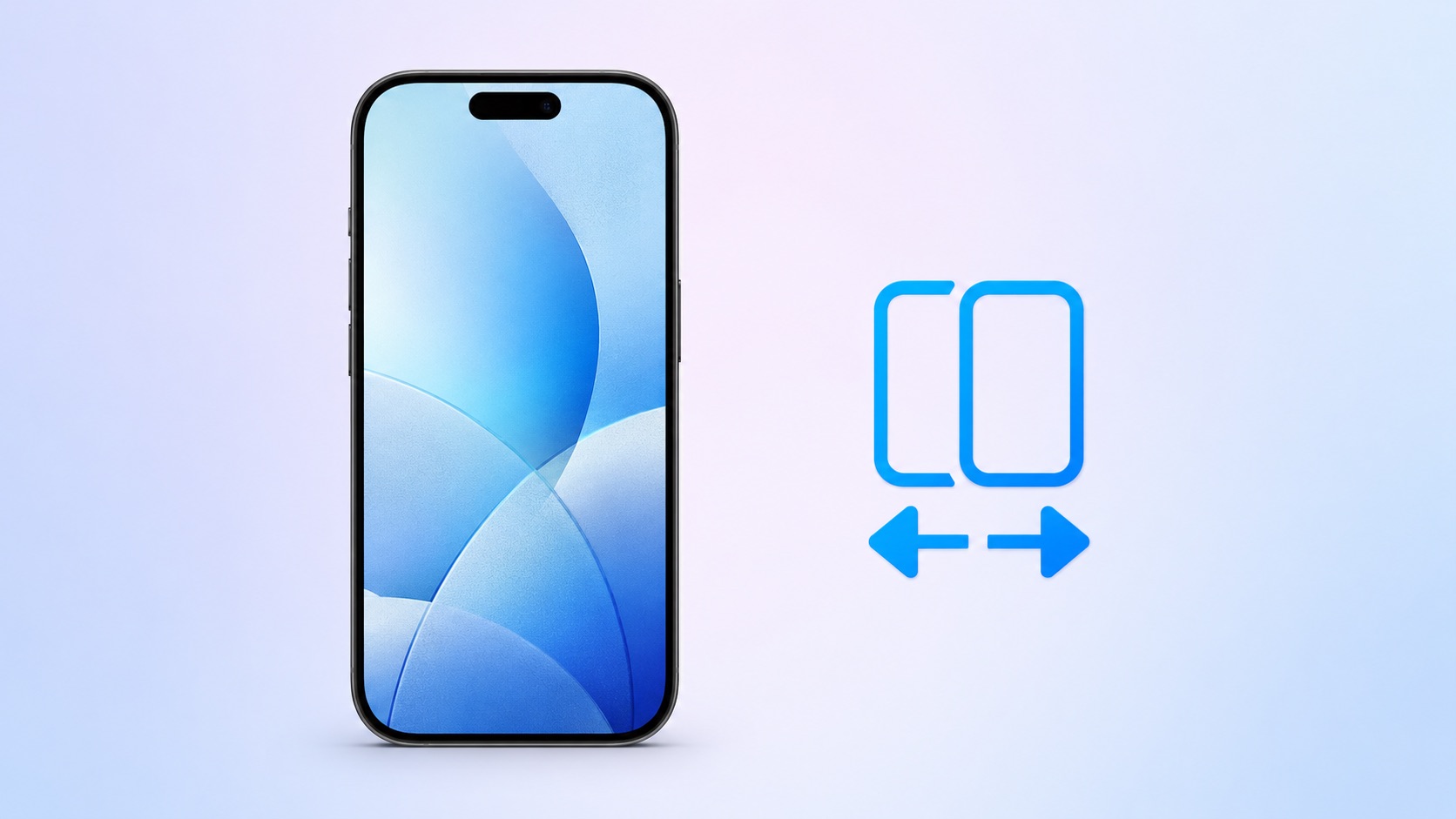
Apple last week announced that Verizon and EE will support iOS 27's new iPhone Handoff feature later this year. The feature allows you to switch between any two iPhones running iOS 27 while using the same phone number on each device. iPhone Handoff is initially supported by T-Mobile (which is charging $5/month for it ) and Deutsche Telekom. To learn more about the feature, read our previous coverage and Apple's support document . Related Roundups: iOS 27 , iPadOS 27 Tag: iPhone Handoff Related Forum: iOS 27 This article, " iOS 27's iPhone Handoff Feature Expanding to More Carriers This Year " first appeared on MacRumors.com Discuss this article in our forums
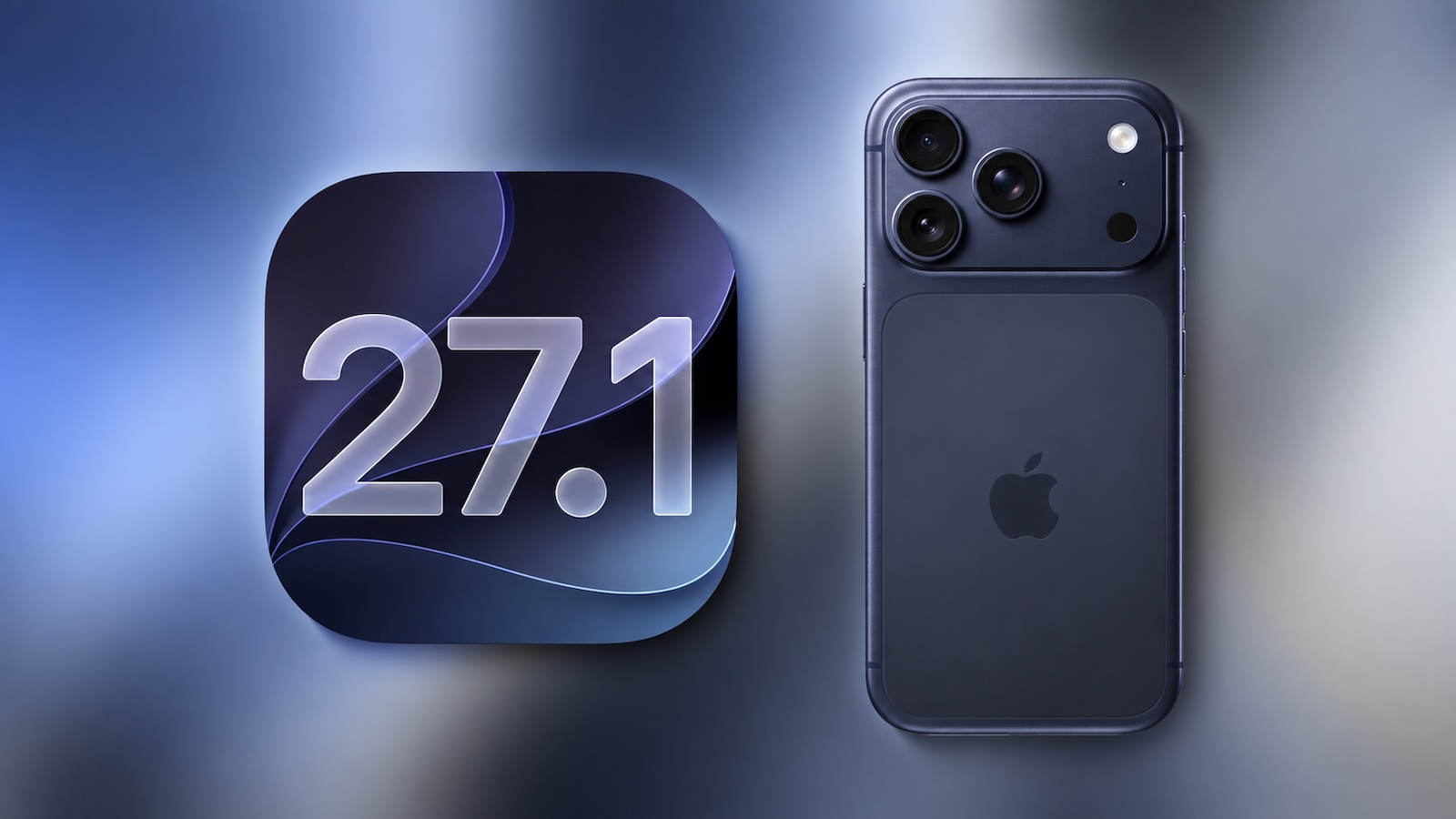
Apple's press release for the iPhone Duo last week said the device will ship with iOS 27.1 , which essentially confirms the software update's release timing. iPhone Duo launches on Friday, October 23, so we can expect iOS 27.1 to be released by that date at the latest — likely several days earlier. Following three months of beta testing, iOS 27 will be released to the public today , and the first beta of iOS 27.1 will likely follow soon after. New Features to Expect During its iPhone event last week, Apple announced that Siri AI will be available in French, Japanese, Korean, Portuguese, and Spanish starting in October, and this expanded language support beyond English will likely arrive with iOS 27.1 based on that timeframe, as the software update itself will likely be released in October. Apple recently said that two new features will not be available in the initial iOS 27 release , including suggestions like "Add to Reminders" and "Add to Notes" in the Messages app and the ability to automatically fix compromised passwords with a single tap in the Passwords app. Apple merely said these features will arrive in a "future software update," and iOS 27.1 will likely be the earliest opportunity for that to happen. And of course, iOS 27.1 supports the iPhone Duo's unique foldable interface. This is all that is known for now, but we expect iOS 27.1 to include other new features, bug fixes, and security fixes, so stay tuned. Related Roundups: iOS 27 , iPadOS 27 Related Forum: iOS 27 This article, " iOS 27.1: New Features to Expect and Release Date " first appeared on MacRumors.com Discuss this article in our forums

Apple announced the AirPods 5 earlier this month, giving its entry-level earbuds Active Noise Cancellation (ANC) as standard for the first time. The AirPods 5 start at $129, a $149 model adds a Wireless Charging Case, and both versions arrive in stores on Friday, September 18. The launch also resets the way Apple tiers its cheapest earbuds. With the AirPods 4, the $50 step up from $129 to $179 bought ANC along with a wireless charging case. With the AirPods 5, noise cancellation comes at the entry price and now there is only a $20 step up to the next tier. Apple has stopped selling both versions of the AirPods 4 directly, but they remain widely available from third-party retailers, where the standard model has already dropped to $99 and the ANC model to $149. Here's everything that differs between the AirPods 4 and the AirPods 5: AirPods 4 (2024) AirPods 4 With ANC (2024) AirPods 5 (2026) AirPods 5 With Wireless Charging Case (2026) Active Noise Cancellation Active Noise Cancellation that removes up to 50% more external noise Active Noise Cancellation that removes up to 50% more external noise Transparency mode Improved Transparency mode Improved Transparency mode Adaptive Audio Adaptive Audio Adaptive Audio Conversation Awareness Conversation Awareness Conversation Awareness Adaptive EQ Adaptive EQ Redesigned acoustic architecture and updated Adaptive EQ Redesigned acoustic architecture and updated Adaptive EQ Studio-quality audio recording Studio-quality audio recording Live Translation Live Translation Live Translation Force sensor Force sensor Force sensor Force sensor with swipe volume controls Up to five hours of listening time on a single charge Up to four hours of listening time on a single charge with Active Noise Cancellation enabled (up to five hours with noise control off) Up to four hours of battery life on a single charge with Active Noise Cancellation enabled (up to six hours with noise control off) Up to five hours of battery life on a single charge with Active Noise Cancellation enabled (up to seven hours with noise control off) Up to 30 hours of listening time with the charging case Up to 20 hours of listening time with the charging case with Active Noise Cancellation enabled (up to 30 hours with noise control off) Up to 20 hours of battery life with the charging case with Active Noise Cancellation enabled Up to 22 hours of battery life with the charging case with Active Noise Cancellation enabled Charging Case (USB-C) Wireless Charging Case (USB-C) with support for the Apple Watch charger and Qi-certified chargers Charging Case (USB-C) Wireless Charging Case (USB-C) with support for the Apple Watch charger and Qi-certified chargers Speaker for Find My Speaker for Find My Dust, sweat, and water resistant (IP54) Dust, sweat, and water resistant (IP54) Dust, sweat, and water resistant (IP57) Dust, sweat, and water resistant (IP57) Previously $129, now discontinued Previously $179, now discontinued $129 $149 How Big Is the Upgrade? The AirPods 5 retain the H2 chip that debuted in the AirPods Pro 2 back in 2022, rather than the new headphone chip that had been rumored, and they retain Bluetooth 5.3, the same open-ear design, the same custom high-excursion driver and high dynamic range amplifier, and identical dimensions and weight down to the gram. Personalized Spatial Audio, Adaptive EQ, Voice Isolation, Personalized Volume, and Siri Interactions all came to the AirPods 4 two years ago. Noise cancellation is the headline upgrade, and now included regardless of which 2026 model you choose. Apple says the AirPods 5 remove up to 50% more external noise than the AirPods 4 with ANC, which it attributes to a redesigned acoustic architecture, and the same architecture underpins the claims of richer sound and a more natural Transparency mode. Durability improves from IP54 to IP57, so the earbuds and case are now rated for immersion rather than just splashes. Studio-quality audio recording is also new. Should You Upgrade? If you already own the AirPods 4 with ANC, there is not a strong case to upgrade. You already have Adaptive Audio, Transparency mode, Conversation Awareness, Live Translation, a wireless charging case with a Find My speaker, and the same H2 chip, so the $149 model would give you stronger noise cancellation, a higher IP rating, an extra hour of listening time, and swipe volume controls. The case is stronger if you own the standard AirPods 4. Noise cancellation, Transparency mode, Adaptive Audio, Conversation Awareness, and Live Translation are all missing from that model, and the AirPods 5 add every one of them at the same $129 you paid two years ago. The same goes for anyone still using the AirPods 3 or AirPods 2, where the jump also brings the newer fit, the H2 chip, USB-C, and Personalized Spatial Audio. For new buyers, the AirPods 5 are the clear default choice. The AirPods 4 are the better value option only when heavily discounted. The open-ear fit remains the real dividing line in the lineup. If you want genuine isolation, want to use hearing health features, or want heart rate sensing during workouts, the $249 AirPods Pro 3 are still the earbuds to buy. By contrast, if in-ear tips irritate you or you want to stay more aware of your environment, the AirPods 5 now offer a far more capable version of the design you will prefer. Both AirPods 5 models are available to pre-order now ahead of their release on Friday, September 18. AirPods frequently see hefty discounts on Amazon and other third-party retailers, so it is always worth seeking the best price using our Deals roundup . Which AirPods 5 Model to Buy? The difference between the two AirPods 5 models is significant despite the $20 gap. The Wireless Charging Case works with Qi chargers and the Apple Watch charger, contains a speaker that makes it much easier to find in the Find My app, and comes with an extra hour of listening time on a charge and two extra hours across the case. The $149 model is clearly the one to buy for most people, unless the AirPods are a secondary device or one that isn't going to be used often. Jumping up to the higher-end model only costs $20, which is a relatively small amount of money for the number of enhancements. Related Roundup: AirPods 5 Buyer's Guide: AirPods (Buy Now) Related Forum: AirPods This article, " AirPods 4 vs. AirPods 5 Buyer's Guide " first appeared on MacRumors.com Discuss this article in our forums

🍎 Apple has recovered sharply from the lower part of the recent structure and is now pushing back into the upper boundary of the range. After spending weeks consolidating, price has reclaimed the internal structure and is now testing an important resistance area. 🏆 Previously: https://www.tradingview.com/chart/AAPL/qbGdiMEZ-Apple-The-Next-Move-Is-Taking-Shape/ 📈 Bullish scenario The recent recovery has been strong, with price forming a clear sequence of higher highs and higher lows from the lower zone. Price is now testing the kink / resistance area. If buyers can hold above this structure and continue higher, the next major zone becomes the key upside target. A clean breakout above that zone could trigger another bullish expansion. Kink reclaim → resistance breakout → bullish continuation. 📉 Bearish scenario Despite the strong recovery, the upper zone remains an important resistance area. If price gets rejected and falls back below the kink, the current recovery could lose momentum and send price back toward the lower zone. A breakdown through that support would significantly weaken the bullish structure. Resistance rejection → kink loss → deeper retracement. 🎯 Outlook Apple is approaching a major breakout decision point after recovering from the lower range. The current structure favors buyers, but the reaction at the upper zone will be crucial. A clean breakout could mark the next expansion, while a rejection would keep Apple trapped inside the range. Hold the kink → bullish structure remains intact. Break the upper zone → further upside opens up. Lose the lower zone → deeper downside becomes likely. Range recovery → resistance test → breakout watch.
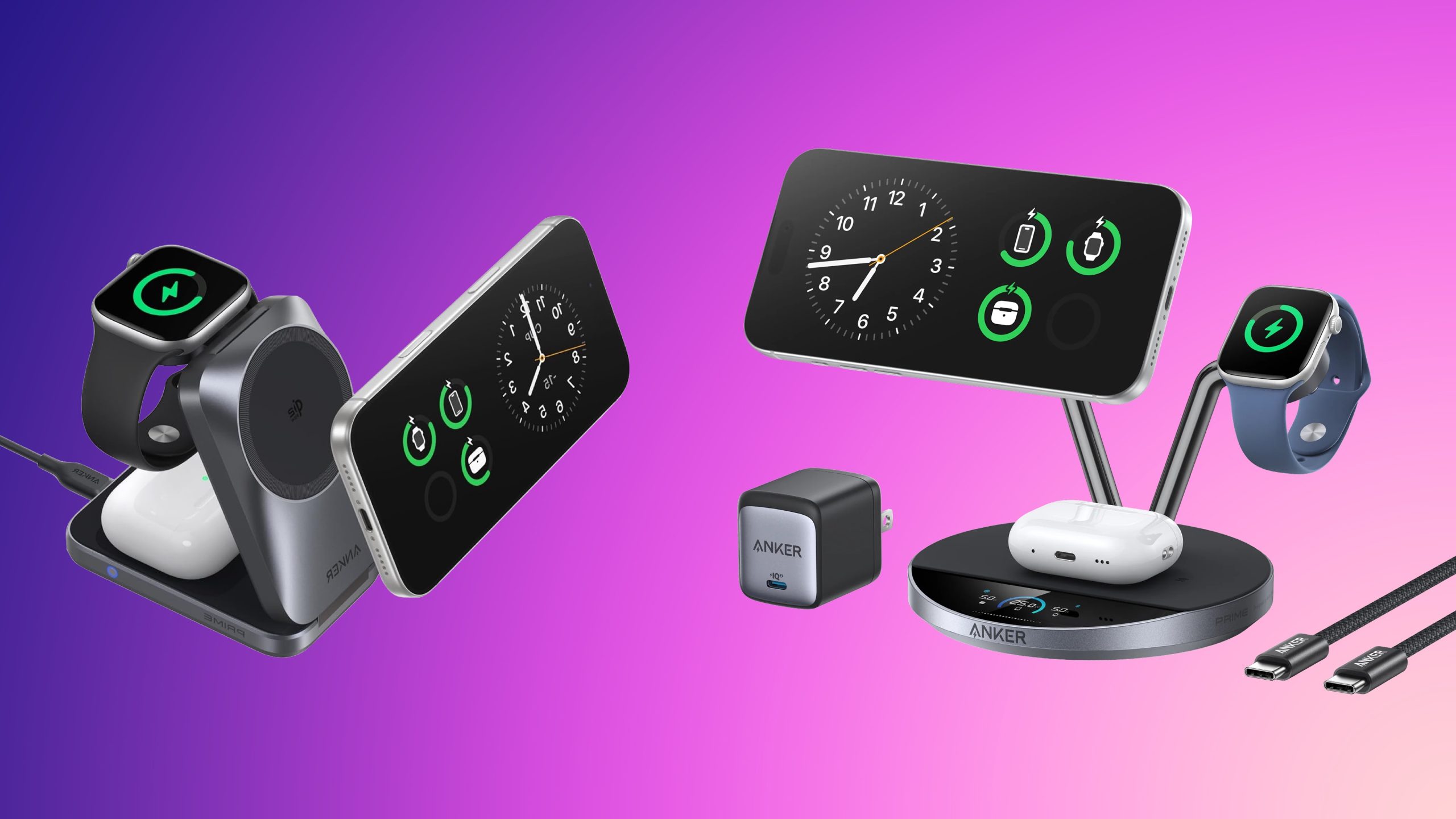
Apple's new iPhone 18 Pro and iPhone 18 Pro Max launch this Friday, September 18, and if you've already got your pre-order in , it's time to start shopping for accessories for the new device. We've already recapped the best iPhone 18 Pro cases available to order , so today we're looking at all of the best charging accessories compatible with the latest iPhones. Note: MacRumors is an affiliate partner with some of these vendors. When you click a link and make a purchase, we may receive a small payment, which helps us keep the site running. A highlight of the sales is Twelve South's HiRise 2 Deluxe, which is down to $64.00 on Amazon, from $79.99. This device can charge an iPhone 18 Pro and AirPods simultaneously, and this sale is available in the Glacial Blue color option. $14 OFF Twelve South HiRise 2 Deluxe for $64.00 For Anker's best chargers, the popular 3-in-1 Prime Foldable MagSafe Charger has returned to its all-time low price of $99.73 , down from $149.99. It's available in both Radiant White and Phantom Gray colors at this price. $14 OFF Anker 3-in-1 Prime Foldable MagSafe Charger for $99.73 Another notable accessory company hosting iPhone 18 accessory discounts is Hyper , with 20 percent off a collection of wall chargers, wireless chargers, and more. You can get this discount by adding any item from this landing page to your cart then entering the code APPLE20 at checkout. Wall Chargers UGREEN 100W GaN 4-Port Charger - $42.99, down from $54.99 Anker 140W 4-Port GaN USB-C Charger - $79.99, down from $89.99 Anker 3-Port Prime Charger - $115.99, down from $149.99 Wireless Chargers Anker 3-in-1 MagGo Qi2 Charging Stand - $67.49, down from $89.99 Anker 3-in-1 MagGo UFO Charger - $69.99, down from $89.99 Anker 3-in-1 Foldable Charging Station - $79.99, down from $109.99 Anker 3-in-1 Prime Foldable MagSafe Charger - $99.73, down from $149.99 Anker Prime MagSafe 3-in-1 Charging Station - $134.98, down from $229.99 If you're on the hunt for more discounts, be sure to visit our Apple Deals roundup where we recap the best Apple-related bargains of the past week. Deals Newsletter Interested in hearing more about the best deals you can find in 2026? Sign up for our Deals Newsletter and we'll keep you updated so you don't miss the biggest deals of the season! Related Roundup: Apple Deals This article, " Top Charging Accessories for iPhone 18 Pro and Pro Max on Sale Ahead of Launch " first appeared on MacRumors.com Discuss this article in our forums